4-6
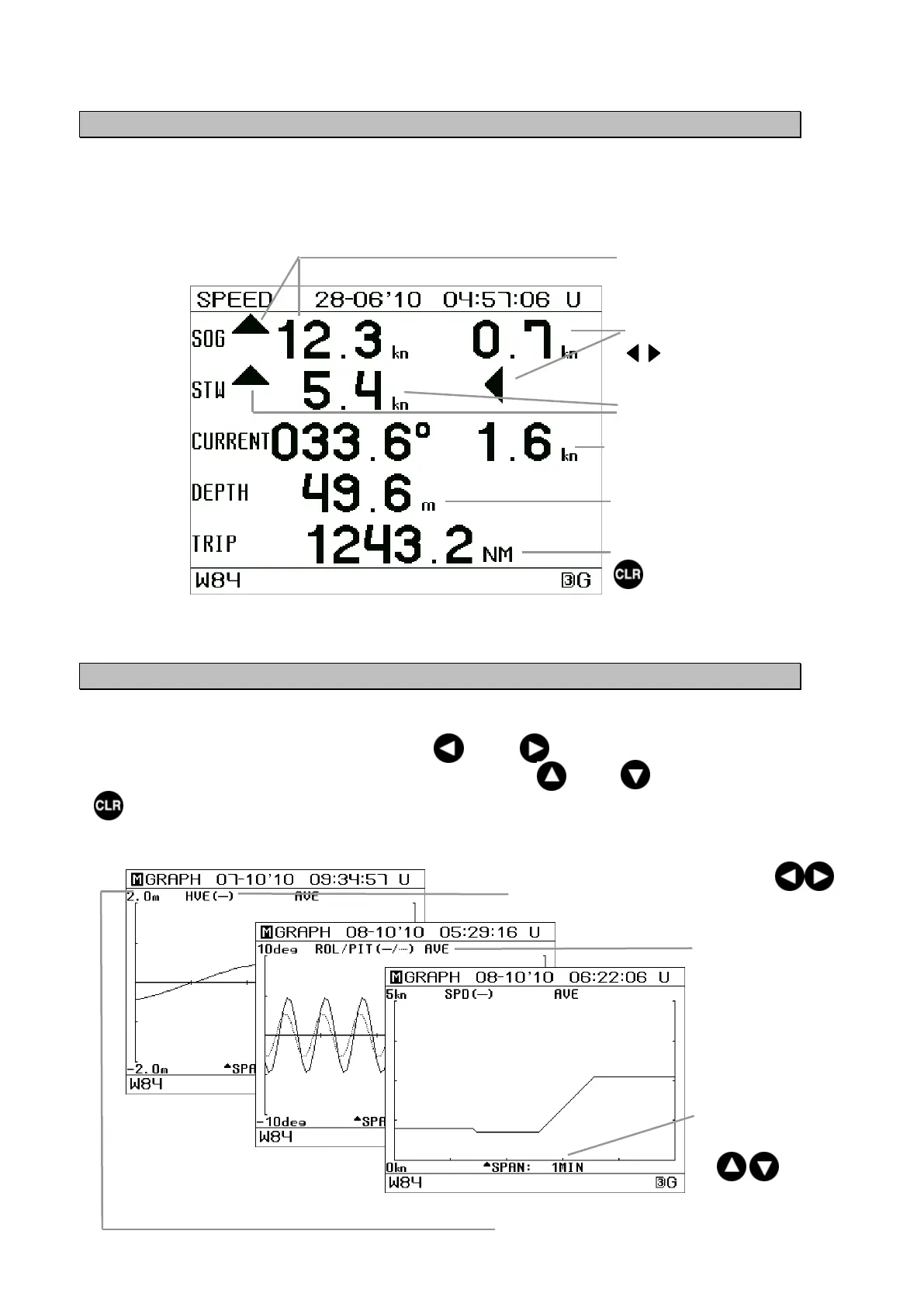
4.1.5 Water Speed / Ground Speed Screen
Ship’s longitudinal speed(bow-stern), transverse speed(port-starboard), and bearing are
displayed.
When the tide current calculator is not connected, the STW, CURRENT, and DEPTH
values are not displayed.
4.1.6 Trend Graph Screen
1) Roll/pitch, 2) heaving, and 3) SOG (Speed Over Ground) are displayed in a trend graph.
The right end of the graph shows the newest data.
Each graph of 1) to 3) can be cycled using the or the key.
The time range in the horizontal axis can be cycled using the or the key.
key can be pressed and held for 2 seconds on the screen of graph 1) to 3) to reset the
display data (past history data).
Attention) This reset is applicable all past history data for 1) Roll/pitch, 2) heaving, and 3) SOG.
CURRENT:
Bearing / speed of tidal
current
DEPTH:
Current depth
STW: Speed Through
Wate
Ship’s transverse speed over
ground
indicates the bearing.
Ship’s longitudinal speed over
ground ▲▼ indicates the bearing.
TRIP: Total travel distance (Over ground)
key can be pressed and held for 2
seconds on this screen to reset the value of
TRIP.
The value is kept even after the power is
turned off until this reset is
erformed.
The range of the vertical axis for each
graph can be cycled. (Refer to 5.3.6
System Settings.)
The time range can be
cycled using
the keys.
The type of graph can be cycled using the keys.
1) ROL/PIT: Roll/Pitch 2) HVE: Heaving 3) SPD: SOG
Select a data display
method from AVE (the
average value) or MAX
(the maximum value.)
(Refer to 5.3.6 System
Settings.)


 To Next Page