5-35
5.3.9 Alert Settings (ALERT)
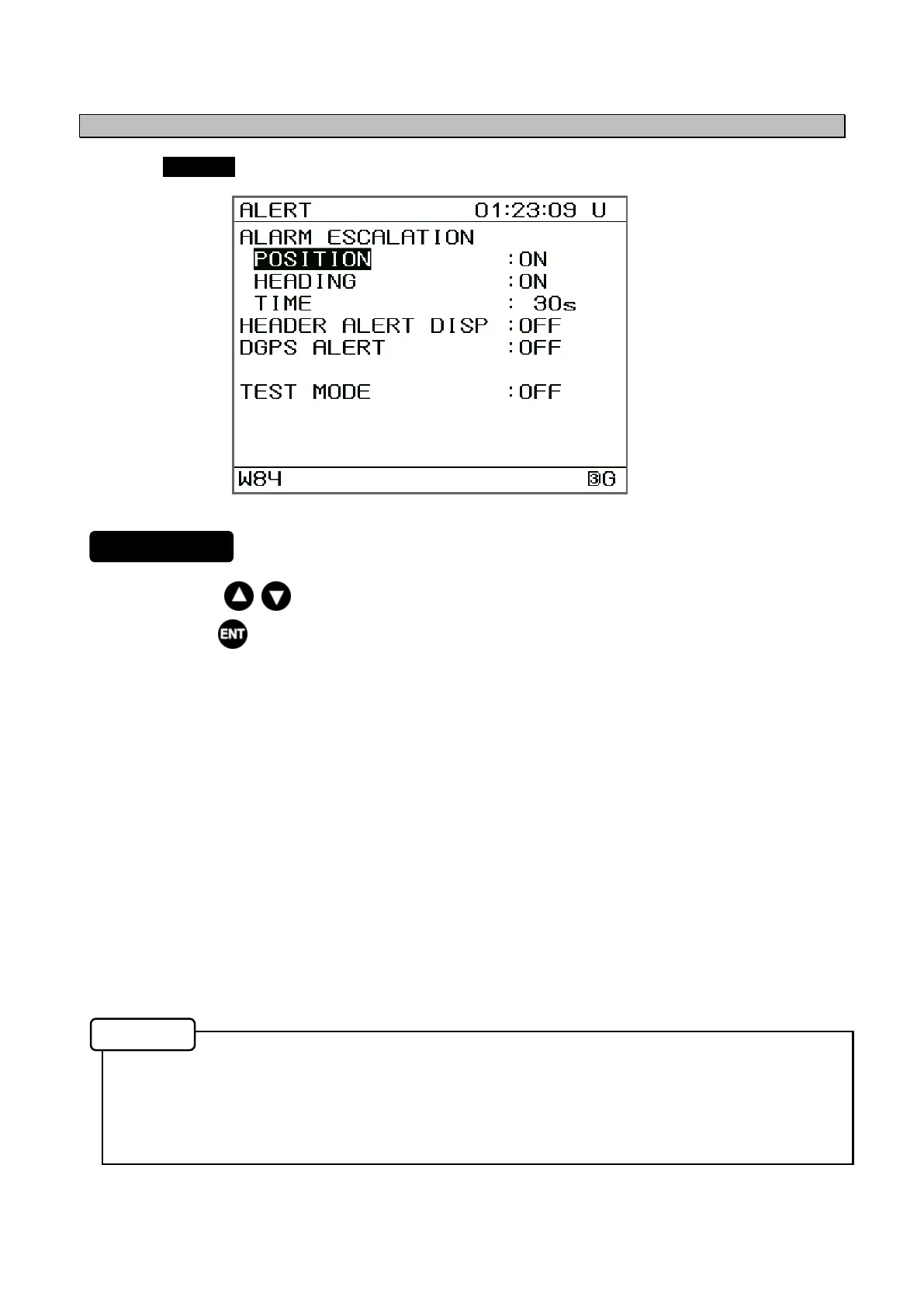
Selecting ALERT from the "5.3 Main Menu" displays the Alert Settings Screen.
1. Press the keys to move the cursor and select an item.
2. Press the key to display the menu for the selected item.
The following items are displayed.
• ALARM ESCALATION: Select whether the “No positioning” or “No Heading” warning
will escalate to an alarm.
POSITION ON: Enable the escalation.
OFF: Disable the escalation.
HEADING ON: Enable the escalation.
OFF: Disable the escalation.
TIME: Set the time until escalation.
• HEADER ALERT DISP: Select whether to display the aggregation or grouping in the alert
display.
ON: Display in aggregation or grouping.
OFF: Not display aggregation or grouping.
• DGPS ALERT: Select whether to occur the alert for non-DGPS.
ON: Enable.
OFF: Disable.
• TEST MODE: Select whether to return the ALF of all alerts for “Q” of ACN for wildcard.
ON: Returns ALF of all alerts (include normal condition).
OFF: Returns ALF other than normal condition.
• If the position correction mode is “GPS ALONE” (Refer to 5.3.4), DGPS alert is disable.
• After muting the warning alert, if it is not acknowledged for 15 seconds, the warning will
occur again (warning escalation).
• Starting-up the display uint (turning the power on), the setting value of "HEADER ALERT
DISP" and "TEST MODE" will set to "OFF".
Alert Settings Menu
Memo
Procedure


 To Next Page