6-6
6.3 Troubleshooting
6.3.1 Troubleshooting
WARNING
Do not perform internal inspections or modifications of the equipment.
Inspection or modification by unauthorized personnel may result in fire, electric
shock, or equipment failure. Please consult with JRC or an affiliate to perform
internal inspections or repair.
The following is reference information concerning identification of problems.
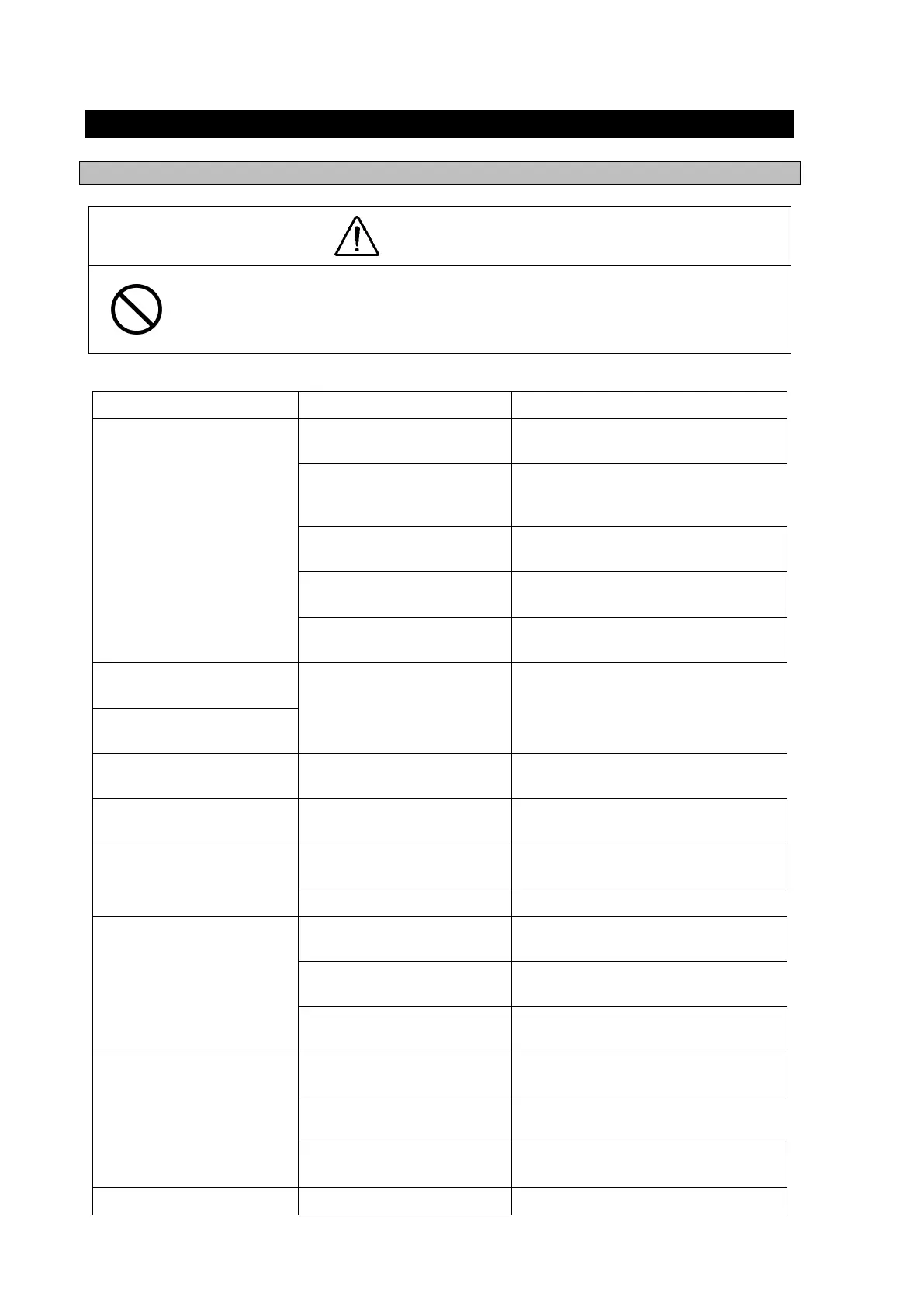
Problem Behavior Possible Causes Troubleshootin
Measures
The power does not turn on
when the power switch is
pressed.
Power is not being supplied
b
the ship
unction box.
Check the cabling from the junction
box.
Power is not being supplied
by the power supply
equipment
option
.
Check the power supply unit cabling.
The fuse connected to the
power cable has blown.
If there are no problems in the cabling,
replace the fuse.
The power supply equipment
option
fuse has blown.
If there are no problems in the cabling,
replace the fuse.
The display unit switch is
broken.
Consult with JRC or an affiliate
.
The LCD display does not
displa
an
thin
.
The LCD display is broken. Consult with JRC or an affiliate.
The display does not light
up.
The buzzer sound. Is not
enerated
The buzzer is broken. Consult with JRC or an affiliate.
The click does not sound. The key press sound is
turned off.
Refer to 5.3.1.3 for setting the key
press sound.
There is no reception.
(from sensor)
The sensor connection cable
is cut.
Check the connection cable.
The sensor is broken. Consult with JRC or an affiliate.
There is no reception.
(from external devices)
The polarity of the serial
cable is incorrect.
Check the polarity of the cable.
The interface does not
match.
Check the interface.
An unsupported sentence
has been entered.
Check the entered commands and
version.
There is no transmission.
(to external devices)
Output settings have not
been confi
ured.
Refer to 5.3.7 for setting the key press
sound.
The configured channel is
incorrect.
Refer to 5.3.7 for setting the key press
sound.
The DISP-DPU or
connector board is broken.
Consult with JRC or an affiliate.


 To Next Page