5-39
5.4.2 Input Check
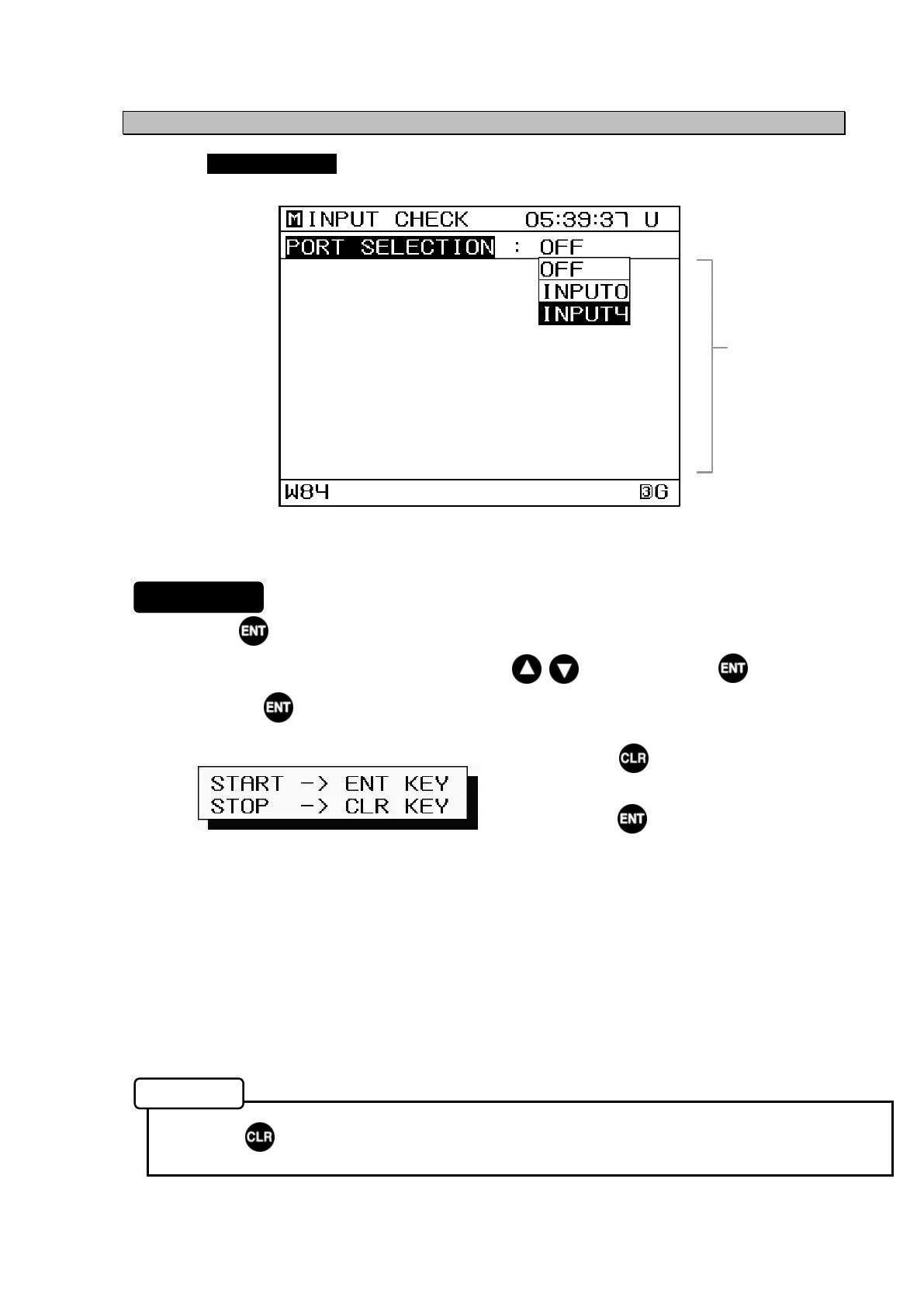
Selecting INPUT CHECK from the "5.4 Maintenance Menu" displays input data information.
1. Press on the PORT SELECTION item.
2. Select the port you wish to confirm with the keys, and press to confirm.
3. Press the key to start data display. (Data is displayed in the received data display
area)
Pressing the key when data is
displayed stops the display.
Pressing the key again restarts the
data display.
The following items are displayed.
• INPUT0: Displays data from the sensor.
However, the data is not readable, because it uses a specialized data
format.
• INPUT4: Displays data from DATA IN4.
Perform this only after making sure that the input and output bit rates are
equal.
(Refer to "5.3.7 Data I/O Settings (DATA I/O)" for details on setting the bit
rate)
• Press to return to the Main Menu.
Input Check Screen
Procedure
Memo
Received Data
Display Area


 To Next Page