-
30
-
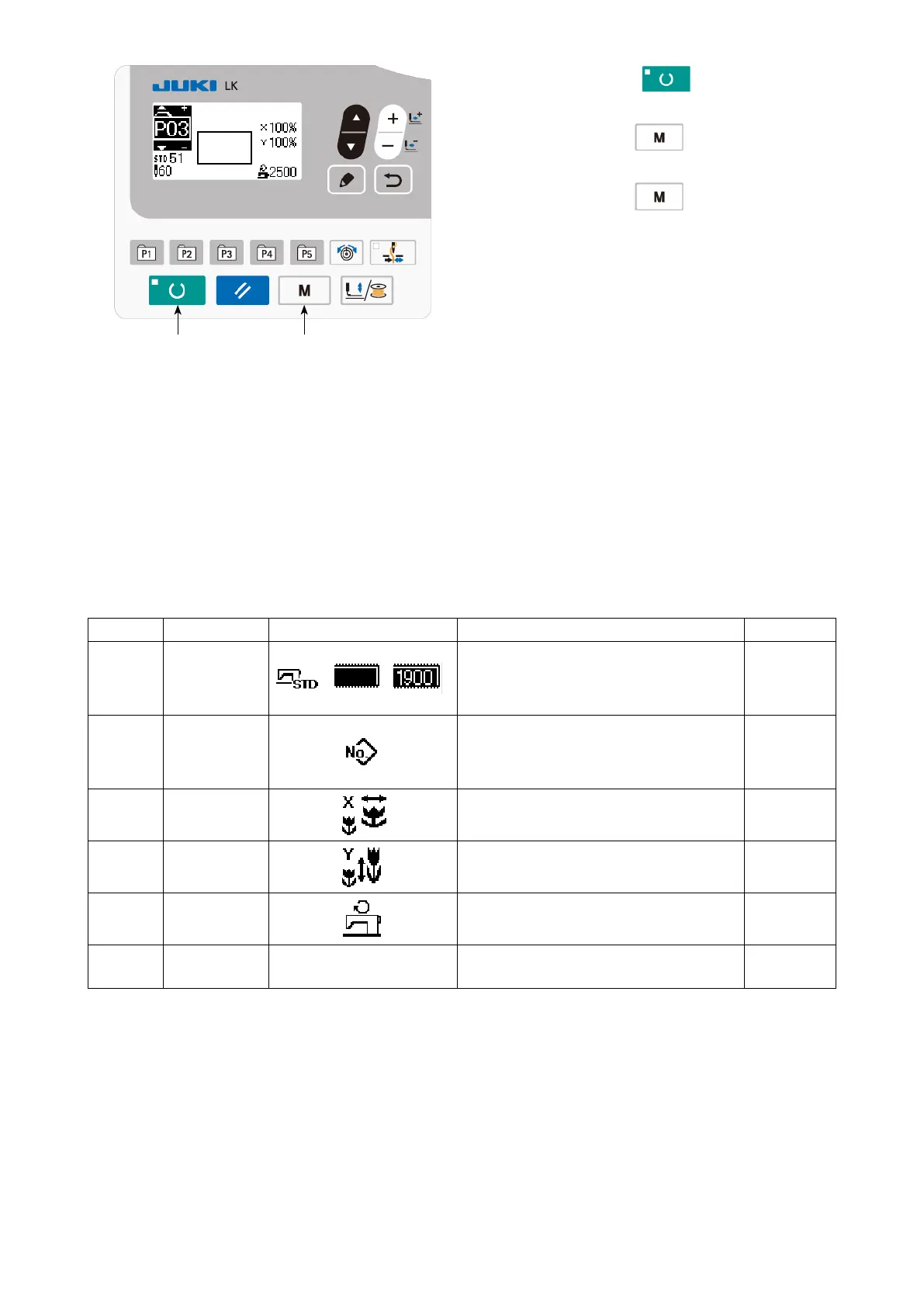
5) Press READY key
❷
, key to nalize
the setting.
6) Press MODE key
❹
.
Pattern register mode is nalized.
7) Press MODE key
❹
.
Mode setting is nalized and the mode re-
turns to the normal mode.
❹❷
No.
Item name Pictograph Input range Remarks
S001 Type of pattern
/ /
Standard pattern /
User pattern /
Old user patterns
S002 Pattern No.
Standard pattern : 1 to 51
User pattern : 1 to 200
Old user patterns : 1 to 99
S003 X scale When inputting in terms of percentage (%) :
20 to 200 %
S004 Y scale When inputting in terms of percentage (%) :
20 to 200 %
S006 Sewing speed 200 to 2500
S012 Comment
The number of characters that can be input :
14
(2) Listing of item data



 To Next Page