Commissioning
30
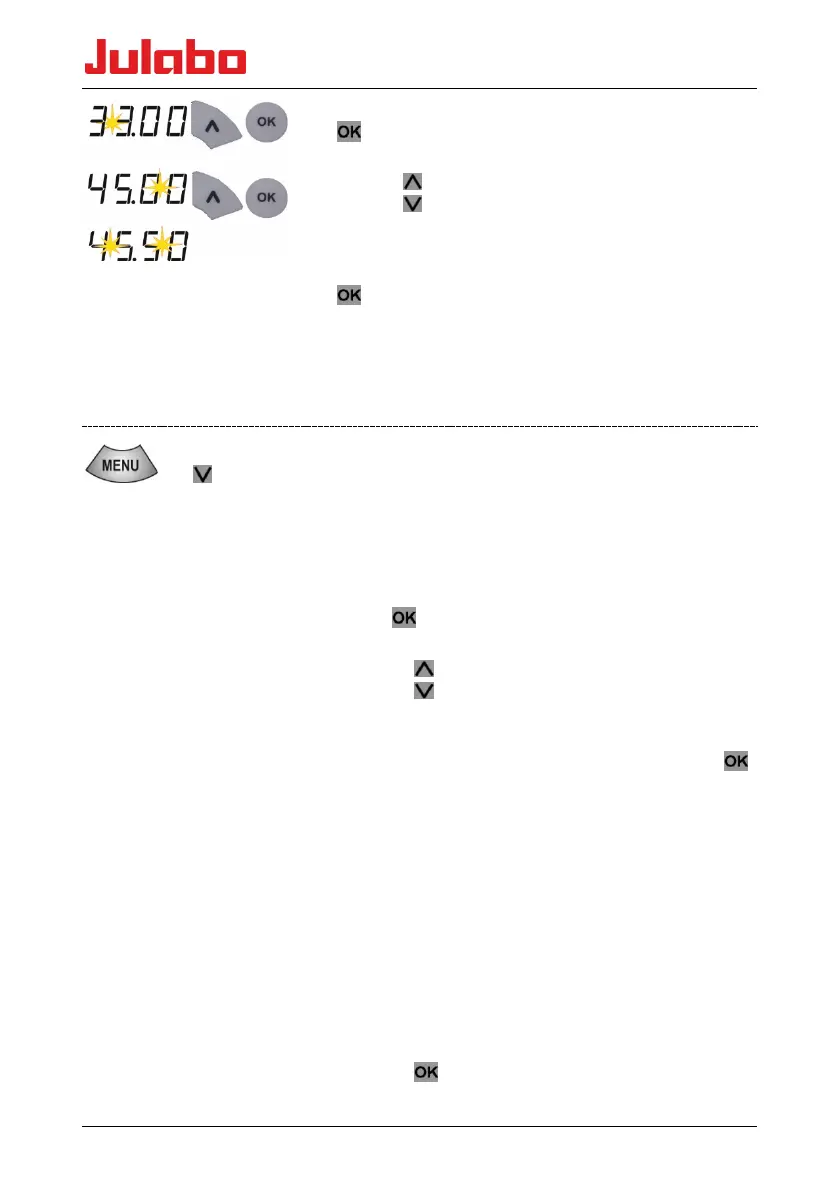
4. Accept the set value as the desired value by pressing the
key. The digits after the decimal point flash.
5. Change the value:
Press the
key to set a higher value.
Press the
key to set a lower value.
Press the key briefly for single steps, press and hold the
key to adjust the values quickly.
6. Save the set value as the desired value by pressing the
key.
The new desired value will flash briefly. The setpoint
adjustment can be interrupted with the menu key, the
previously set setpoint remains unchanged.
9.6 Setting the timer
2 x
tSEt
0
Timer set to 15 minutes.
15
25 seconds until the timer ends
25.
The timer keeps the set value for a defined period of time
(0…999 minutes). The device then stops (OFF). The timer
settings can be set when the device has been started or
stopped.
• The set value is saved so that it will be retained even after
a power outage.
To set the timer, select SEt
• press
, the minute digits are flashing.
• Changing the timer value (in minutes):
Press the key to set a higher value.
Press the
key to set a lower value.
Press the key briefly for single steps, press and hold the key
to adjust the values quickly.
• Save the set value as the desired value by pressing the
key (the display flashes briefly).
The decimal point flashes until the desired value (±0.1 K) is
reached. After the desired value is reached, the timer starts and
the display alternates between the actual temperature (for 3
sec.) and the remaining time (for 2 seconds). The remaining
time < 1 min is displayed in seconds. Until the desired value is
reached, it can still be changed. The timer remains active and
will start when the new desired value is reached. If the desired
value is changed while the timer is running, the timer will be
deactivated.
After the set time elapses, a beep sounds twice and the device
goes into the OFF state.
Stopping the timer
• Press the
key for about 1 sec. - OFF.










 To Next Page