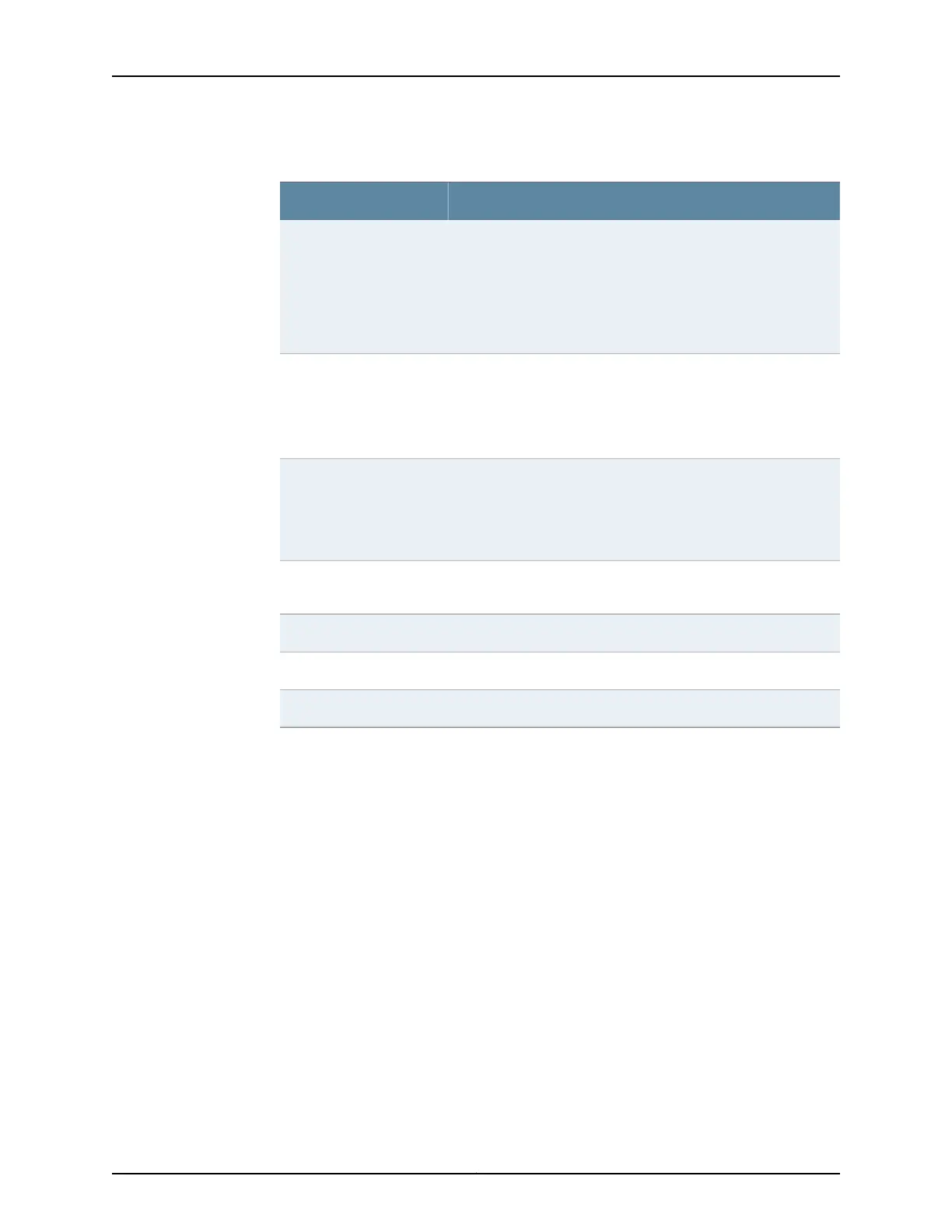
Table 13: show firewall log Output Fields (continued)
Field DescriptionField Name
• Displays the name of a configured firewall filter or service filter
only if the packet hit the filter’s log action in a kernel filter (in the
control plane). For any traffic that reaches the Routing Engine,
the packets hit the log action in the kernel.
• For all other logged packets (packet hit the filter’s log action in
the Packet Forwarding Engine), this field displays pfe instead of
a configured filter name.
Filter
Filter action:
• A—Accept
• D—Discard
• R—Reject
Filter Action
• Displays a physical interface name if the packet arrived at a port
on a line card.
• Displays local if the packet was generated by the device's internal
Ethernet interface, em1 or fxp1, which connects the Routing Engine
with the router’s packet-forwarding components.
Name of Interface
Packet’s protocol name: egp, gre, icmp, ipip, ospf, pim, rsvp, tcp, or
udp.
Name of protocol
Length of the packet.Packet length
Packet’s source address.Source address
Packet’s destination address and port.Destination address
Sample Output
show firewall log
user@host>show firewall log
Time Filter Action Interface Protocol Src Addr Dest Addr
13:10:12 pfe D rlsq0.902 ICMP 192.0.2.2 192.0.2.1
13:10:11 pfe D rlsq0.902 ICMP 192.0.2.2 192.0.2.1
show firewall log detail
user@host> show firewall log detail
Time of Log: 2004-10-13 10:37:17 PDT, Filter: f, Filter action: accept, Name of
interface: fxp0.0Name of protocol: TCP, Packet Length: 50824, Source address:
203.0.113.108:829,
Destination address: 192.168.70.66:513
Time of Log: 2004-10-13 10:37:17 PDT, Filter: f, Filter action: accept, Name of
interface: fxp0.0
Name of protocol: TCP, Packet Length: 1020, Source address: 203.0.113.108:829,
Destination address: 192.168.70.66:513
Time of Log: 2004-10-13 10:37:17 PDT, Filter: f, Filter action: accept, Name of
Copyright © 2016, Juniper Networks, Inc.424
Port Mirroring Feature Guide for EX9200 Switches









 To Next Page