Precautions on the Use of
Discs
Maintenance of discs
0
Dirt attached to the disc, such as fingerprints and dust, may
cause distortion in the video image or sound.
Keep
the disc clean at all times such as by using a soft cloth.
0
Wipe the disc lightly from the center outward using the cloth.
0
If dirt is stubborn, wipe it off using a slightly wet cloth, followed
by a dry cloth.
0
Do not use thinner, benzine, alcohol, conventional record
cleaners, or antistatic sprays.
Doing so may damage the disc surface.
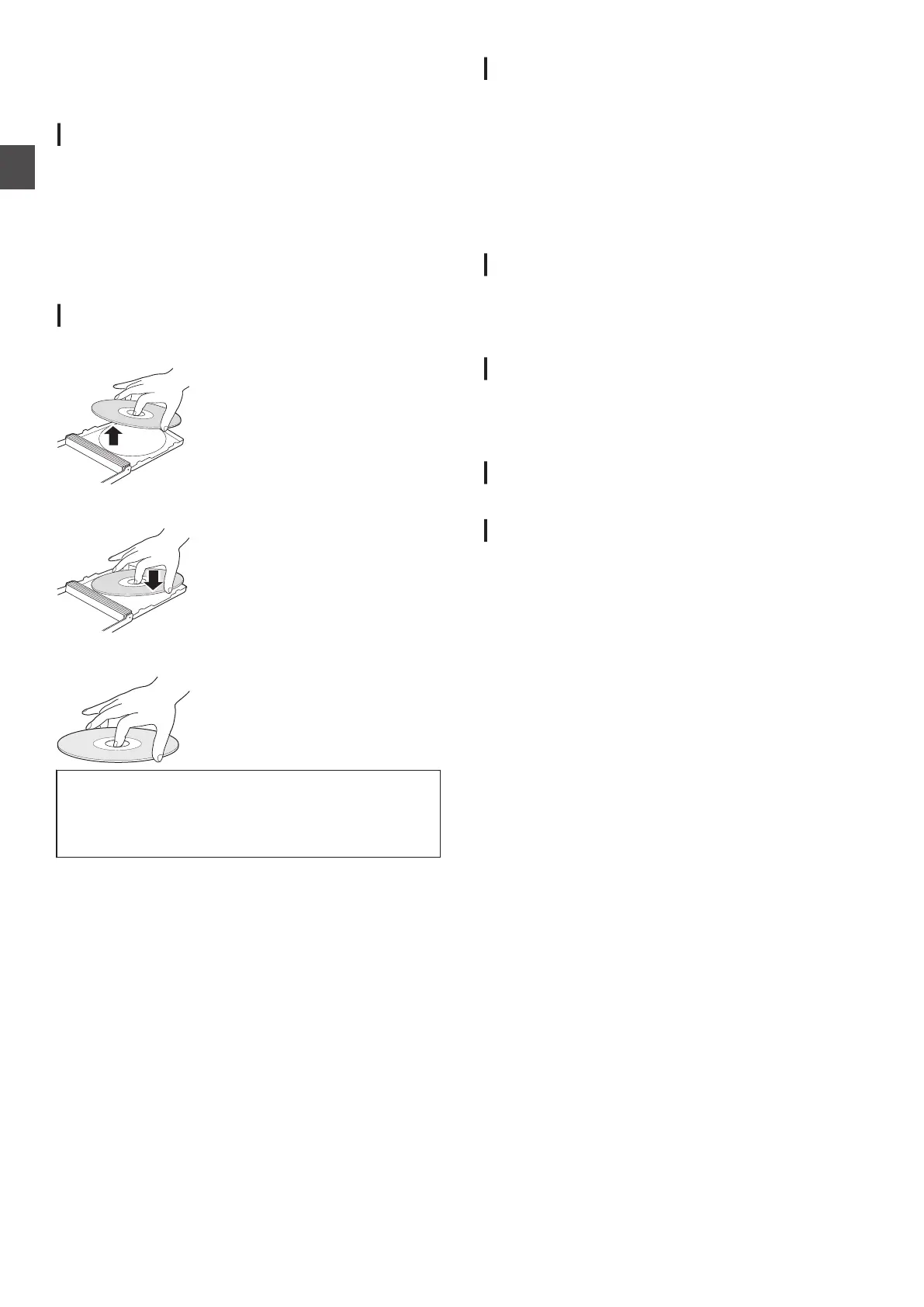
Handling discs
Removing a disc
.
Keeping a disc
.
Correct way to hold a disc
.
Do not touch the recording/playback side of the disc with
your fingers.
Fingerprints attached to the surface may affect the
recorded video/audio, and prevent this unit from
operating properly.
Disc storage
0
Avoid storing the disc at the following locations.
0
Places that are subject to high humidity, dust, or mold
growth
0
Places
that are exposed to direct sunlight or near a heater
0
Inside a car during summer
0
Do not drop the disc or subject it to strong impact.
0
Place the disc in a case and store it vertically.
0
Stacking the discs without using a case, placing the discs
against one another or dropping them may result in
deformation or cracking.
When the recording/playback lens is dirty
Dust or dirt may be attached to the recording/playback lens after
using this unit for a prolonged period of time, and recording or
playback may not be properly performed as a result.
In such case, contact the local dealers in your area.
Precautions when playing a dual disc
The side of the dual disc that is not used for DVD recording does
not comply with the standard specifications of music CDs.
It is recommended that playback on this unit be limited to the
DVD recording side of the dual disc.
Disc usage
The best performance may not be obtained for some discs.
Power Cable
Do not unplug the cable during recording or playback.
Doing so may cause the disc to become unusable.
If the disc becomes unusable, refer to the following.
BD-R or
DVD-R
:
Use a new disc.
BD-RE or
DVD-RW
: Reformat the disc after erasing the data. If the disc
is still not usable, use a new disc.
Do not turn off the [A] button or unplug the power cable
immediately after closing the disc tray.
14
Precautions on the Use of Discs
Getting Started



 To Next Page