Enabling Playback on Other
Devices (Finalizing)
DVD-R
and DVD-RW discs may need to be finalized before they
can be played on other DVD players.
BD-R discs need to be finalized before they can be played on
other BD players.
Memo :
0
Discs in the Video mode becomes a DVD-Video format with
a title menu after finalizing.
0
Discs
containing DVD-Video data can be finalized by setting
the disc operation settings according when the disc is
inserted into this unit.
0
Recording or editing of the disc will not be possible after it is
finalized.
0
If a DVD that was recorded using VR mode has been finalized,
the disc can only be played back on VR mode compatible
devices.
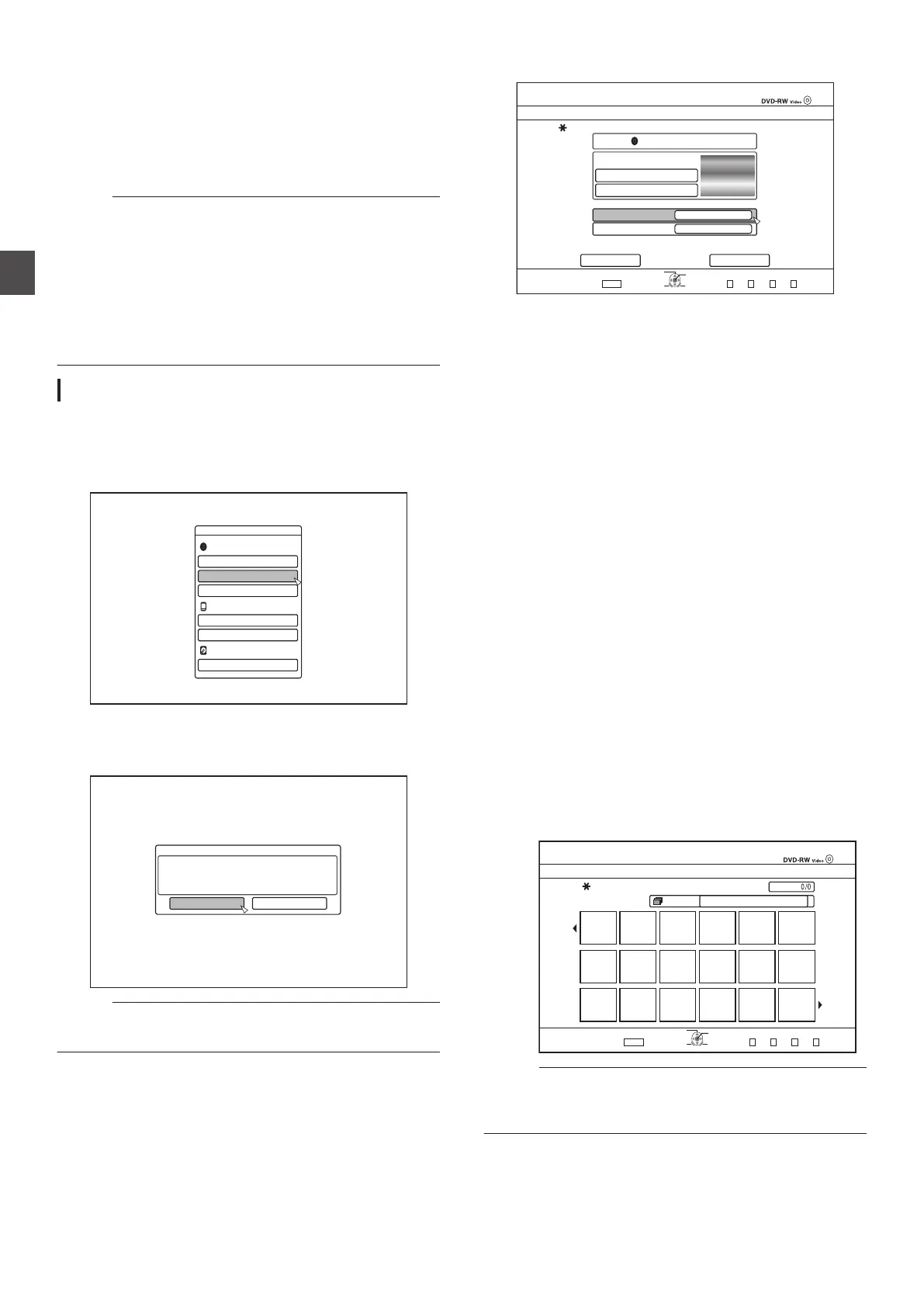
Finalizing
1
Set
the BD or DVD to be finalized on the disc tray
2
Press
the [MEDIA MANAGE] button on the remote
control unit
0
The Media Management menu screen appears.
.
/'&+#/#0#)'/'06
$&&8&
(14/#6
(+0#.+<'
4'0#/'&+5%
5&%#4&
$&8+&'1#'4#5'
*&&
(14/#6
(14/#6
3
Select “FINALIZE
” from “BD/DVD”
4
Select “YES
” and press the [OK] button
0
The top menu setting screen appears.
.
%10(+4/
&+5%9+..$'(+0#.+<'&(142.#;$#%-1016*'4&8&&'8+%'5
+69+..6#-'#$176::/+076'5
;17%#001656126*'(+0#.+<#6+1010%'+656#465
&1;179#0661(+0#.+<'!
;'5
01
Memo :
0
To cancel the finalizing operation, select
“NO” and press the
[OK] button.
5
Setting the top menu items
.
&8&498KFGQ
(+0#.+<'
%*#0)'&+5%/'07$#%-)4170&
5'.'%6(41/&'(#7.6$#%-)4170&
5'.'%6(41/56+..2+%674'5
(+4562.#;
4'2'#6
1((
':+6
/'&+#/#0#)'
5'.'%6
126+10
1-
4'6740
6*'&+5%9+..$'(+0#.+<'&61'0#$.'2.#;$#%-1016*'4&8&&'8+%'5
612/'07
&1016(+0#.+<'
(+0#.+<'
0
Before finalizing, set
“FIRST PLAY”, “REPEAT”, and
“CHANGE DISC MENU BACKGROUND” accordingly.
Set according to the steps below.
A
Select “FIRST PLAY
”, and select an appropriate first
play setting item
0
This item is used for setting the disc operation
when a finalized disc is inserted into another
device.
NONE : A finalized disc will not be
automatically
played back when it
is inserted into another device.
TOP MENU : The disc menu will be displayed
automatically when a finalized
disc is inserted into another
device.
TITLE 1 : The first title on a finalized disc will
be played back automatically
when it is inserted into another
device.
B
Select “REPEAT”, and select an appropriate repeat
setting item
0
Set the disc action to be taken after all titles have
been played back.
OFF : The disc will stop and the menu will be
displayed after all the titles are played
back.
ON
: Repeat playback from the first title will
start automatically after all the titles are
played back.
C
Select “CHANGE DISC MENU BACKGROUND” to
select a background image for the top menu
0
You can register and use a background image of
your preference.
.
2CIG
126+10
1-
4'6740
2CIG
(+0#.+<'
5'.'%6#6+6.'#5$#%-)4170&&'5+)0(146*'/'075%4''0
)4172 #..
':+6
/'&+#/#0#)'/'06
5'.'%6
Memo :
0
The
items in “FIRST PLAY”, “REPEAT” and “CHANGE DISC
MENU BACKGROUND” can also be set in “Dubbing a Title
from the HDD to a BD/DVD” (A P 45).
50
Enabling Playback on Other Devices (Finalizing)
Dubbing/Importing



 To Next Page