Dubbing Still Images from
the HDD
Still
images stored in the HDD can be dubbed to a BD-RE or an
SD card.
Memo :
0
Only “JPEG” still image format is supported.
For details, refer to “Dubbing chart” (A P
29).
Before dubbing
0
Dubbing to a disc
Set the BD-RE for dubbing on the disc tray
0
Dubbing to an SD card
Insert the SD card to be dubbed into the [SD SLOT]
Dubbing still images
1
Press the
[DUBBING] button on the remote
control unit
0
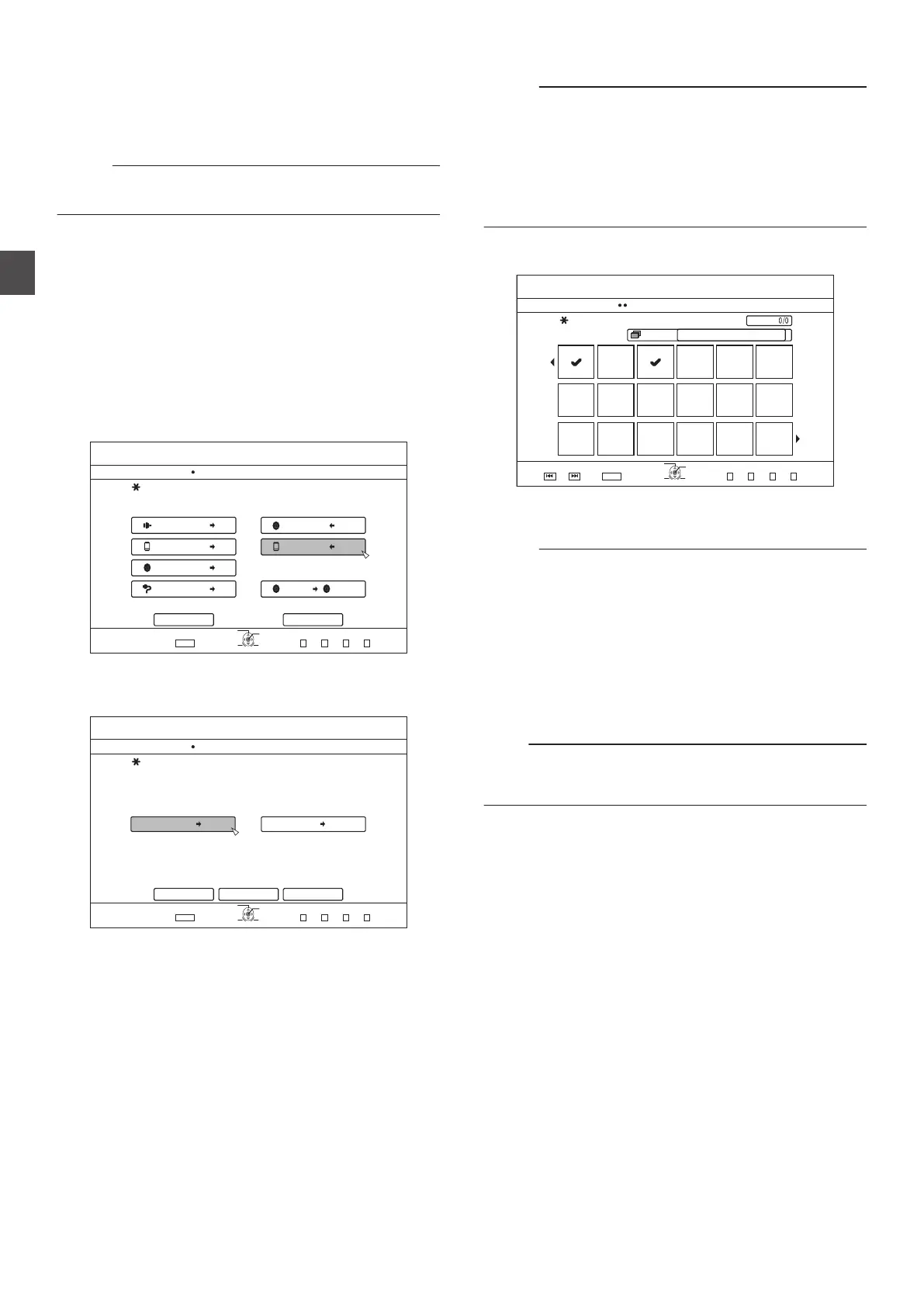
The Dubbing menu screen appears.
2
On this screen, select “DISC/SDiPICTURE
”
.
75$
5&
&+5%
*&8&8
&+5%
&+5%
&+5%
&+5%5&
126+10
1-
4'6740
':+6
5'.'%6
&7$$+0)
56'2
5'.'%6+/2146&7$$+0)
*&&
*&&
*&&
*&&
61*&& 61&8&
&+5%%12;
%#0%'. 0':6
&7$$+0)
8+&'1
2+%674'
3
Select the media to dub to from the media
selection screen
0
A checkmark will be added to the selected media.
.
$&4'
126+10
1-
4'6740
&7$$+0)
56'2
+05'46#0&5'.'%6#/'&+#
*&& *&& 5&%#4&
%#0%'. 0':6
':+6
5'.'%6
&7$$+0)
$#%-
4
Select “NEXT
”, and press the [OK] button
Memo :
0
A
message appears on the monitor when dubbing cannot be
performed in the following cases. When this occurs, replace
the disc or SD card with one that is usable.
0
When an incompatible disc or SD card is set
0
When there is insufficient space on the set disc or SD card
0
When an unformatted disc or SD card is set
For details, refer to “Formatting a disc” (A P 30) or “Formatting
an SD Card” (A P 32).
5
Select the still images to dub, and press the
[MARK]
button
.
2CIG
126+10
1-
4'6740
2CIG
&7$$+0)
56'2
%4'#6'6+6.'.+56(14&7$$+0)
)4172
)4172
#..
':+6
5'.'%6
24'82) 0':62)
&7$$+0)
0
Pressing the
[MARK] button adds a check mark to the
selected image.
All still images with a check mark are dubbed.
Memo :
0
To
clear the check mark, select the corresponding still image,
and press the [MARK] button.
0
Pressing the [OPTION] button displays a pop-up menu.
The pop-up menu enables you to perform the following
operations.
BACK : Exits the pop-menu and returns to the
initial screen.
SELECT ALL
: Selects all still images within the same
group.
DESELECT ALL : Clears the selection of all still images
within the same group.
Note :
0
A message appears if the selected still images do not fit into
the
disc. Check mark cannot be added to a still image if there
is insufficient space on the disc.
48
Dubbing Still Images from the HDD
Dubbing/Importing



 To Next Page