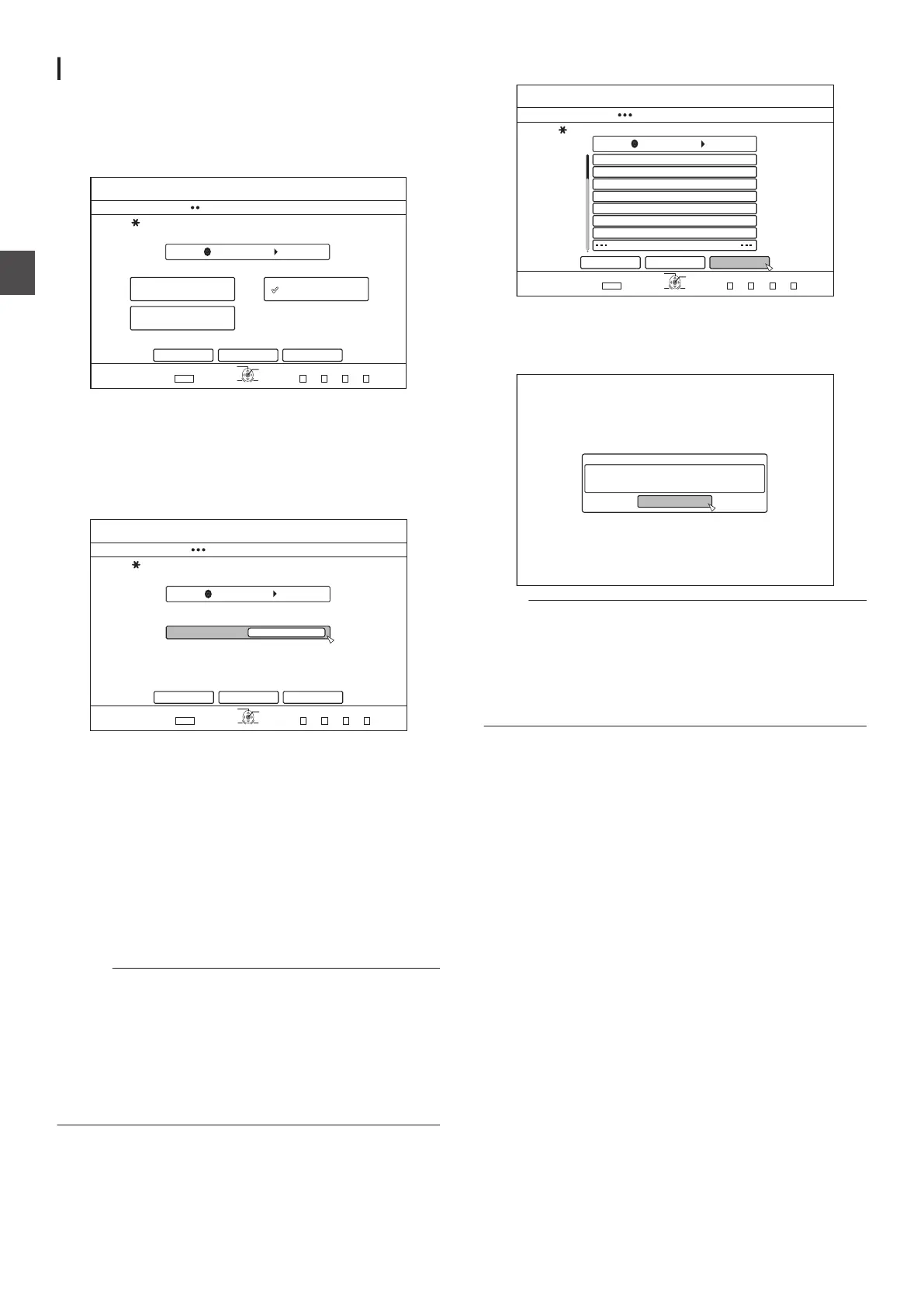
Specify a title
1
Select
“SEL. TITLE(VIDEO)” in the import
selection screen, and press the [OK] button
0
A check mark is added to the “SEL. TITLE(VIDEO)” item.
2
Select
“NEXT”, and press the [OK] button
.
&+5%
126+10
1-
4'6740
&7$$+0)
56'2
5'.'%66*'/'6*1&1(+/2146
*&&
(7..+/2146 5'.6+6.'8+&'1
5'.6+6.'2+%674'
%#0%'. $#%-
':+6
5'.'%6
&7$$+0)
0':6
0
If
a “BDAV” disc is set, a recording mode selection screen
will appear.
0
If the disc is of a format other than
“BDAV”, a screen for
creating an import title list will appear. In this case, go to
step 5.
3
Select “RECORDING MODE
”, and press the [OK]
button
.
&+5%
52
126+10
1-
4'6740
&7$$+0)
56'2
5'66*'4'%14&+0)/1&'
*&&
%#0%'. $#%-
':+6
5'.'%6
&7$$+0)
0':6
4'%14&+0)/1&'
0
A pop-up menu appears.
4
Select the
“RECORDING MODE” option.
For details, refer to “Recording Modes” (A P
33).
5
Select “
NEXT”, and press the [OK] button
0
A screen for creating the import title list appears.
6
Create an import title list
0
Follow the steps below to create an import title list.
A
Select “ADD TITLE LIST FOR DUBBING”, and press
the [OK] button
The Title List screen is displayed.
B
Select the titles to import, and press the [OK] button
Titles selected are added to the list.
Memo :
0
Press the [MARK] button. A check mark will appear beside
the title.
All
titles with a check mark can be added to the list at the same
time.
0
Select a title from the dubbing title list, and press the
[OK]
button to perform the following changes.
0
Delete the selected title from the list
0
Thumbnails may not be displayed during title selection
depending on the discs used.
7
Select “START
”, and press the [OK] button
.
#$%
5RQTVU
%QQMKPI
-+&5914.&
0GYU###
4GRQTV
(.19'4.'5510
&+5%
126+10
1-
4'6740
&7$$+0)
56'2
2.'#5'%4'#6'#6+6.'.+56(14+/2146
*&&
#&&6+6.'.+56(14&7$$+0)
%#0%'.
':+6
5'.'%6
&7$$+0)
$#%- 56#46
0
Importing of titles starts according to the sequence in the
created title list.
0
After titles are successfully imported, a
“DUBBING IS
COMPLETED” message appears on the monitor.
.
%10(+4/
&7$$+0)+5%1/2.'6'&
1-
Note :
0
“START
” cannot be selected for the following cases.
0
A title that cannot be dubbed has been selected
0
HDD memory is insufficient
0
The
amount of titles in the HDD has reached the maximum
amount
0
A dubbing title list has not been created
Check “Troubleshooting” (A P
114), and operate accordingly.
36
Importing Data from a BD/DVD to the HDD
Dubbing/Importing



 To Next Page