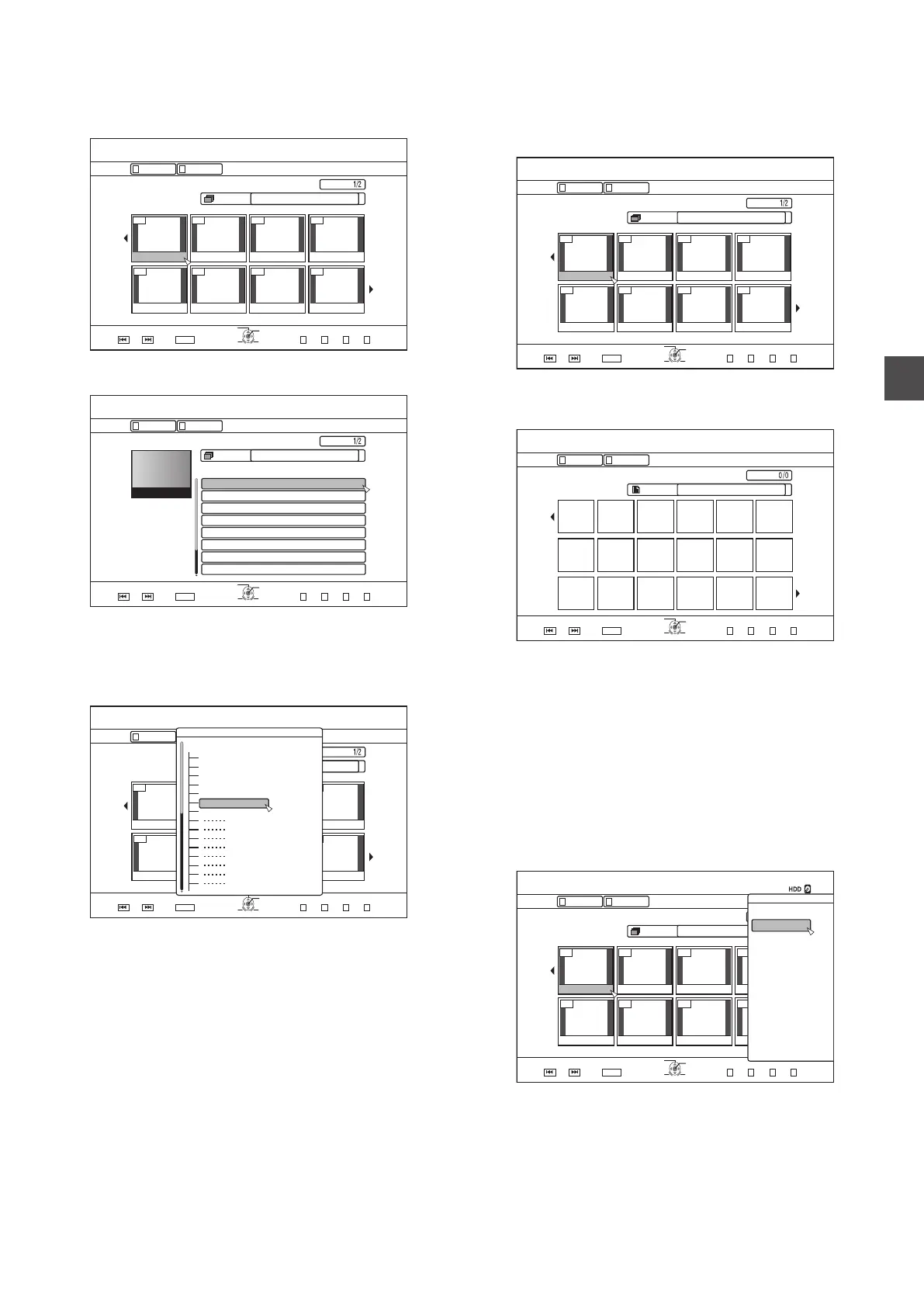
Switching between thumbnail and list displays
You can switch between the thumbnail display and list display
of a video.
0
When the video thumbnail list screen is displayed
.
001 002 003 004
006005 007 008
2CIG
VKVNG
OKP
0#8+)#6+10
126+10
4'6740
1-
)41722+%674'.+56
5'.'%6
':+6
0':62)24'82)
)4172
4'/#+0+0)4'%14&+0)6+/':2
2+%674'
8+&'1
6+6.'6*7/$0#+.
0#8+)#6+10
Press the [RED] button to display the title list screen.
0
When the title list screen is displayed
.
#$%
5RQTVU
%QQMKPI
-+&5914.&
0GYU###
4GRQTV
(.19'4.'5510
#PKOCN
2CIG
126+10
1-
4'6740
0#8+)#6+10
6+6.' .+56
8+&'1 2+%674'
#..
24'82) 0':62)
':+6
5'.'%6
6*7/$0#+.
0#8+)#6+10
2+%674'
)4172
)4172
Press the [RED] button to display the video thumbnail list
screen.
Displaying a group/folder
A group/folder screen can be displayed.
.
001 002 003 004
006005 007 008
2CIG
OKP
0#8+)#6+10
126+10
4'6740
1-
)41722+%674'.+56
5'.'%6
':+6
0':62)24'82)
)4172
4'/#+0+0)4'%14&+0)6+/':2
2+%674'
8+&'1
6+6.'.+56
0#8+)#6+10
2KCPQEQPEGTV
5RQTVUFC[
2KEPKE
6TCXGN
$KTVJFC[%QOOKVVGG
&TKXKPI
9GFFKPI
#..
)4172
Press the [YELLOW] (U model) / [BLUE] (E model) button to
display the group/folder screen.
Switching between video and still image
displays
You can switch the display between the video thumbnail list
screen and still image thumbnail screen.
0
When the video thumbnail list screen is displayed
.
001 002 003 004
006005 007 008
2CIG
VKVNG
OKP
0#8+)#6+10
126+10
4'6740
1-
)41722+%674'.+56
5'.'%6
':+6
0':62)24'82)
)4172
4'/#+0+0)4'%14&+0)6+/':2
2+%674'
8+&'1
6+6.'6*7/$0#+.
0#8+)#6+10
Press the [GREEN]
button to display the still image thumbnail
list screen.
0
When the still image thumbnail list screen is displayed
.
2CIG
OKP
0#8+)#6+10
126+10
4'6740
1-
(1.&'4%106'06
5'.'%6
':+6
0':62)24'82)
(1.&'4
4'/#+0+0)4'%14&+0)6+/':2
2+%674'
8+&'1
6+6.'6*7/$0#+.
0#8+)#6+10
Press the [RED] button to display the video thumbnail list
screen.
Displaying the Option menu
Displaying the Option menu enables you to perform different
operations
on a selected title/group, including “BACK”, “PLAY”,
“DELETE”, “DUB”, “GROUP”, “UNGROUP”, “DO NOT
GROUP”, “MODE CHANGE”, “EDIT”, “EDIT INFO” and
“OTHERS”.
1
Select a title/group, and press the
[OPTION]
button
0
An Option menu appears.
.
001 002 003 004
006005 007 008
126+10
1-
4'6740
5'.'%6
VKVNG
0#8+)#6+10
6+6.' 6*7/$0#+.
8+&'1 2+%674'
)4172 #..
':+6 )4172
2+%674'
0#8+)#6+10
24'82) 0':62) .+56
126+105
2.#;
&'.'6'
&7$
&1016)4172
/1&'%*#0)'
'&+6
'&+6+0(1
16*'45
$#%-
2
Select an operation option, and press the [
OK]
button
0
Options
that cannot be operated are displayed in gray and
cannot be selected.
For details on the Option menu items, refer to “Option menu
list” (A P 60).
Using Playback Navigation
59
Playing Back



 To Next Page