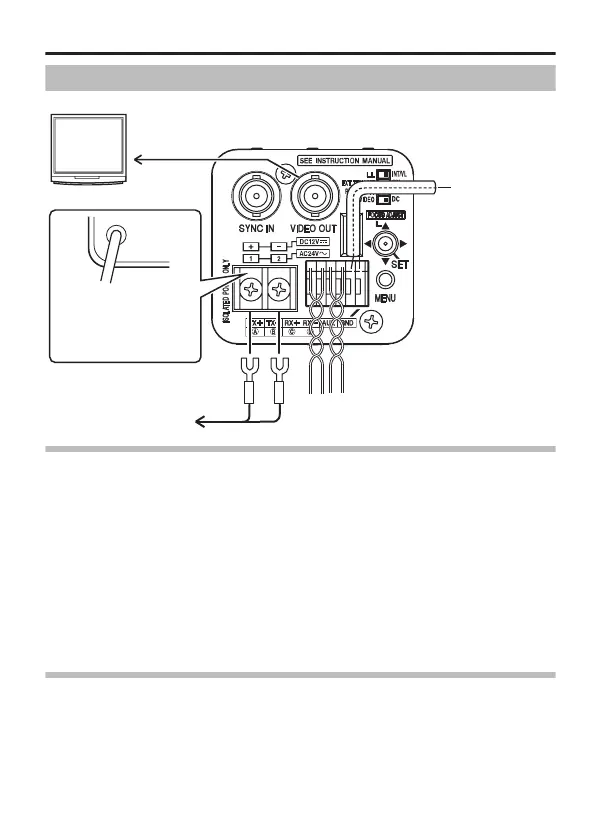
Connection
.
(A page 21)
(A page 21)
(A page 21)
(TK-C9510E)
(TK-C9511EG)
Monitor
Connect to external
device (e.g. sensor)
To AC 24 V or DC 12 V power supply
Connect to remote control unit, etc.
To AC 220 V to AC 240 V outlet
(A page 23)
(A page 22)
Control Signal Connection
v
For systems using RM-P2580, connect using a control signal cable.
v
A four-core (two pairs) twisted pair cable with a conductor diameter of
at least 0.65 mm and characteristic impedance of 110 K is
recommended.
v
Connect the cables with the TX+/TX- signals forming a pair, and RX+/
RX- signals forming another.
v
The maximum connection distance with the RM-P2580 is 1200 m.
(RM-P2580 allows connection of multiple cameras (up to 16 units) to a
pair of cable. In this case, the total cable length must not exceed 1200
m. The above applies to cases where the conductor resistance of the
cable is 100 K or less, and the characteristic impedance is 110 K.)
Monitor Connection
Connect using a 75 K coaxial cable (BNC), such as RG-59 or RG-11.
Connection/Installation
E-21



 To Next Page