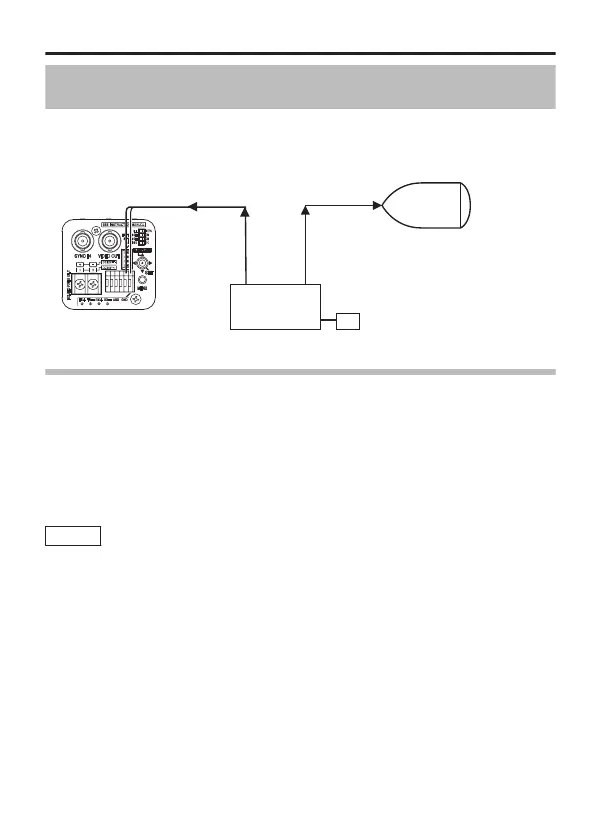
Controlling Black-and-white/Colour Switch Signal
Externally
Switching signal from an external controller can be used to switch the
image on the camera between colour/black-and-white, and also enable
simultaneous operation of lighting such as near-infrared light.
For details on the devices to connect, consult your JVC dealer.
.
External Controller
Infrared Lighting, etc.
Sensor or Switch
Scene file is available to change AGC and SHUTTER Settings at
switching Black-and-white/Colour Mode
1
Set “SCENE C” to the setting for day use (colour).
2
Set “SCENE D” to the setting for night use (black-and-white).
3
Set [SCENE FILE] on the [MENU] screen to “CASINO”(SCENE C).
4
Set [AUX FUNCTION] on the [MENU] screen to “IN : SCENE D”.
For details on the settings, refer to "AUX FUNCTION" (A page 52).
Memo
When in the Black-and-white/Colour mode, the image may go
out of focus due to the lens performance when the lighting on
the subject becomes a near-infrared light source. In this case,
make use of a lens that supports near-infrared light.
Detailed Settings
E-63



 To Next Page