-- 21 --
JVC VR-616
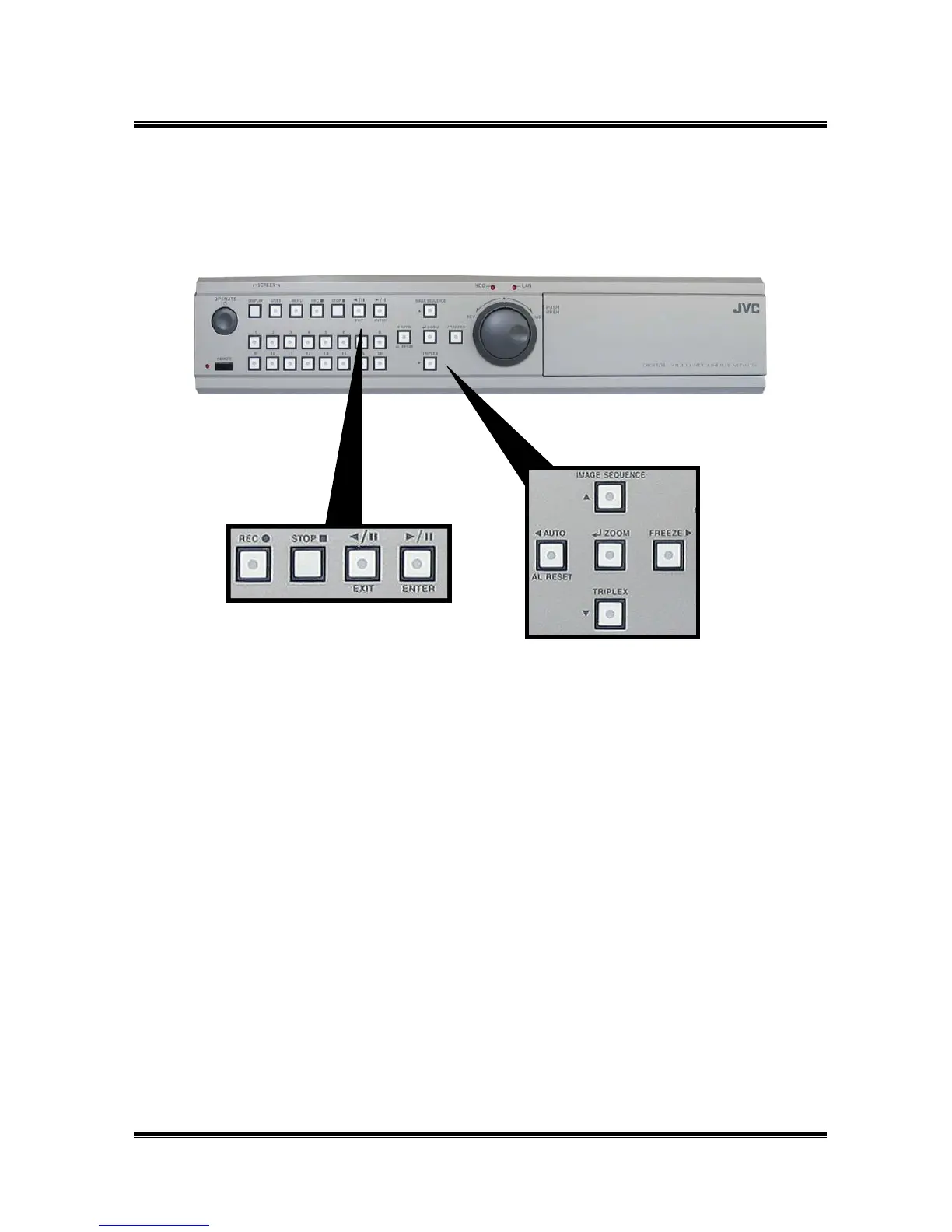
2.4 Part Names and Description
• Front
① Operate Switch
: Operate ON/OFF switch. Operate on/off by pressing this button for about 5
seconds. During system starting, it is displayed "16 CH Digital Video Recorder"
and "Preparing system. Please wait a moment." -> " Waiting to detect 1394
HDD...". Please wait for a while to starting.
② Channel Selection Buttons (CH1 – CH16)
: These buttons are used to select the screen monitors and to change the channel
settings at the menu.
③ AUTO Button
: The input channel is automatically switched in proportion to the speed setting
at the menu.
ALARM RESET Button
: This button is to stop the alarm out.
◀ (left) Button
: Menu Navigation Button. Moves cursor to the left.
①
③
②
④
⑥
⑤
⑦
⑨⑧
⑩
⑫
⑪
⑬



 To Next Page