-- 48 --
JVC VR-616
● Each symbol means as below.
In case Schedule Recording box is checked, recording is started according to
schedule regardless of Manual Recording. For using Manual Recording, do not check
Schedule Recording box.
!
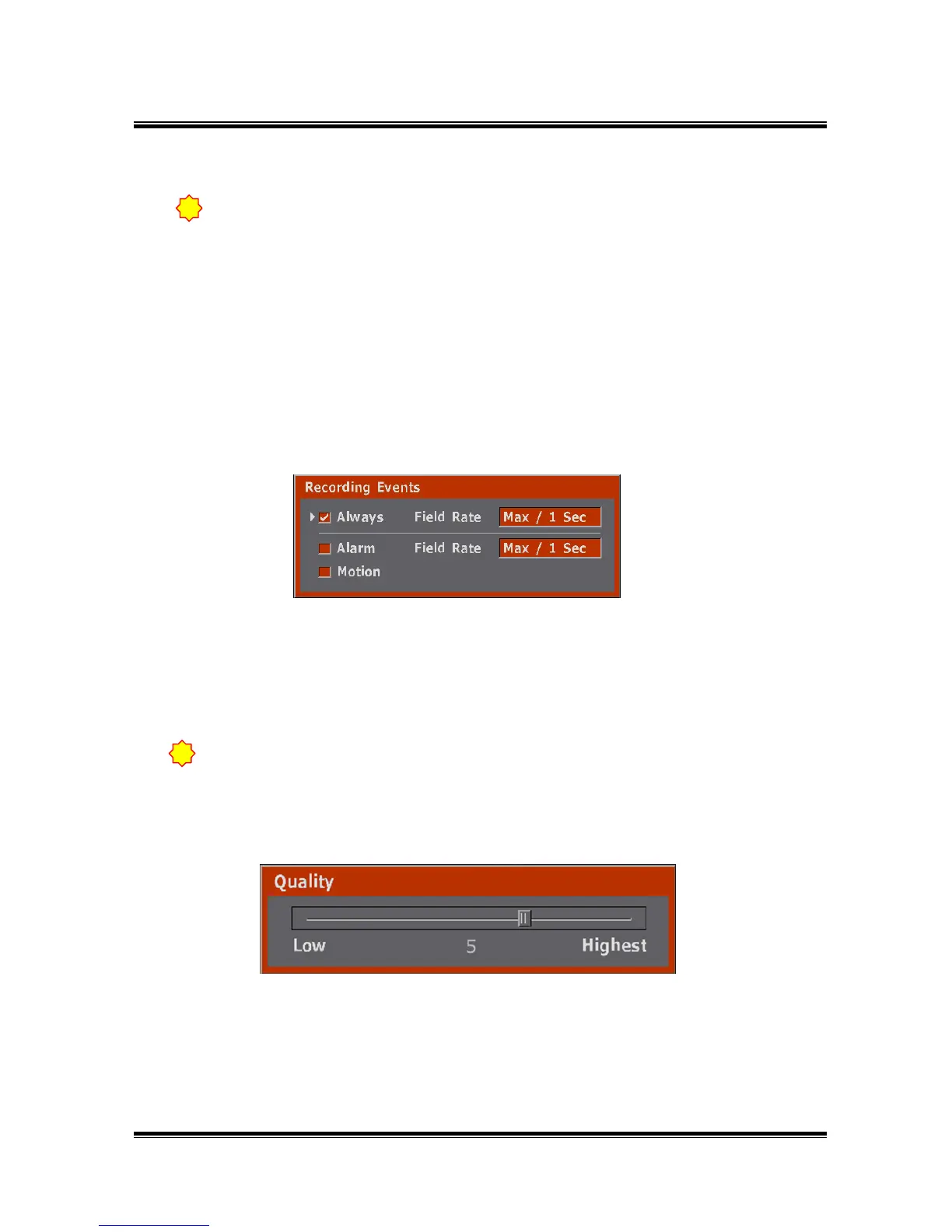
● From the Manual Recording menu, press the Enter button then the below picture
(Recording Events) will display.
·●: Always Recording.
· A : Alarm Recording.
· M : Motion Recording.
· fps/fps : The former ‘fps’ is field rate of Always Recording,
the latter ‘fps’ is filed rate of Alarm Recording/Motion Recording.
● As press the ENTER button at the selected block, possible to set up Recording Events of
block like above picture.
● Always : Records always if it is in Recording Time
Motion : Recording is started if motion is detected which is in set up screen of Channel
Alarm : Records when the selected alarm is received.
● As press the ENTER button on the left-side of the QA line, possible to set up Recording
Quality like above picture.
● Setup range : 1 ~ 7. (Default setting : 5)
(1=Low, 7=the Highest.)
● When you place the bar on the right-hand side of the "QA" line and press the Enter button,
you will be able to select Audio Recording On and Audio Recording off as below.
5.2.1.1 Recording Events
5.2.1.2 Quality
Please do not set-up a channel without video input as record. Please take out all
checks, Always, alarm, and motion.
!



 To Next Page