-- 65 --
JVC VR-616
5.6 Menu Setup
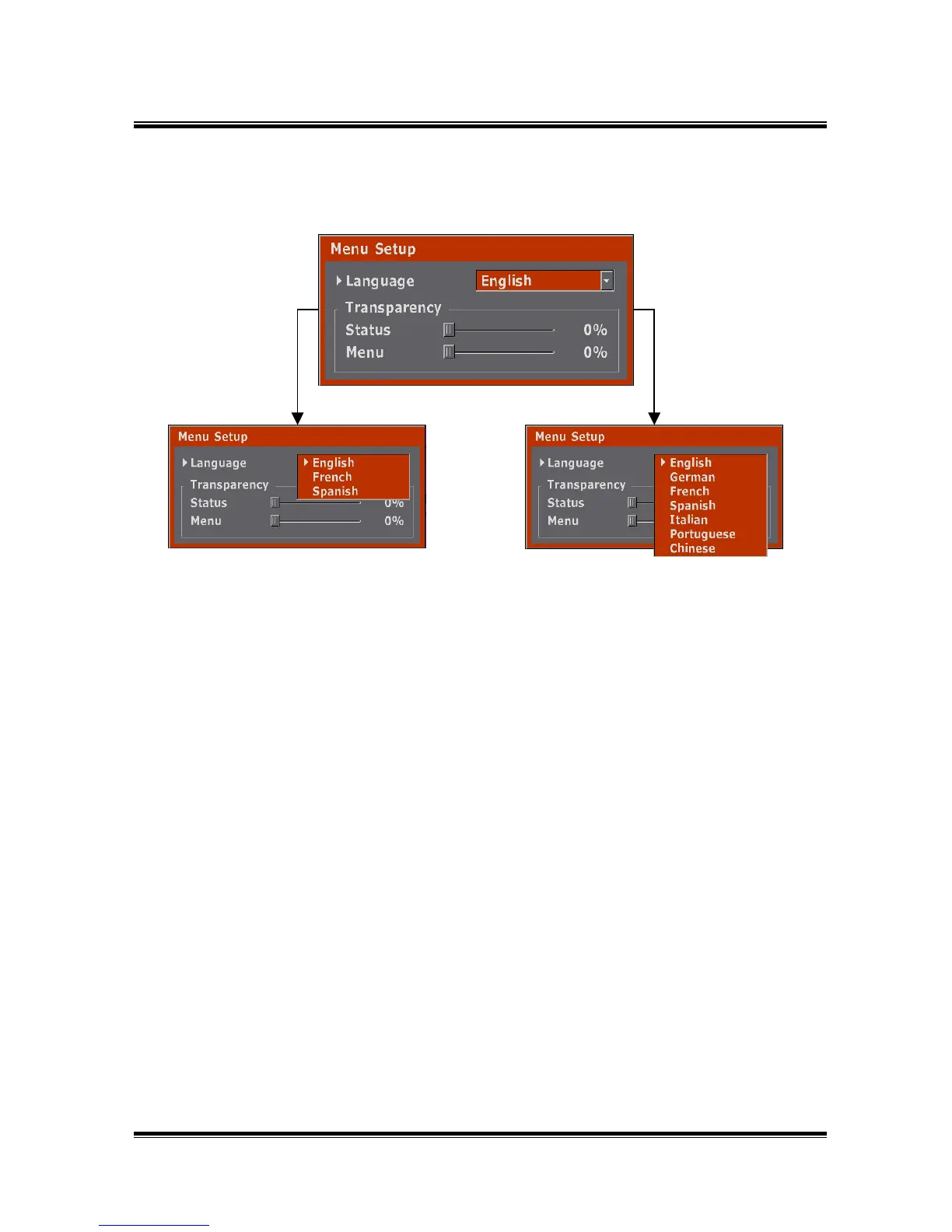
● Language is set-up at English and able to change to French and Spanish on
VR-616U. (English, German, French, Spanish, Italian, Portuguese, Chinese
are available on VR-616E)
● Status : It controls transparency of present status( channel name, recording
status indicator, clock, indicator of HDD recording amount ) which is
displayed on screen. (0 ~ 80%)
● Menu : It controls transparency of Menu screen. (0 ~ 80%)
● How to Setup
1) Selecting Menu Setup from the menu, displays the above picture.
2) Move to the place you want to set-up by Jog.
3) For changing language, press the ENTER button at Language and
select the language.
4) If you change the value by jog after moving to Status and pressing the Enter
button, it controls transparency of present status( channel name, recording
status indicator, clock, indicator of HDD recording amount ) which is displayed
on screen.
5) If you change the value by jog after moving to Menu and pressing the ENTER
button, it controls transparency of Menu screen.
6) Finish setup by using EXIT button.
VR-616E
VR-616U



 To Next Page