-- 63 --
JVC VR-616
5.4 User Define Screen
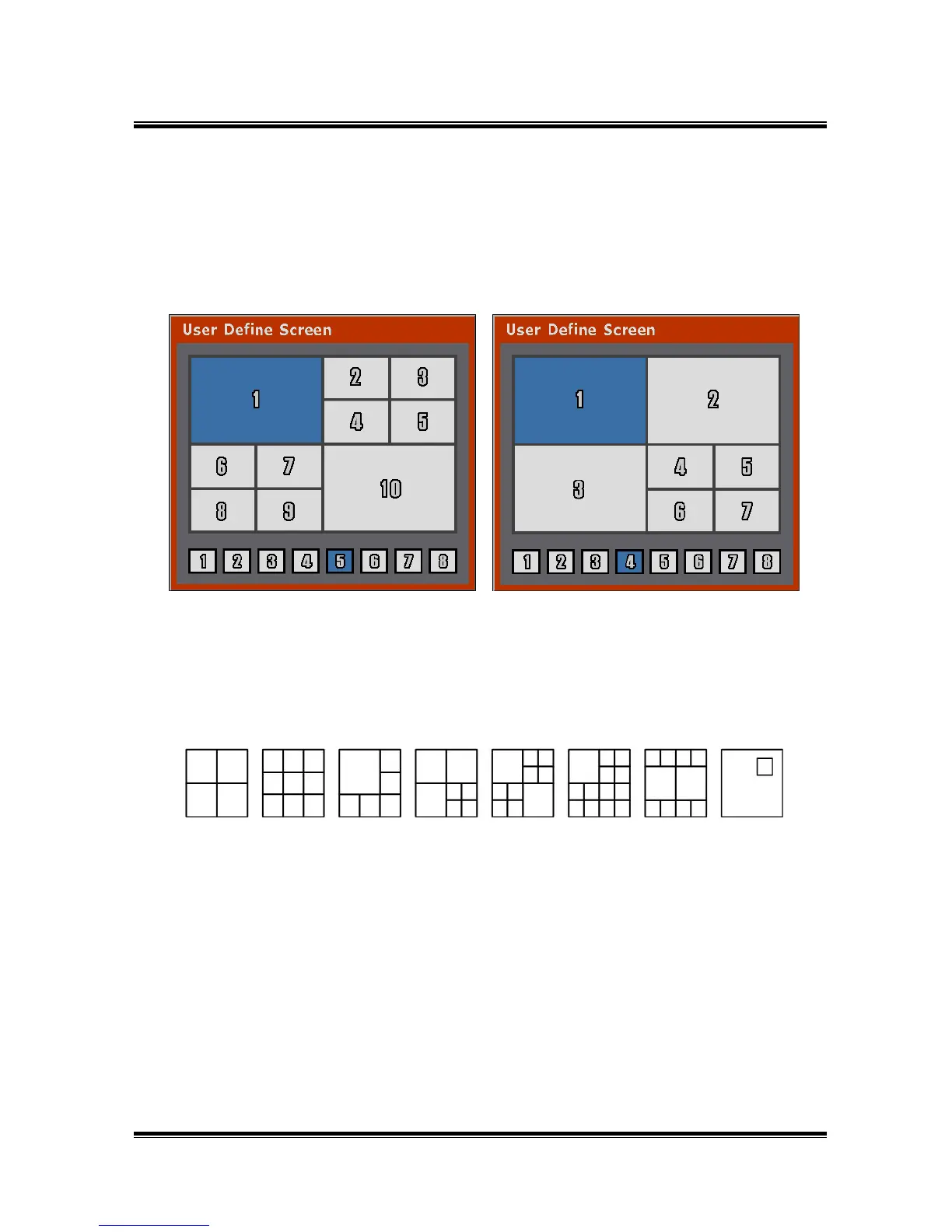
User can organize the screen to your personal preference by using the user button.
It is very convenient if you use AUTO function at User Screen.
● How to Setup
1) Select one of 8 variations of multi-screen views by using left/right buttons or Jog.
(NTSC : 8 Screen, PAL : 8 Screen)
2) As color is changed to blue, change the screen by using Button.
ⓐ Change the screen, which color is blue, by selecting the Channel Selection
button.
ⓑ Move to another screen by using Jog/ up・down button.
ⓒ After finishing, select either ENTER or EXIT.
3) After setting end, finish the menu and then press the “USER” button of screen
button. User Screen will display as press the INPUT CH on USER SCREEN mode.



 To Next Page