-- 76 --
JVC VR-616
5.7.6 Video Output
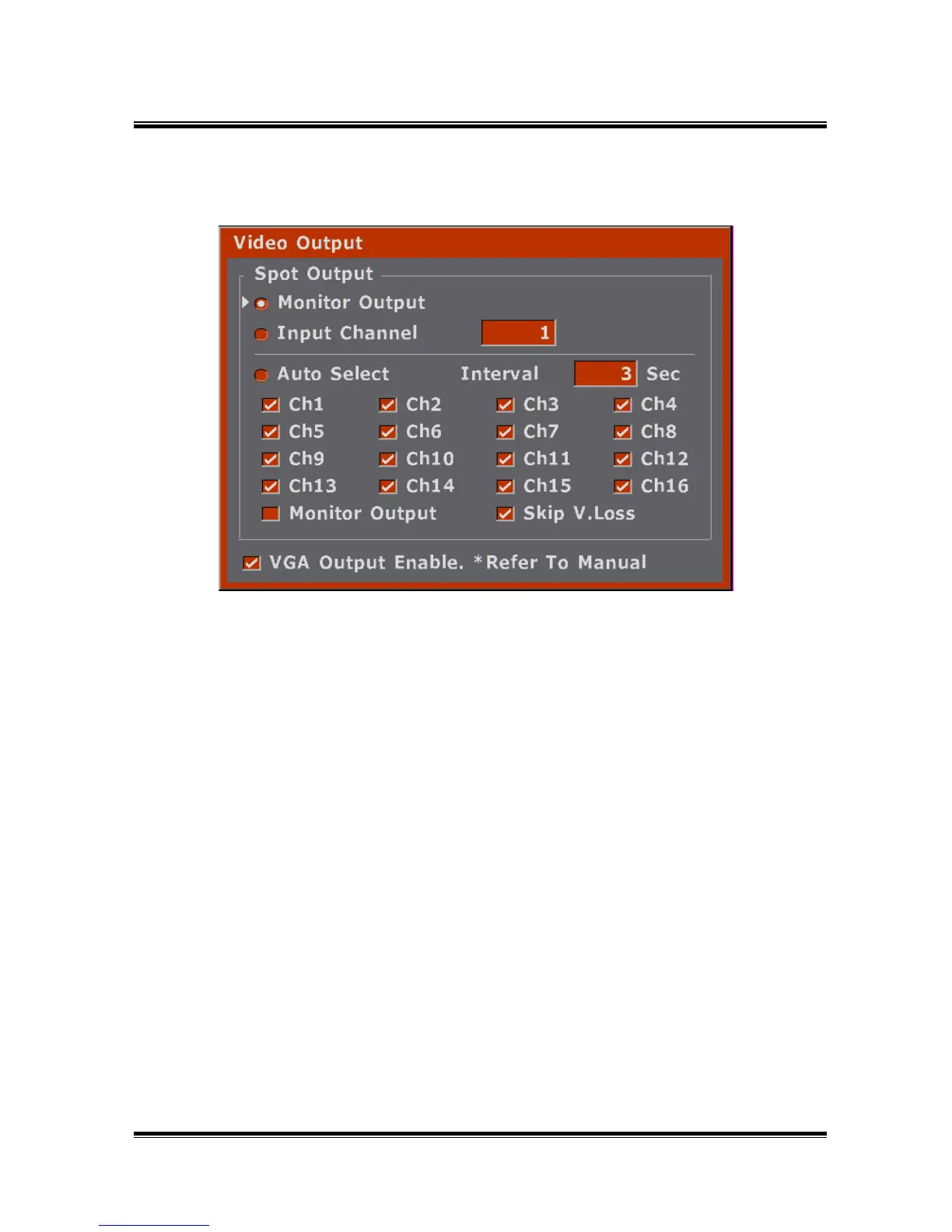
● Select the Spot Out channel.
● Select VGA output.( If you check the VGA output, monitor screen quality
is worse than before.)
● If there is no VGA output on the VGA output port, press the STOP button and
DISPLAY button at the front button for about 3sec then VGA output will be on
automatically.
● How to Setup
1) Select what you want to change by using up/down buttons or Jog.
2) When you select Monitor Out, the Spot Out port is the same as the Monitor Out.
3) If you select Input Channel, the selected channel is displayed beside Input Channel.
4) If you check VGA Output Enable, the image is displayed to VGA port.
5) Finish setup by pressing EXIT button.



 To Next Page