-- 74 --
JVC VR-616
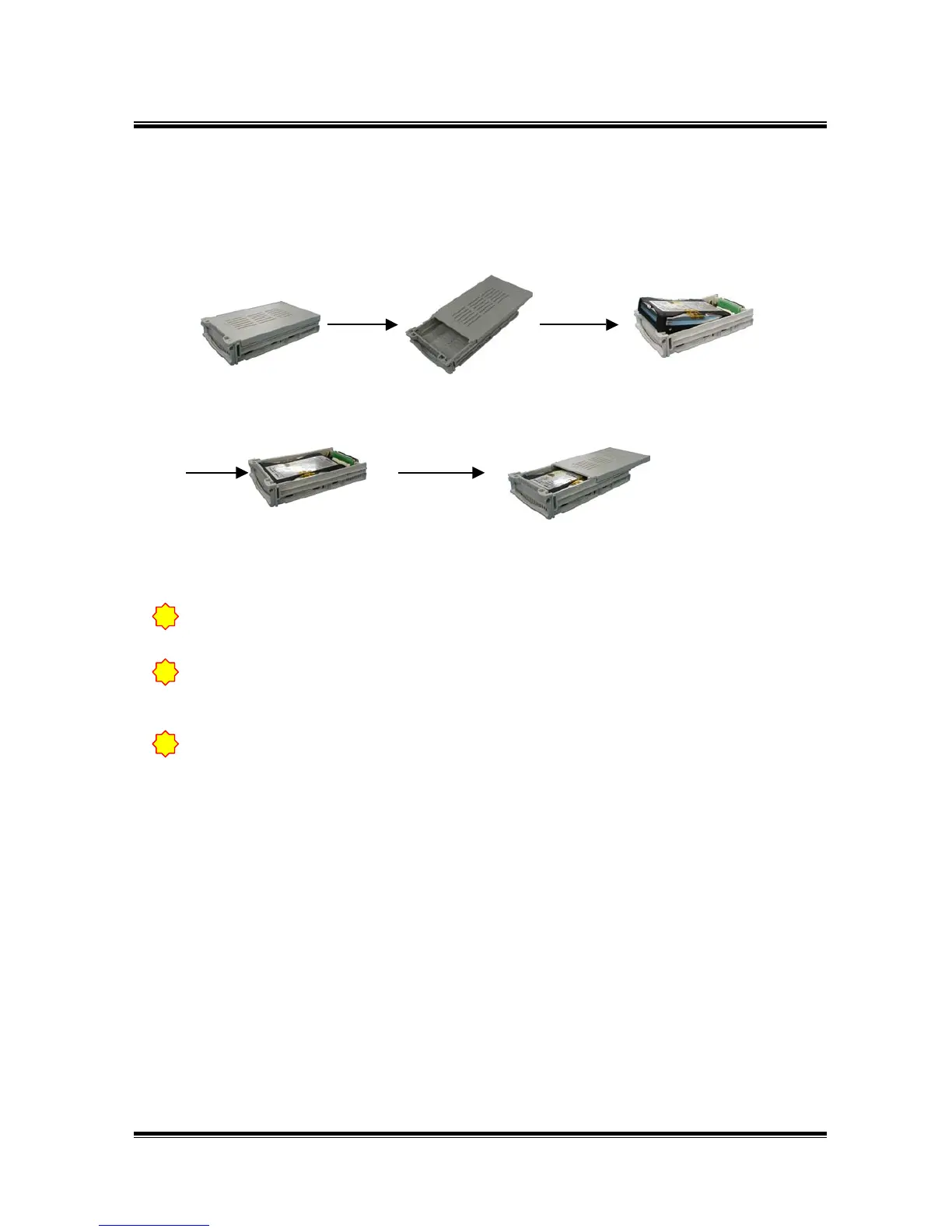
● How to connect removable HDD
The jumper of HDD which connects additionally, set-up as slave.
(Refer to HDD’s user manual for setup jumper.)
!
If Removable HDD is set-up for backup, this HDD’s contents are not be able to replay
from the remote place.( Monitoring is possible. )
Separate inside
rack from hard rack.
Open inside rack and
push top cover.
Connect data cable of
the inside rack with the
power line exactly.
Close the cover of
the inside rack.
Notice
If the product is being HDD backed-up, you will not be able to use the playback
(P/B) via the Internet. ( Live monitoring is possible )
!
When add HDD or take HDD, please turn off the power. HDD is possible to damage
when its’ remove while power is on.
!



 To Next Page