TECHNICAL DESCRIPTION flowIQ® 3100
22 Kamstrup A/S • Technical Description • 5512-1242_B1_GB • 05.2015
8.7 Display functions
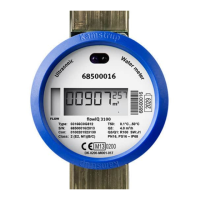
flowIQ® 3100 is fitted with an easily readable LC-display including 8 digits, measuring units, information
field with info codes as well as flow indicator (arrows).
The display layout is shown in the figure below.
In the following examples white/uncoloured segments (see below) indicate inactive segments, whereas
black segments indicate active segments.
8.7.1 Volume
Volume can be displayed in two different units – m
3
or L.
Depending on ‘mode’ the legal volume is displayed in the unit [m
3
] (normal mode) - or the part of the legal
volume, which is below 100 m
3
, in the unit [L] (verification mode). This setting is only used during
verification.
The difference in size, between the three small 7-segments furthest to the right and the five large 7-
segments furthest to the left, indicates a decimal point; this means that the value that can be shown in the
display, and thereby the measured quantity, can be maximum 99,999.999.
The table below shows an overview of modes and readings:
Data register
V1 V1HighRes
Unit m
3
L
Number of digits 5 5
Decimals after point 0-1-2 or 3 3


 To Next Page
 Loading...