MULTICAL® 803
Kamstrup A/S · Technical description · 5512-2360_A1_GB_02.2019
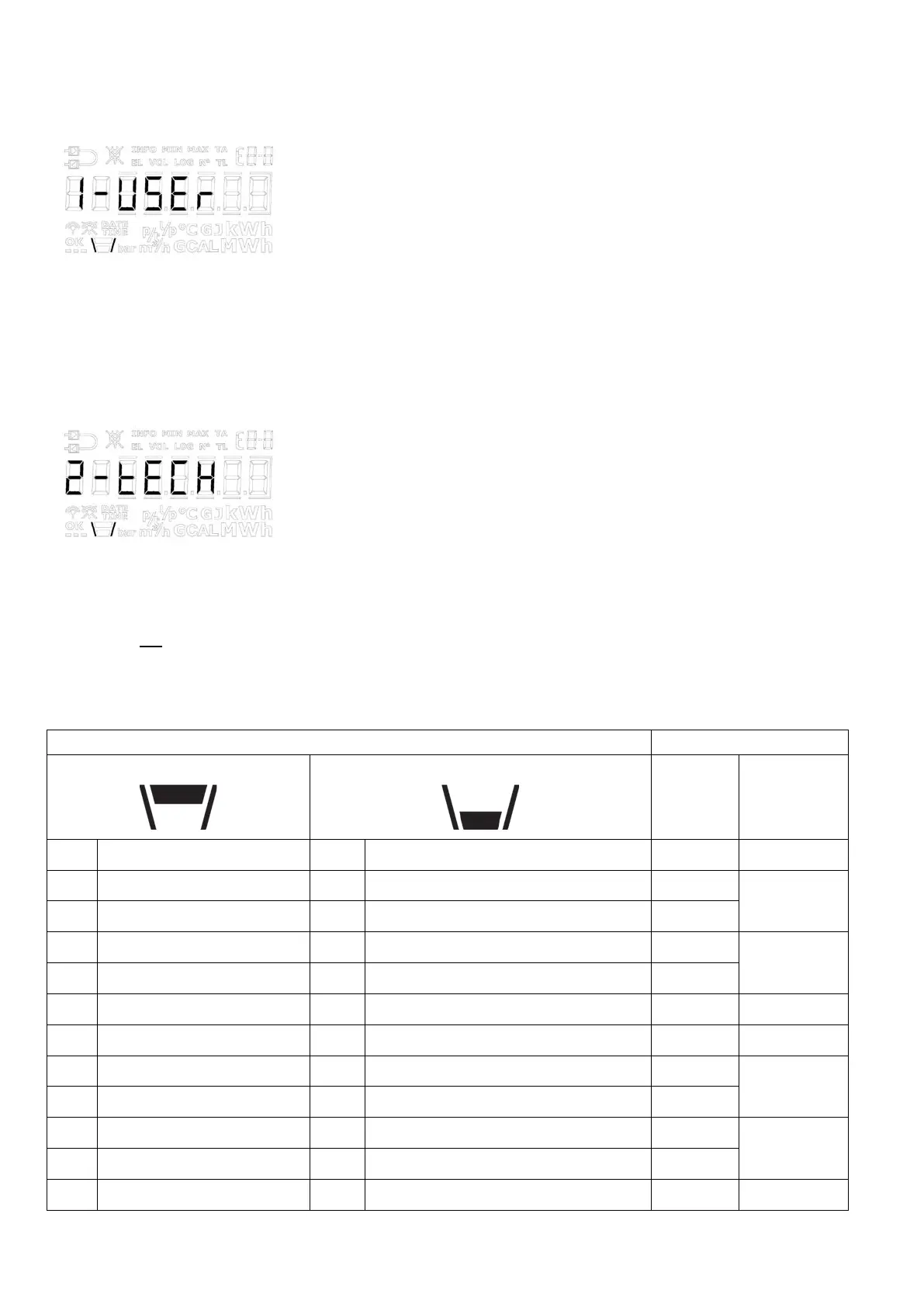
6.1 USER loop
USER loop is the calculator’s primary loop, which includes legal and mostly used readings. The loop is intended for
the user and is configured according to the user’s requirements via the DDD code. See paragraph 3.3.4 for further
information about the USER loop and DDD codes.
Note: No display index numbers are used in the USER loop.
6.2 TECH loop
The TECH loop is intended for the technician who is interested in viewing more readings than the ones available in
the USER loop.
The TECH loop contains all display readings, except for logged values and the differential registers (∆E and ∆V), and
this loop is not configurable. The module readings consist of a number of fixed readings as well as a number of
readings that depend on the installed modules.
The calculator’s TECH loop is shown below. You change back and forth between the readings by means of the arrow
keys while pressing the primary key briefly causes the change between the primary and secondary readings.
number in
display
depth/Ref.
number





 To Next Page