Instructions for use DSE Expert
4 First use | 4.1 Fitting and connecting
28 / 74
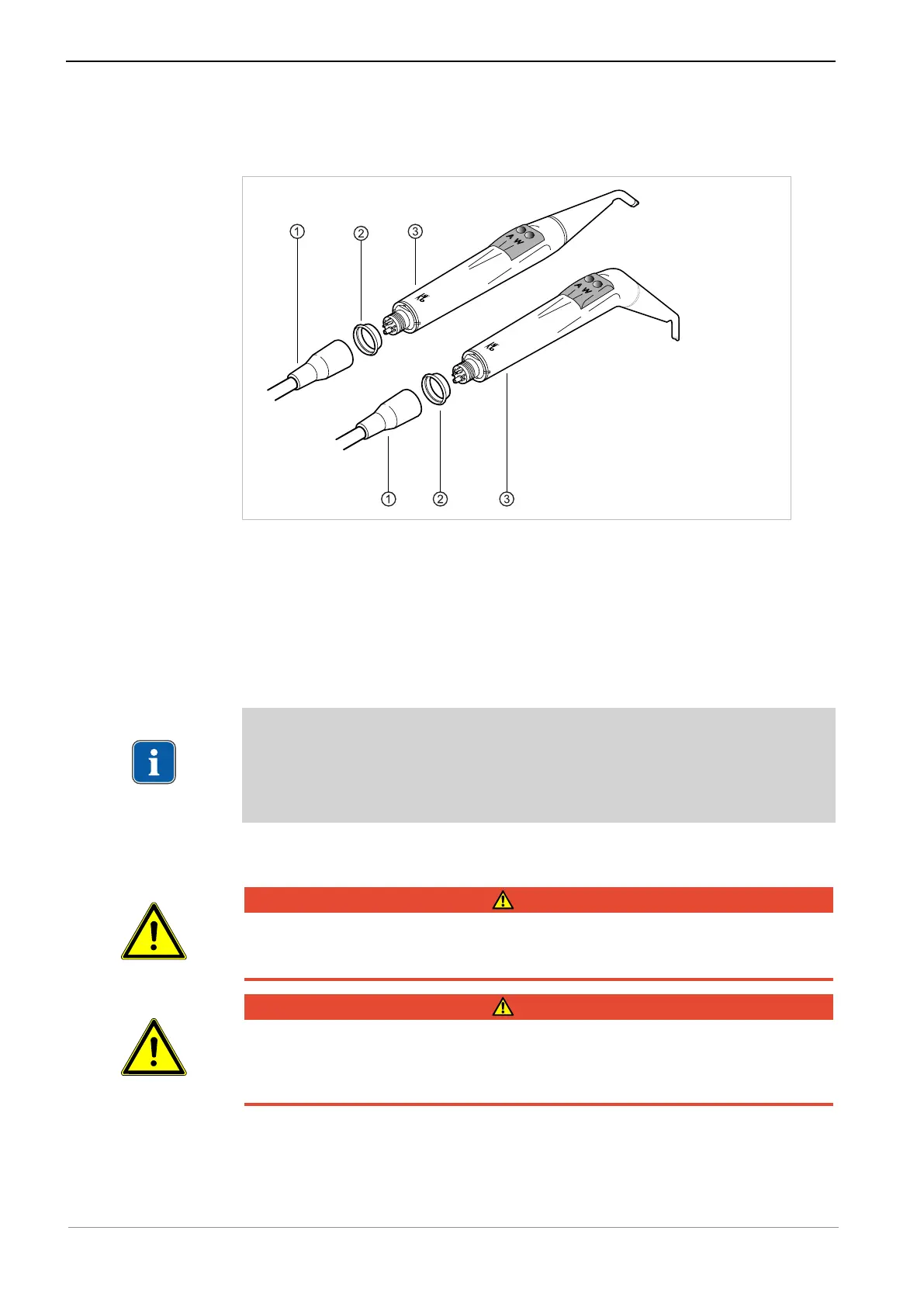
Install triple function handpiece
▶ Place the rubber pad ② and instrument hose ① onto the three-function handpiece
③ and screw them tight.
4.1.3 Connect the instruments
Instrument configuration according to the specific configuration: pneumatically oper-
ated handpieces and electrical motors INTRA LUX motor KL 701/703 and laboratory
handpiece K5plus. Up to 5 rotating handpieces can be connected to the unit. These
are recognised automatically on the control element. The optional laboratory hand-
piece must be preselected using the control element.
Note
There is no option of configuring a handpiece connection with the PiezoLED or IN-
TRA LUX motor KL 701/703. If preparations for the PiezoLED have been made,
only an air handpiece can be connected to the corresponding connection as an al-
ternative.
4.1.4 Installing the LED simulation lights
DANGER
Explosion hazard.
Risk of fatal injury.
▶ Do not use the product in areas where there is an explosion hazard.
DANGER
Electrical power.
Electrical shock
▶ If the light is attached, pull the mains plug of the unit and of the light or disconnect
all poles of the unit from the voltage source.
▶ Attach the EBS LED simulation light installation kit (
Mat. no. 1.011.8778
) to the
simulation unit.
▶ Screw the base of the light to the cover panel at the designated attachment sites.



 To Next Page