Instructions for use DSE Expert
5 Operation | 5.6 Using functions through the menu
5.5.9 Using the camera
See also:
2 Instructions for Use ERGOcam One
5.6 Using functions through the menu
5.6.1 General menu navigation
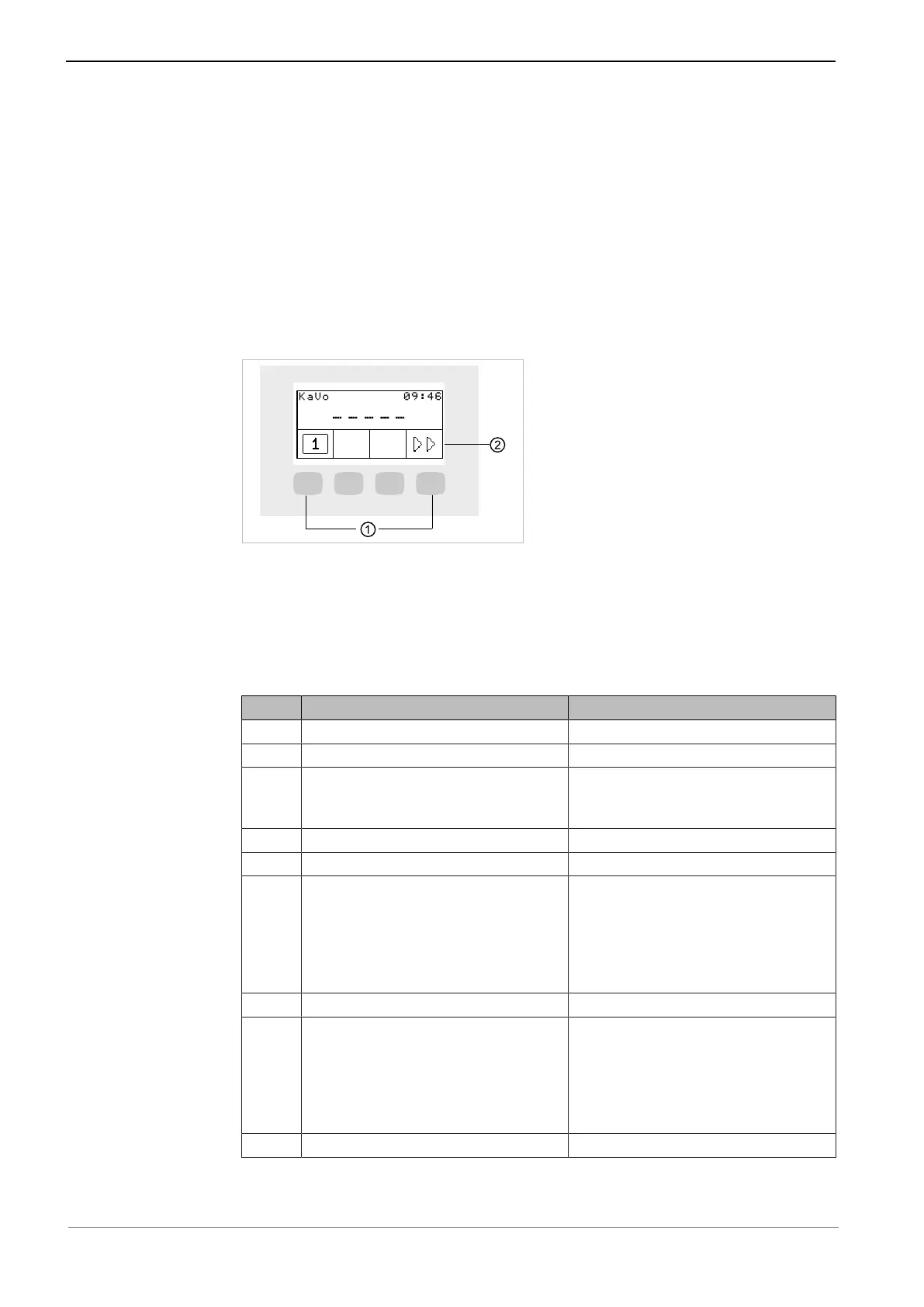
The functions in the menu are used through the selections keys (S1 to S4) on the dis-
play
① Selection keys (S1 to S4) for menu
functions
② Display
5.6.2 Using the user menu
The following options can be opened in the user menu:
Option Feature Description
1 Users Set number of users.
2 Handpiece light Set cold light afterglow period.
3 ENDO Set ENDO holder.
Available only if an ENDO license is
existent.
4 Time of day Set time of day.
5 Date Set date.
6 Time/date display mode Set display mode for time of day and
date:
▪ Time of day only
▪ Time of day without seconds
▪ Time of day and date
▪ Date only
7 LCD Set contrast of LCD display.
8 Language Set menu language:
▪ Deutsch
▪ English
▪ Italiano
▪ Français
▪ Castellano
11 Firmware Display current firmware version.
45 / 74



 To Next Page