Instructions for use DSE Expert
5 Operation | 5.1 Operation in general
5.1.5 Safety shut-down
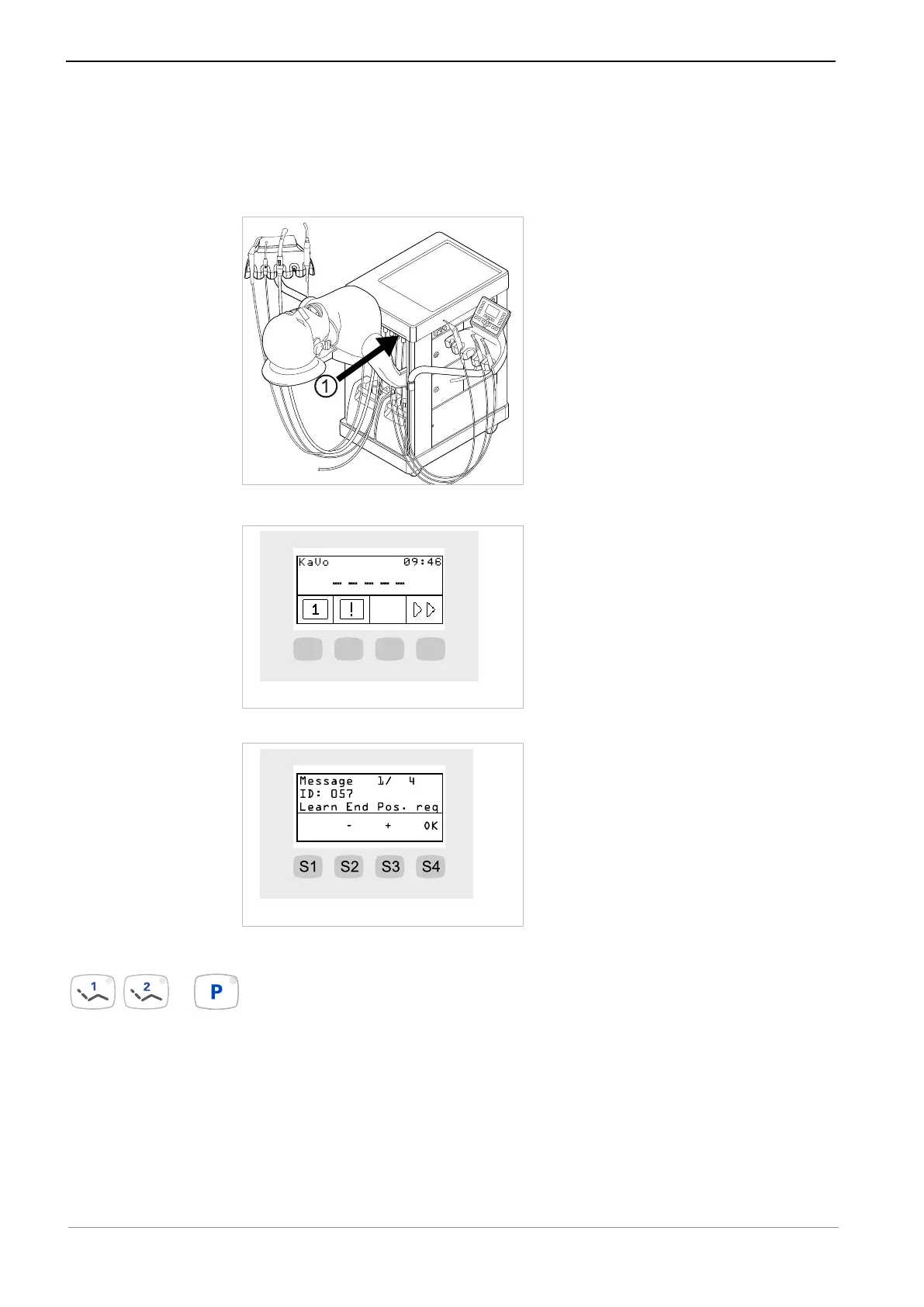
To prevent collisions during movements of the patient simulator, a safety shutoff ① is
installed on the upper front of the unit to protect people from injury. When the safety
shutoff ① is activated, the patient simulator immediately stops moving.
An exclamation mark is shown on the display.
▶ Press the S2 button to display the message.
▶ To deactivate an activated safety shutoff, remove the triggers from the motion
range of the patient simulator and re-set the end-positions of the patient simulator.
▶ Press and hold down the automatic position 1 and automatic position 2 buttons
simultaneously and also press the park position button briefly.
35 / 74



 To Next Page