Instructions for use DSE Expert
5 Operation | 5.1 Operation in general
32 / 74
5 Operation
5.1 Operation in general
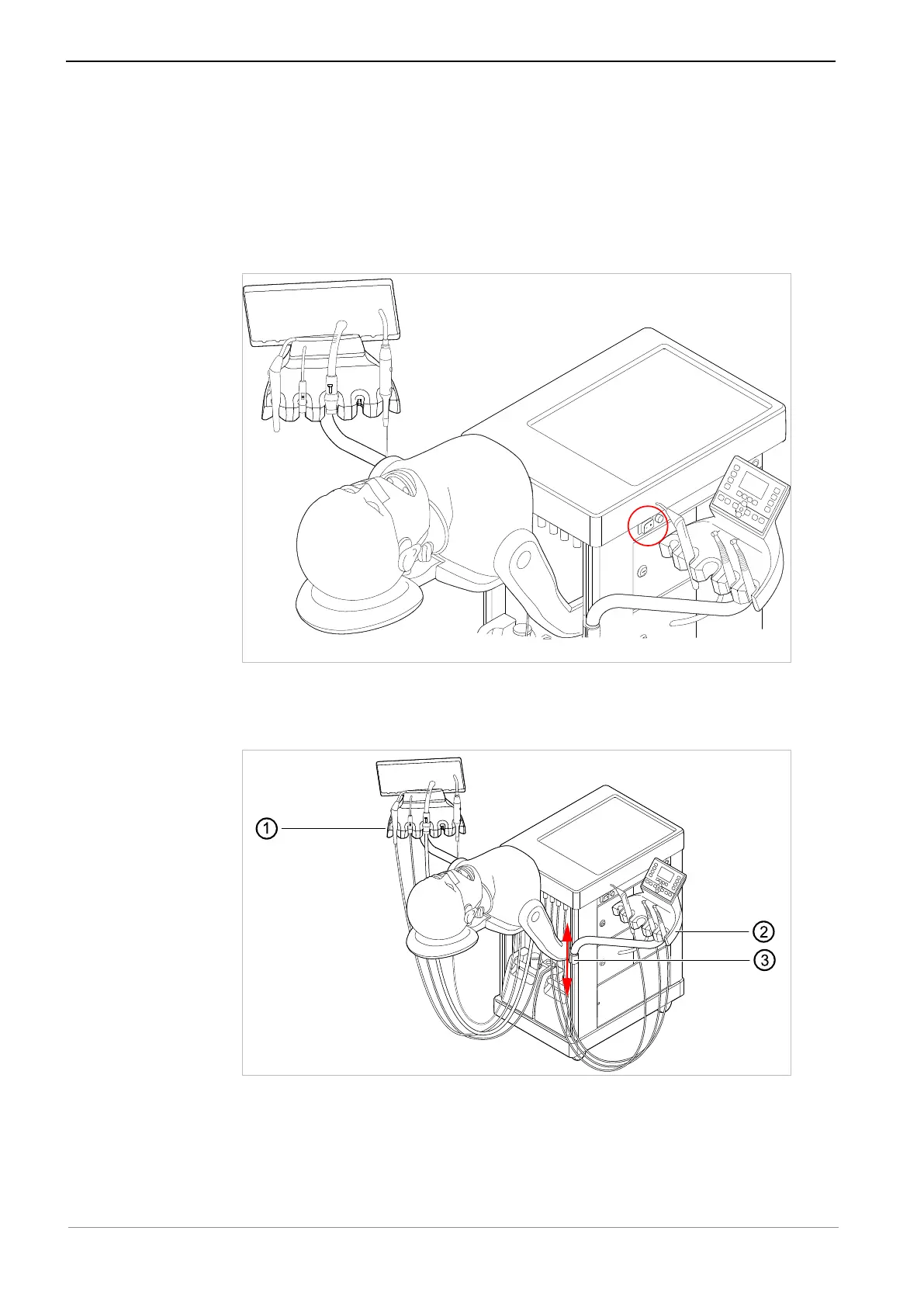
5.1.1 Switching the patient simulator on
▶ Use the main switch to switch the patient simulator on.
5.1.2 Moving the dentist element and assistant element into treatment
position
▶ Move the dentist element and assistant element ①② into treatment position. For
this purpose, grasp the dentist or assistant element and swing it into the desired
position.
▶ Adjusting the height of the dentist and assistant elements: Use one hand to relieve
the arm of the dentist or assistant element from any load and use your other hand
to push the holder ③ in the device profile up or down.



 To Next Page