Instructions for use DSE Expert
5 Operation | 5.1 Operation in general
34 / 74
Store the treatment positions
A total of 3 treatment positions can be stored on the buttons, Automatic position 0,1,2.
▶ Move the patient simulator to the desired position and then press the correspond-
ing Automatic position button until an acoustic signal is emitted.
ð The Automatic position is now saved and can be selected at any time.
5.1.4 Switching the unit off and moving it to the parking position
Requirement
The treatment / practice with the simulator is completed.
▶ Move the patient simulator to the parking position by pressing the parking position
button on the dentist element.
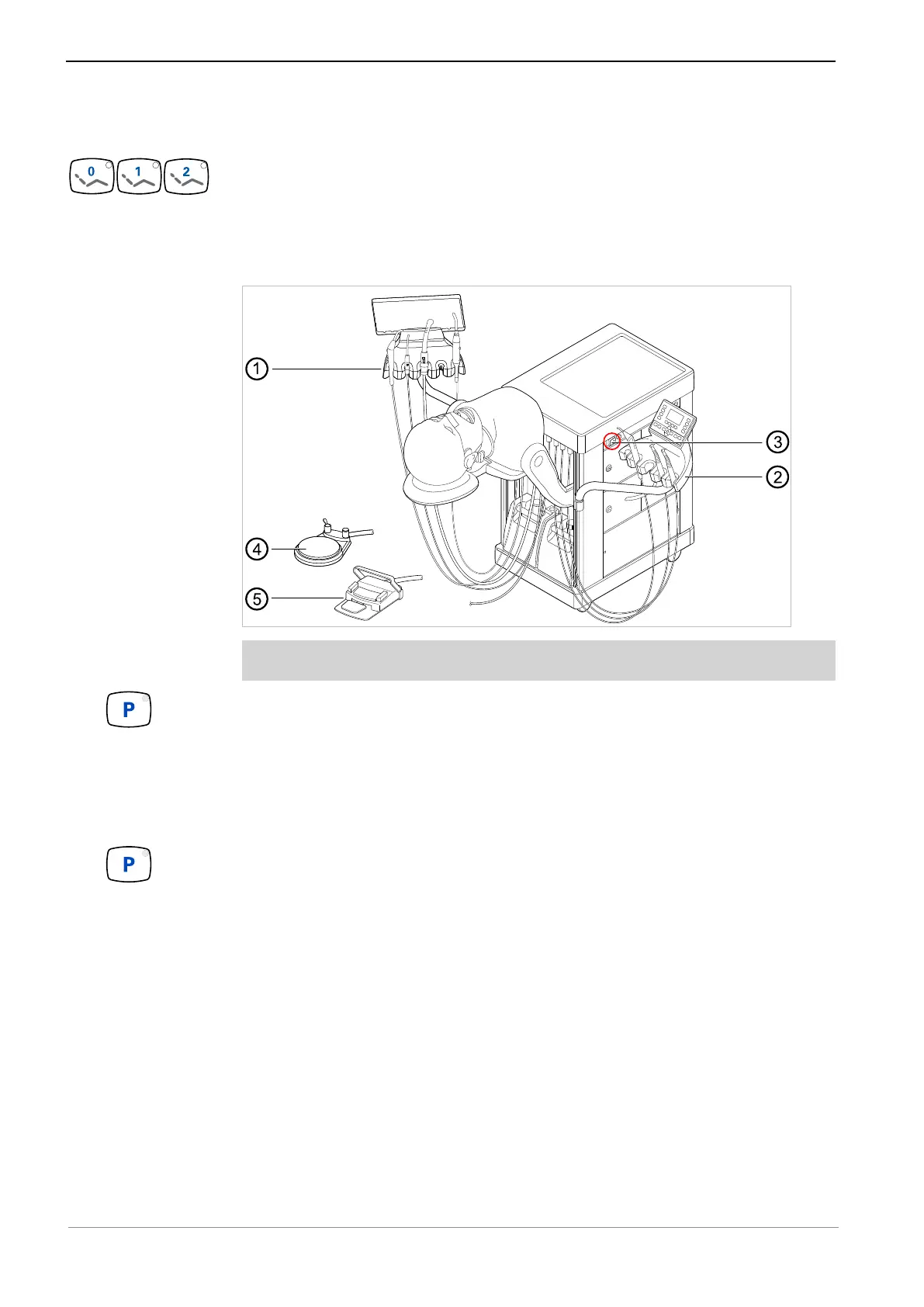
▶ Swivel the assistant element ① and the dentist element ② into the parking posi-
tion.
▶ Remove foot control ④ or ⑤ out of the range of motion and keep it in a suitable
place.
▶ Use the main switch ③ to switch the unit off.
▶ The saved factory-set parking position can be changed: Move the patient simu-
lator to the new parking position and press the parking position key until an acous-
tic signal is emitted.
ð The new parking position is now saved.



 To Next Page