Instructions for use DSE Expert
4 First use | 4.2 Positioning and converting the patient simulator
4.2.2 Position the head of the patient simulator
The head of the dental patient simulator can perform the following movements:
▪ approx. 25
o
forward nodding movement
▪ approx. 40
o
backward nodding movement
▪ approx. 20
o
inclination to left and right
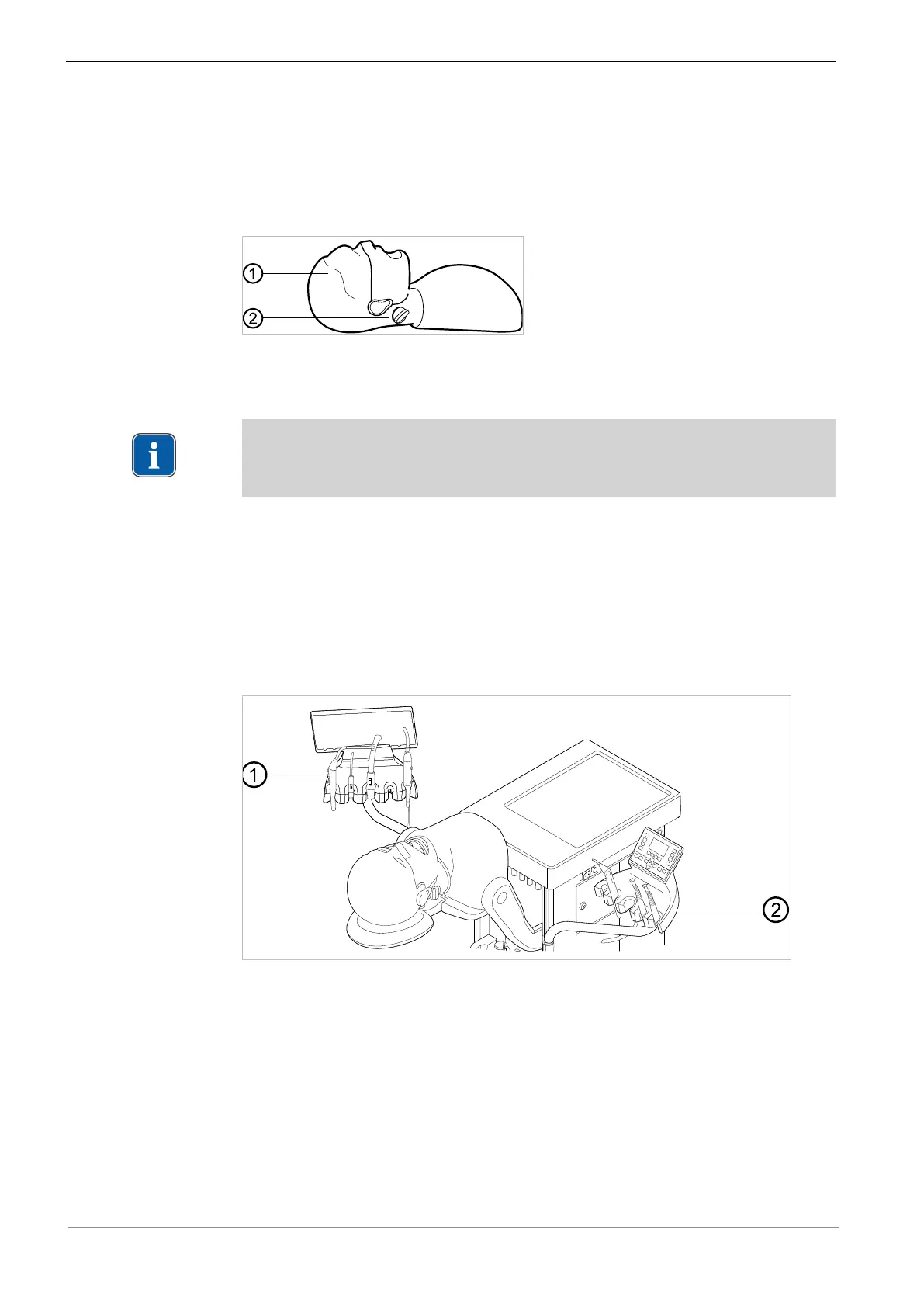
▶ Loosen the screw ② on the head ① of the dental patient simulator.
▶ Move the head to the desired position.
▶ After making the adjustments, tighten the screw ② on the head again.
Note
The braking effect of the screw ② can be preadjusted continuously such that the
head can be positioned without further actuation of the screw.
4.2.3 Insert the cranium denture
See also:
2 Instructions for use for inserting the cranium denture (
Mat. no. 0.488.5877
)
4.2.4 Converting the patient simulator for use by right-handed/left-
handed persons
▶ Pull the arm of the dentist element ② and/or assistant element ① upward and out
of the holder and plug it into the opposite holder.
▶ If required, take out the handpieces before the exchange and reinsert them again
after affixing the dentist and assistant elements.
31 / 74



 To Next Page