Instructions for use DSE Expert
4 First use | 4.2 Positioning and converting the patient simulator
30 / 74
Set the height and inclination of the patient simulator
CAUTION
Injuries by patient simulator.
Contusion or shearing by the motorised motion of the patient simulator.
▶ Exit from its motion range whenever the patient simulator moves.
See also:
2 5.1.5 Safety shut-down, Page 35
The patient simulator position can be gradually adjusted.
The patient simulator positions can be saved, and the saved positions can be re-
trieved by the push of a button.
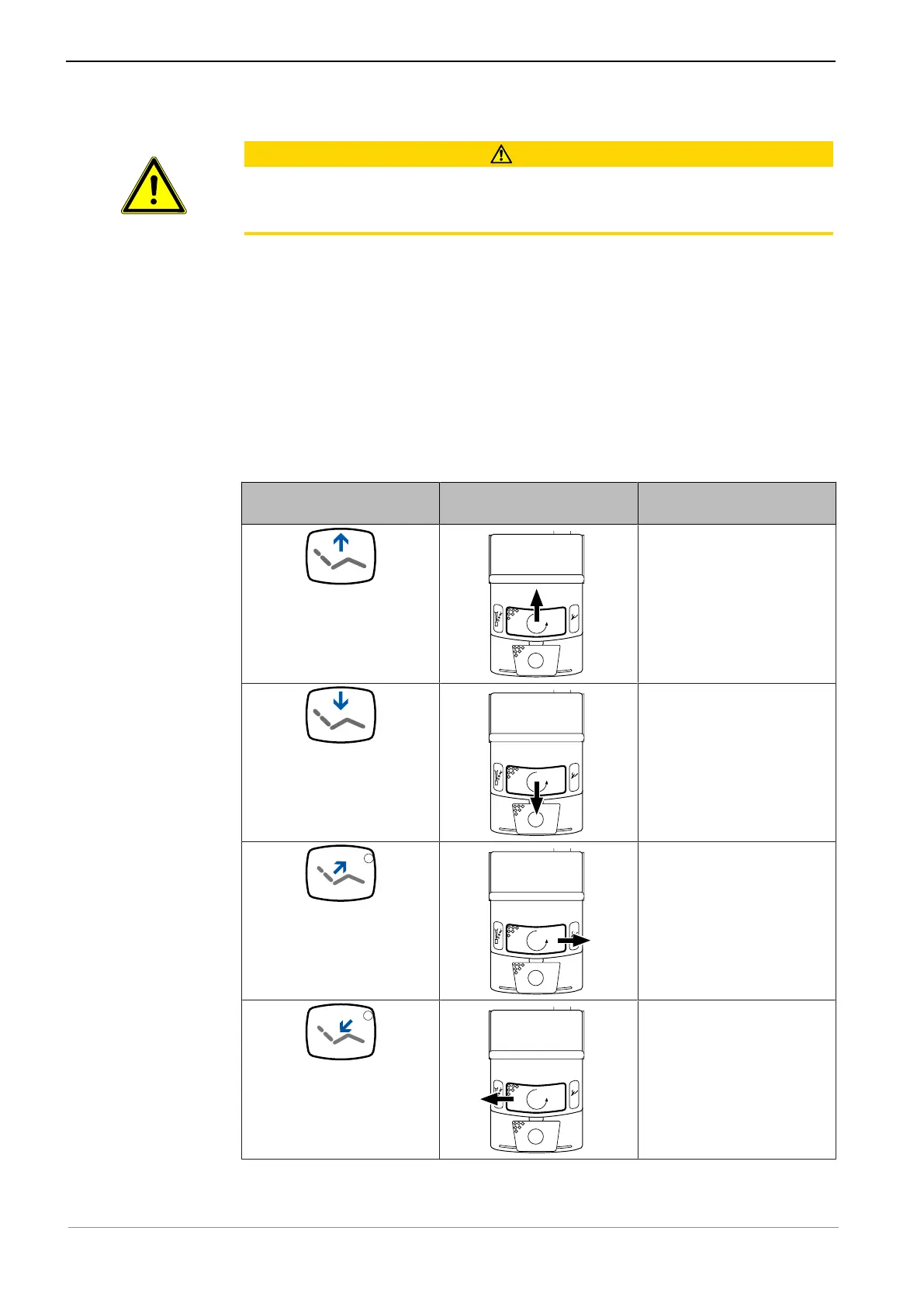
The patient simulator position can be selectively adjusted through:
▪ The buttons of the control element on the dentist element or, if the bracket on the
foot control was pressed, with the control elements on the foot control.
▪ Cross-switch on the foot control
Key Cross-switch "Counter-
clockwise motor rotation"
Feature
The patient simulator
moves upward.
The patient simulator
moves downward.
The patient simulator
swings upward.
The patient simulator
swings downward.
▶ Press the desired button, or press the cross switch in the desired direction.
ð The patient simulator moves in the desired direction.



 To Next Page