SoftStep baSiC editor
17
SoftStep3
baSiC editor vS. advanCed editor
There are two different versions of the SoftStep Editor software, the “Basic Editor” and the “Advanced Editor”�
The SoftStep offers a high degree of exibility and customization, and as they say, “with great power comes
great potential to make a tangled mess of things�” To this end, we created the Basic Editor to simplify the act of
programming the SoftStep� When using the Basic Editor, each key can perform 1 simple function� CV controls
are not supported by the Basic Editor� For more advanced usage and access to all the SoftStep features, use the
Advanced Editor�
SoftStep baSiC editor overvieW
The SoftStep Basic Editor is a great way to customize SoftStep presets when quick, simple functions are desired�
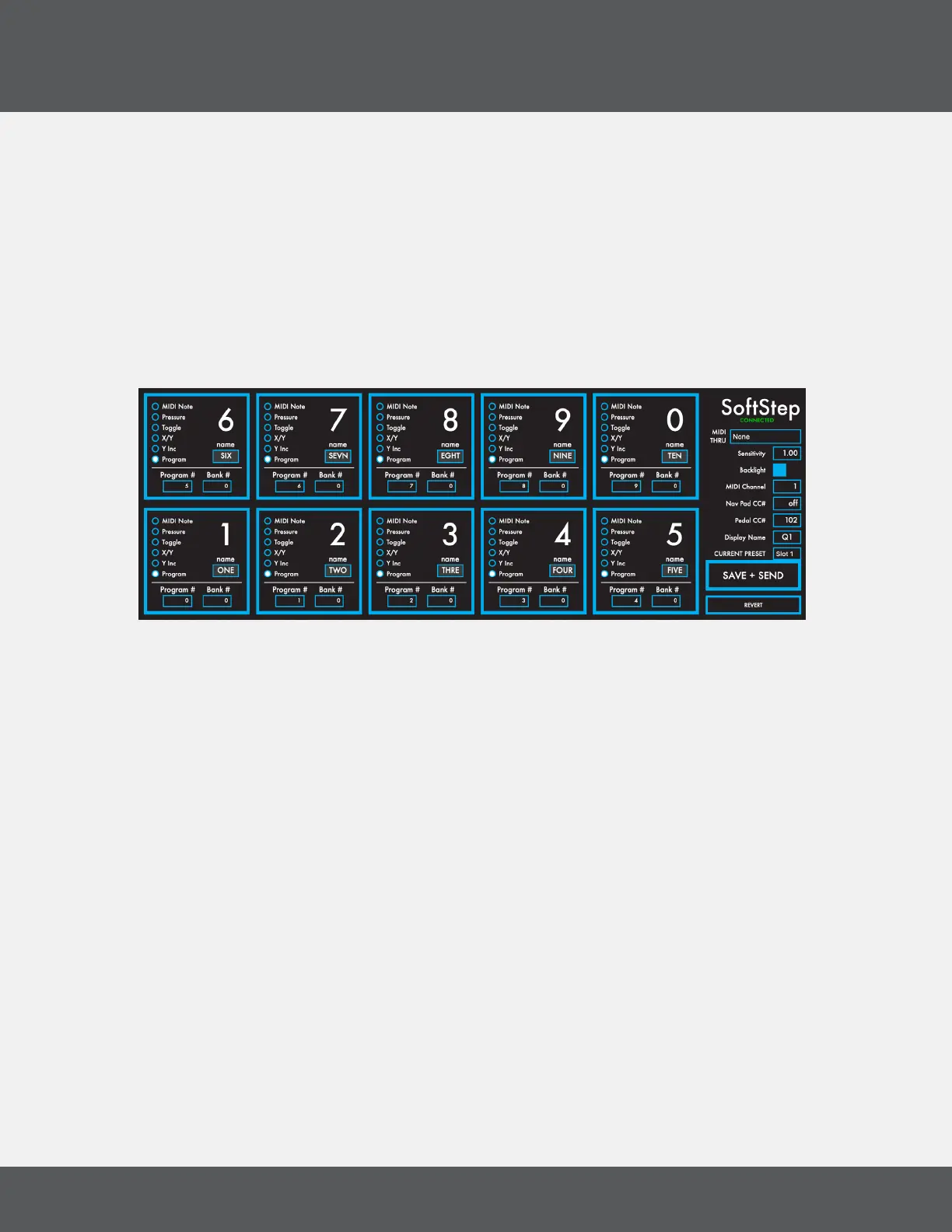
The Basic Editor offers ten presets where each key performs a single function� Keys can output a MIDI note, act as
a CC toggle, output key pressure, send X/Y location data, send program change messages, or emulate a vertical
slider — users’ most common needs�
2.1 keyS
This is where the behavior of the SoftStep keys are dened. The keys are laid out in the Editor as they appear on
the SoftStep hardware�
Midi MeSSaGe type
When using the Basic Editor, each Key sends 1 MIDI message� There are six available MIDI Message types:
• MIDI Note - send a MIDI Note at set velocity, either momentary or toggle�
• Pressure - send a pressure value on a set CC#, with smoothing�
• Toggle - toggle a CC# between two set values, hi and lo�
• X/Y - send live values for X- and Y- pressure on set CC#s, with latching�
• Y Inc - increment and decrement the value of a set CC# with Y-axis pressure�
• Program - send Bank and Program Change messages
Deactivate a key by clicking on the radio button to toggle the selection off�



 To Next Page