SoftStep advanCed editor
41
SoftStep3
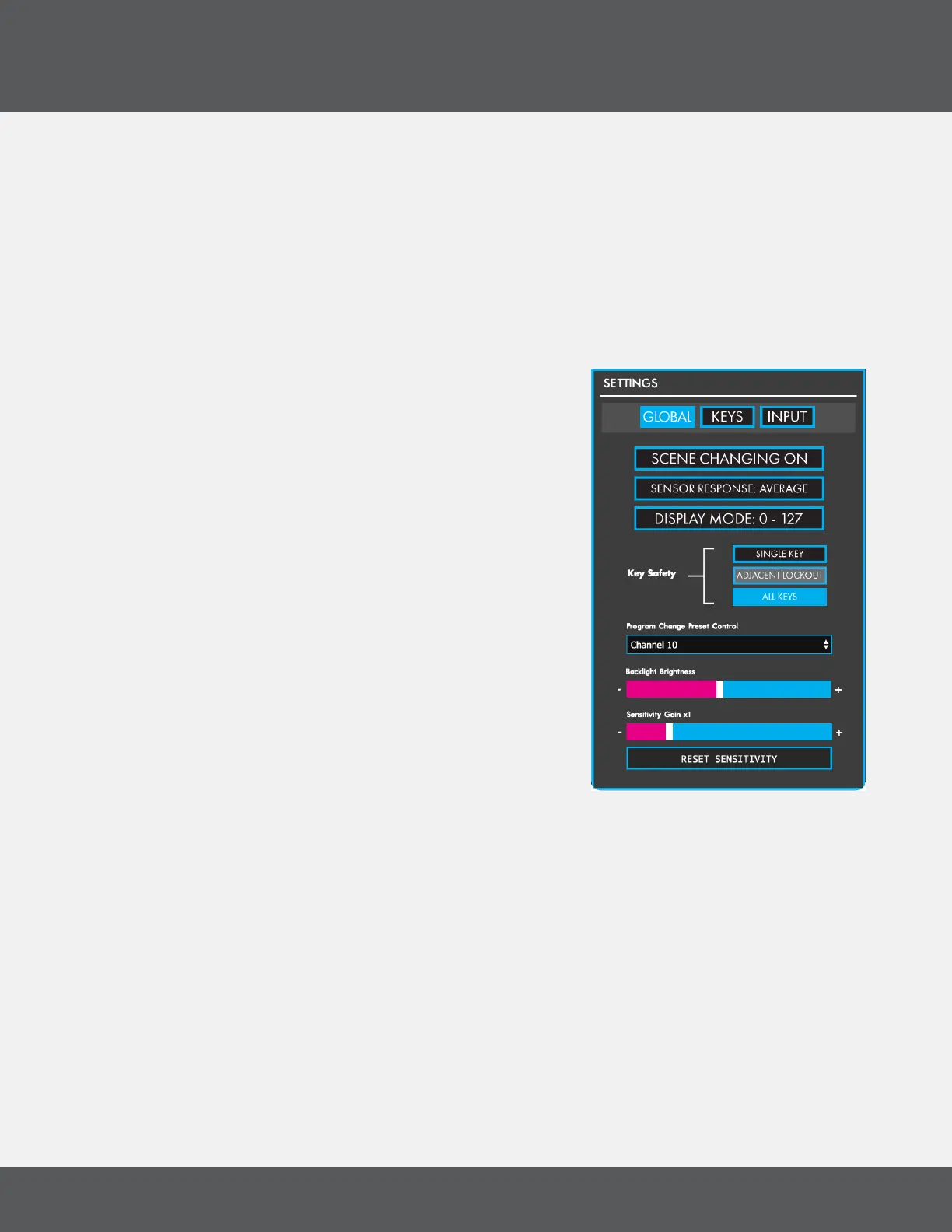
3.6 SettinGS WindoW
Access the Settings Window by pressing the Settings button� The “GLOBAL”, “KEYS”, and “INPUT” buttons at the
top open the corresponding tabs in the Settings window�
Changes made in the Settings menu are sent to the connected SoftStep in real-time (eg, sensitivity adjustments
or backlighting�)
Global tab
The Global tab contains settings that apply to the entire SoftStep� Turn the backlighting on/off, adjust the
sensor response, change the sensitivity, and more�
baCkliGht briGhtneSS
Adjust the brightness of the SoftStep LEDs�
SCene ChanGinG on/off
Enables/Disables scene changing using the Nav Pad Left and
Right keys� Standalone Mode only�
SenSor reSponSe
Sets how the SoftStep sensors (four per key) determine overall
key pressure�
• Maximum: Looks at only the highest valued sensor to
determine key pressure�
• Average: Averages the four sensors together to
determine key pressure�
diSplay Mode SWitCh
Switches the SoftStep display behavior for program change
messages� Data can be displayed in the 0-127 range or the 1-128 range� Standalone Mode only�
key Safety Mode
Sets how many keys can be activated simultaneously�
• Single Key: Only one key can be activated at a time�
• Adjacent Lockout: (Hosted mode only) Keys immediately adjacent to an activated SoftStep key
cannot be triggered�
• All Keys: Any key can be activated at any time�
SenSitivity adjUStMent
Adjusts the sensitivity of the SoftStep� Moving the slider to the right (toward the “+” symbol) increases
sensitivity — moving the slider to the left (toward the “-” symbol) decreases sensitivity�
Clicking the RESET SENSITIVITY button will reset the sensitivity slider to its default value�



 To Next Page