SoftStep advanCed editor
38
SoftStep3
nav S triG dbl (hoSted Mode only)
The same as the Dbl Trig source� Applies to the south key on the Nav Pad�
nav S triG lonG (hoSted Mode only)
The same as the Long Trig source� Applies to the south key on the Nav Pad�
3.4 Control voltaGe (Cv)
SoftStep3 has 2 CV Outs that send control voltage signals to control modular synthesizers and other analog gear�
MappinG Midi to Cv
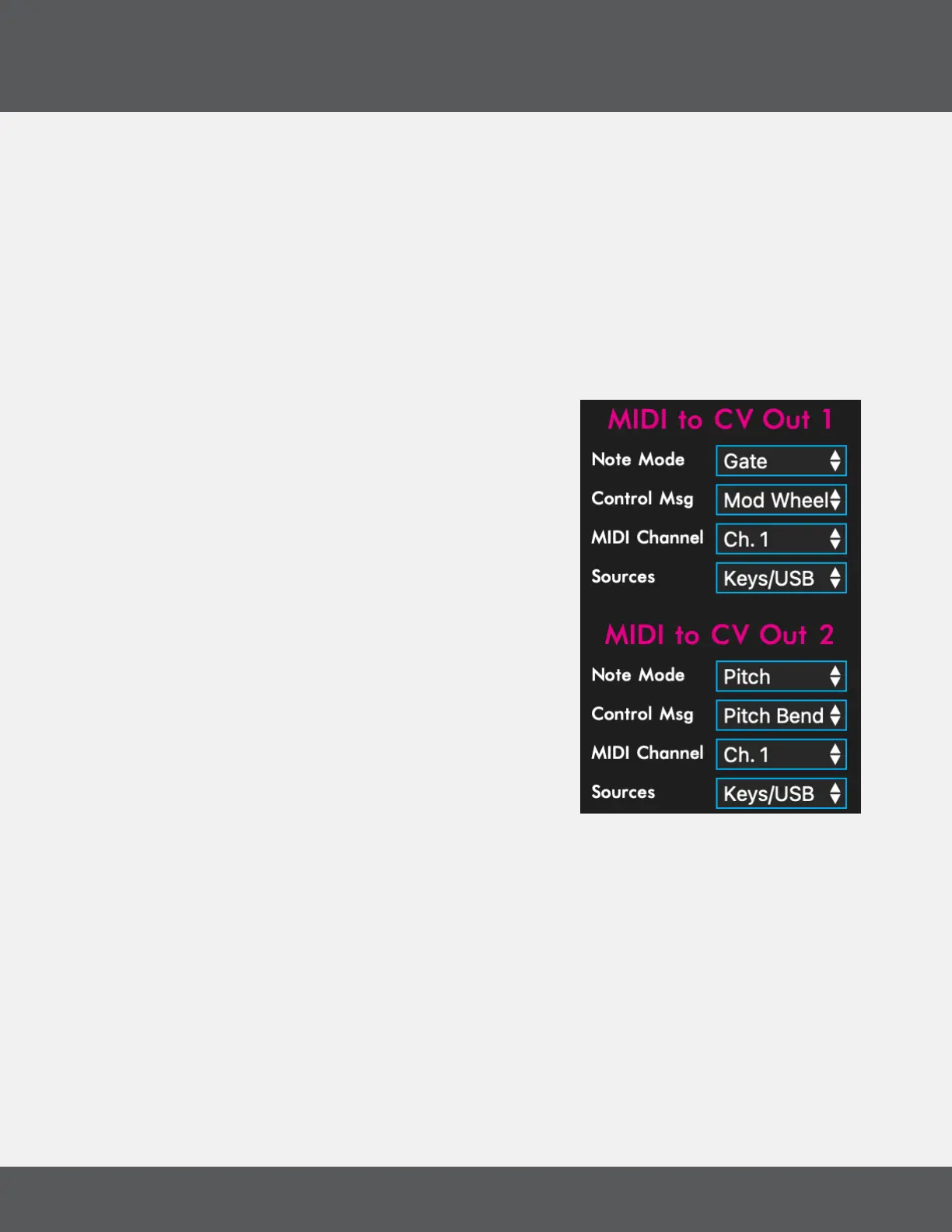
Congure the SoftStep3 to send CV out from various sources with
the controls at the right side of the Main Window of the Editor
software�
note Mode
Set the CV Out response to NOTE messages received at the
SoftStep CV Out port
• Gate = 5V for Note On, 0V when all notes are released
• Pitch = 0-5V scaled to IV/Oct
• Velocity = 0-5V representing the velocity value of the
note
• Disabled - all Note On/Off messages are ignored
All notes off (CC#123) and transport STOP messages will turn
all gates off�
Control MSG
Control the CV out with MIDI messages received at the SoftStep CV Out port�
• Pitch Bend - values from key modlines are scaled up from 0-127 to the 12bit CV DAC� USB
messages are scaled down from 14bits�
• Mod Wheel - CC#1 vales are scaled up from 0-127 to the 12bit CV DAC
• Aftertouch - Channel pressure is scaled up from 0-127 to the 12bit CV DAC
• Disabled - all of the above messages are ignored
Midi Channel
The CV responds to key modline and/or USB messages sent on this channel�



 To Next Page