SoftStep advanCed editor
25
SoftStep3
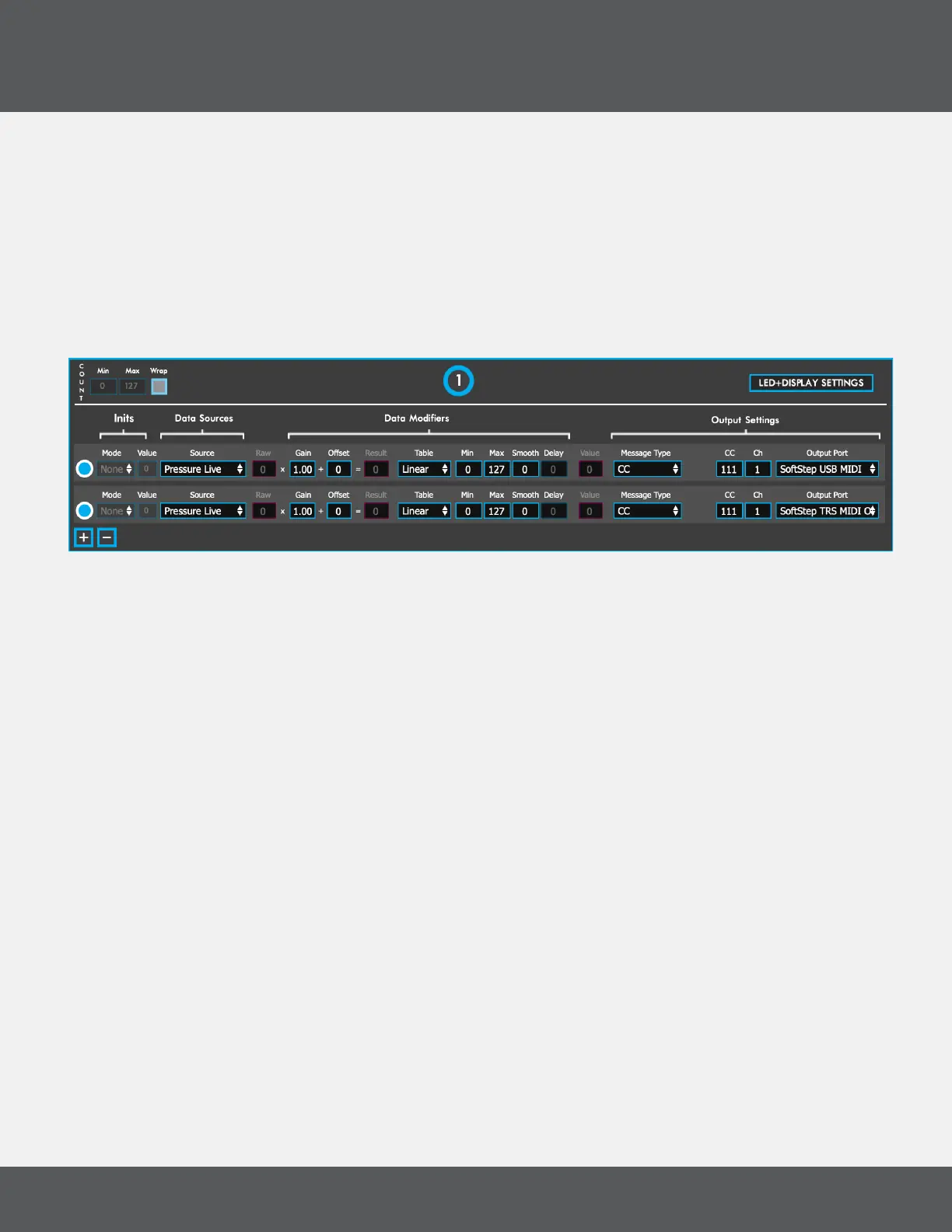
3.3 key ModUlation WindoW overvieW
The main part of a modulation window is the modline area� Modlines tell the SoftStep keys what they should do —
select the type of data, how to process the data, and how to output the data�
Each key can have up to 6 active modlines — each performing a completely different function� Information travels
from left to right through the modline�
Click the radio button to the left of the modline to toggle the modine on/off�
Click +/- to add or remove modlines from the Key�
initS (hoSted Mode only)
Inits allow for initializing parameters/modlines when a preset is loaded� Inits consist of two parts: a mode and a
value�
The mode denes if and when the init is triggered. The value is the number output when the init is triggered. The
following mode options are available:
• “None”, No initialization value will be output�
• “Always”, Outputs the init value every time the preset this is placed on is loaded�
• “Once”, Outputs the init value the rst time the preset this is placed on is loaded. Switching to this preset
again will not output the init value� This applies per session — “Once” will only reset by quitting the
Advanced Editor and reopening it�
data SoUrCeS
The Data Sources section of the modline selects what type of SoftStep sensor data to use� When in Hosted Mode,
the “Raw” number box will show the live raw data value coming from the selected data source�
The following data sources are available for Keys:
preSSUre live
Outputs the amount of pressure currently being applied to the key� Range: 0-127
x live
Outputs the amount of left-to-right (x-axis) pressure being applied to the key� The value will return to center
(64) when the key is released� Range: 0-127 (left to right)



 To Next Page