SoftStep advanCed editor
40
SoftStep3
revert bUtton
Restores a preset to its last saved state� Any unsaved changes will be lost�
delete bUtton
Deletes the currently selected preset. A conrmation dialogue will appear when clicked to prevent
accidental deletions�
Send to SoftStep bUtton (Standalone Mode only)
Updates the connected SoftStep with any presets currently in the setlist� In Hosted Mode this button is
disabled and greyed out�
preSet SetliSt
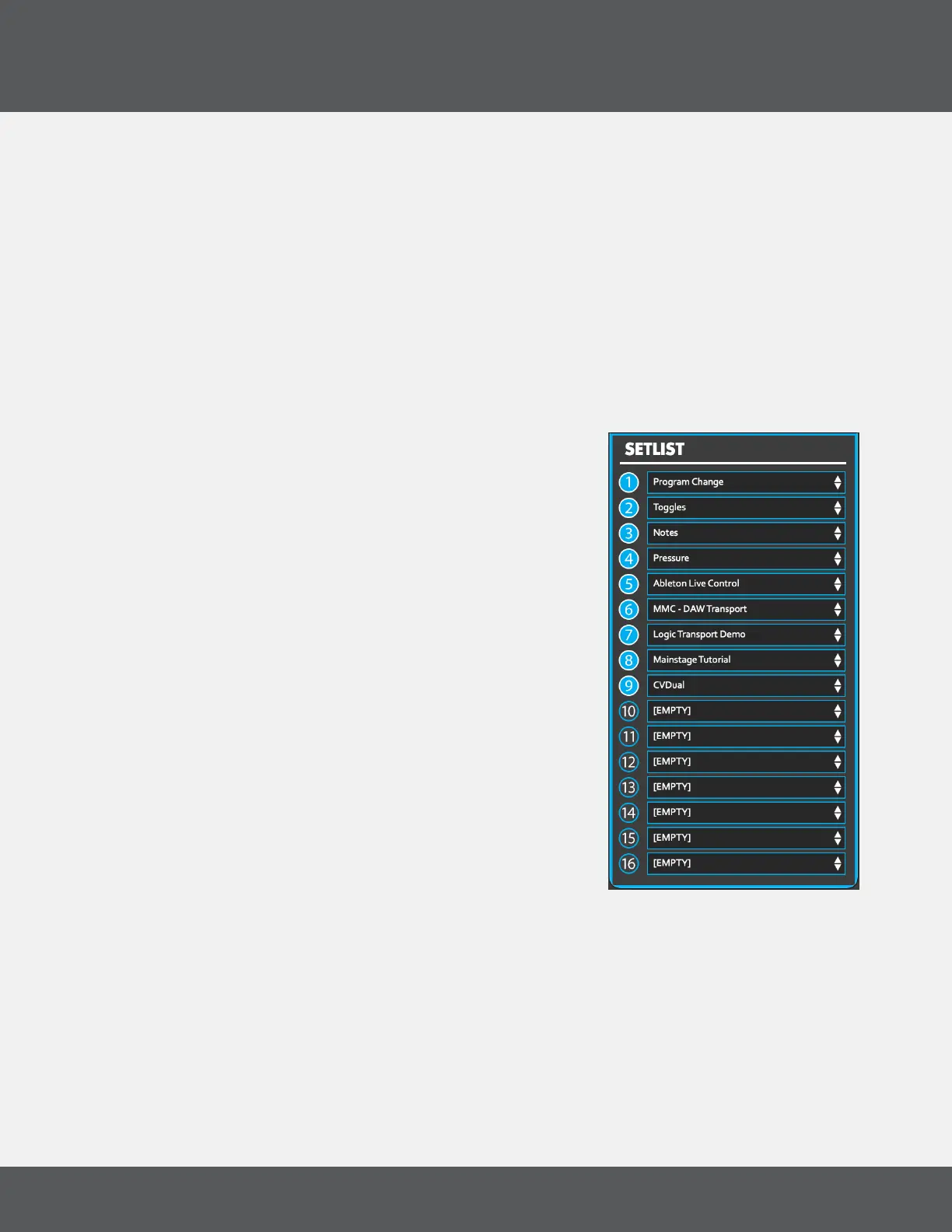
Press the “Setlist” button in the Main Window to open the Setlist
window� The Setlist is the selection and order of presets sent to the
internal memory of the SoftStep hardware� The Setlist allows up to 16
presets to be selected and ordered� This is the order that the presets
will appear on the SoftStep when pressing the left and right keys on
the Nav Pad�
Select a Preset from the dropdown menu to place it in the Setlist�
Clicking on the blue number button will empty that preset slot�
iMportinG and exportinG preSetS
Presets can be saved and shared by exporting and importing
“.softsteppreset” les. Import and Export presets from the File menu.
editor preSet direCtory
Selecting “Editor Preset Directory” from the File menu opens the
folder where the presets, setlist and settings are stored� If you delete
the contents of this folder, the Editor will rebuild this folder with the
“factory default” presets the next time it is opened�



 To Next Page