SoftStep advanCed editor
39
SoftStep3
SoUrCeS
The CV can respond to messages from the SoftStep keys, from the “SoftStep CV” USB MIDI port, or both�
Note: in Hosted mode, keys/modlines can only control the CV outs by sending messages to the “SoftStep
CV” USB MIDI port�
3.5 preSet ManaGeMent
It is important to note at the start that presets created in Hosted Mode are distinct from presets created in
Standalone Mode� Presets made in one mode will not work in the other mode� The list of saved presets and
Setlist are also distinct to each mode� Switching between modes automatically switches the preset lists over
accordingly�
In Hosted Mode, the SoftStep is tethered to the Editor software� Changes made to the preset update in real-time�
Pressing left and right on the Nav Pad moves through presets selected in the Setlist�
In Standalone mode, the SoftStep stores a Setlist of up to 16 presets in its internal memory and does not need to
be connected to a computer with the Editor running� Changes made to a preset do not update live and need to
be saved in the Setlist and sent to the SoftStep to update�
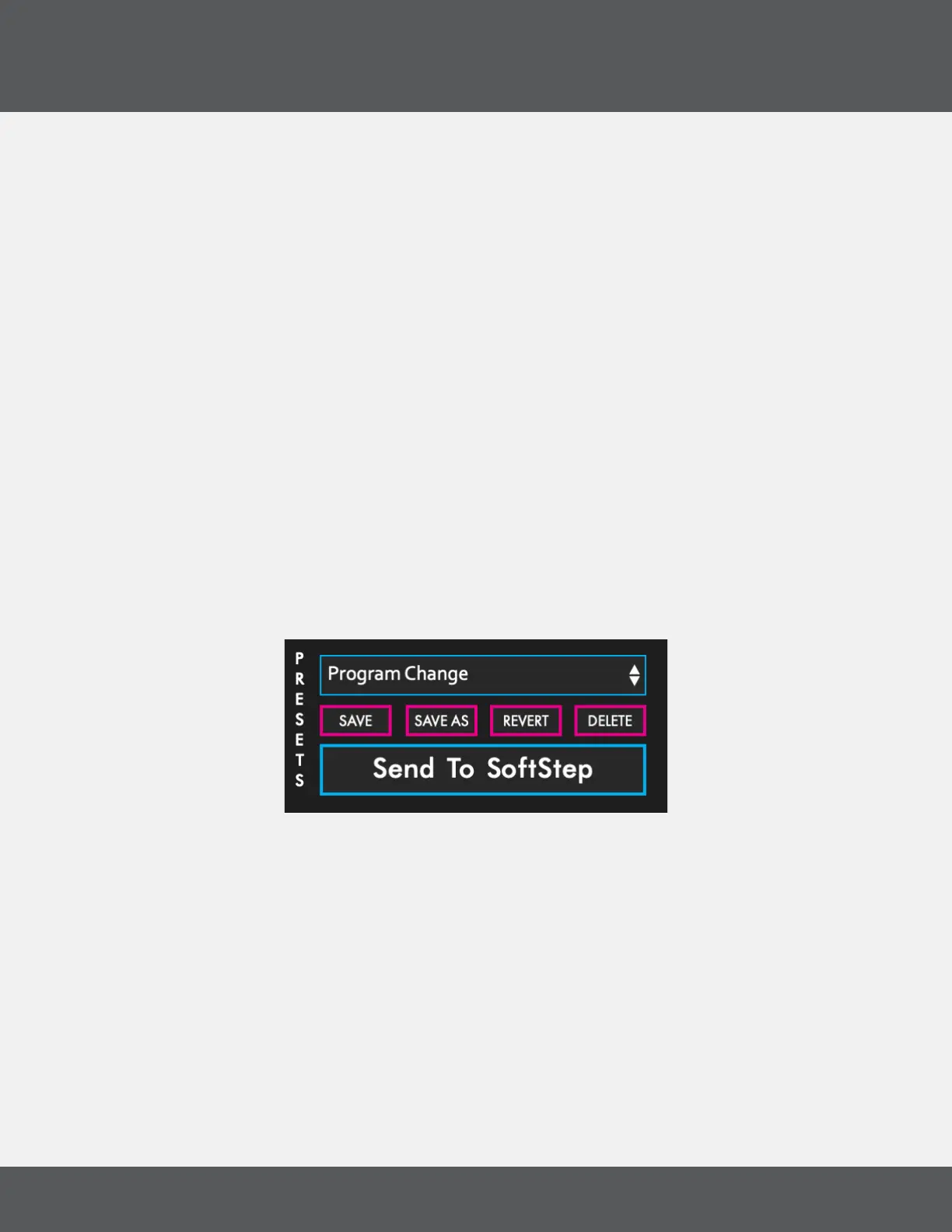
preSet SeCtion
The Presets Section is in the top-left area of the Advanced Editor Main Window� This where presets are saved,
reverted or deleted� This is also where you click to send the Preset Setlist if you are using the SoftStep in
Standalone mode�
preSet SeleCtion drop-doWn
Clicking this displays a list of all presets� Choosing one loads it as the currently active preset�
Save bUtton
Saves any changes made to the current preset when clicked� The save button will light up red if any
unsaved changes have been made�
Save aS bUtton
Saves any changes made to the current preset to a new preset when clicked� The preset that was
previously being edited will revert to its last saved state�



 To Next Page