SoftStep advanCed editor
43
SoftStep3
inpUt tab
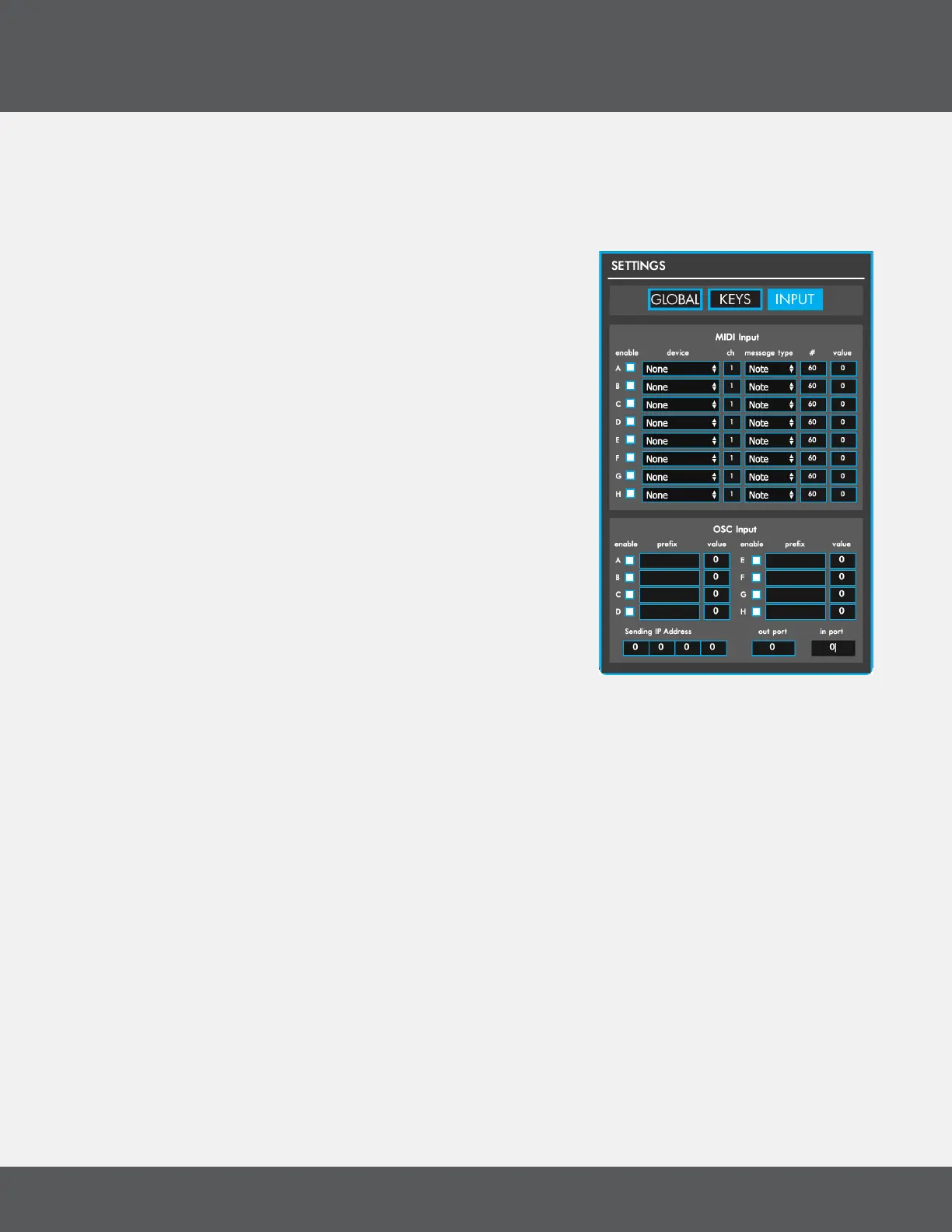
The Input tab contains MIDI and OSC input options (when in Hosted Mode), as well as a MIDI THRU Port
(when in Standalone Mode)�
Midi inpUt (hoSted Mode only)
The MIDI Input section contains options for receiving MIDI from
other connected MIDI devices or software� There are 8 MIDI
inputs available (A-H) that can be accessed in the modlines by
using the MIDI A-H sources� Toggle inputs on and off with the
“enable” checkbox�
• Device sets the MIDI device to receive data from�
• Channel sets the MIDI channel to listen for� All MIDI coming
in on other channels will be ignored�
• Message Type sets the message type to listen for� All other
message types will be ignored�
• # Sets the specic note/CC/program change number to
listen for� All other numbers will be ignored�
oSC inpUt (hoSted Mode only)
The OSC Input section contains options for receiving (and one
sending option) OSC from other OSC-capable software/devices�
There are 8 OSC inputs available — A through H� These can be
accessed in the modlines by using the OSC A-H sources�
• Enable toggles this OSC input on/off�
• Prex sets the OSC prex to listen for. All other prexes will be ignored.
• Value is a live display of the incoming value� This is the value that will get passed to the modlines
when using the OSC A-H sources�
• Sending IP Address sets the IP address that OSC messages will be output on� (Default: 127�0�0�1)
• Out Port sets the port number OSC will be output on� (Default: 7000)
• In Port sets the port number to listen to for incoming OSC messages� (Default: 7001)
Midi thrU port (Standalone Mode only)
MIDI THRU routes the incoming MIDI from the SS to another MIDI device so that you can audition your
changes in the editor� The dropdown menu selects which MIDI device to route the MIDI data to�
Note: An error message will pop up and stop you if you attempt to select a MIDI port that is already in
use�



 To Next Page