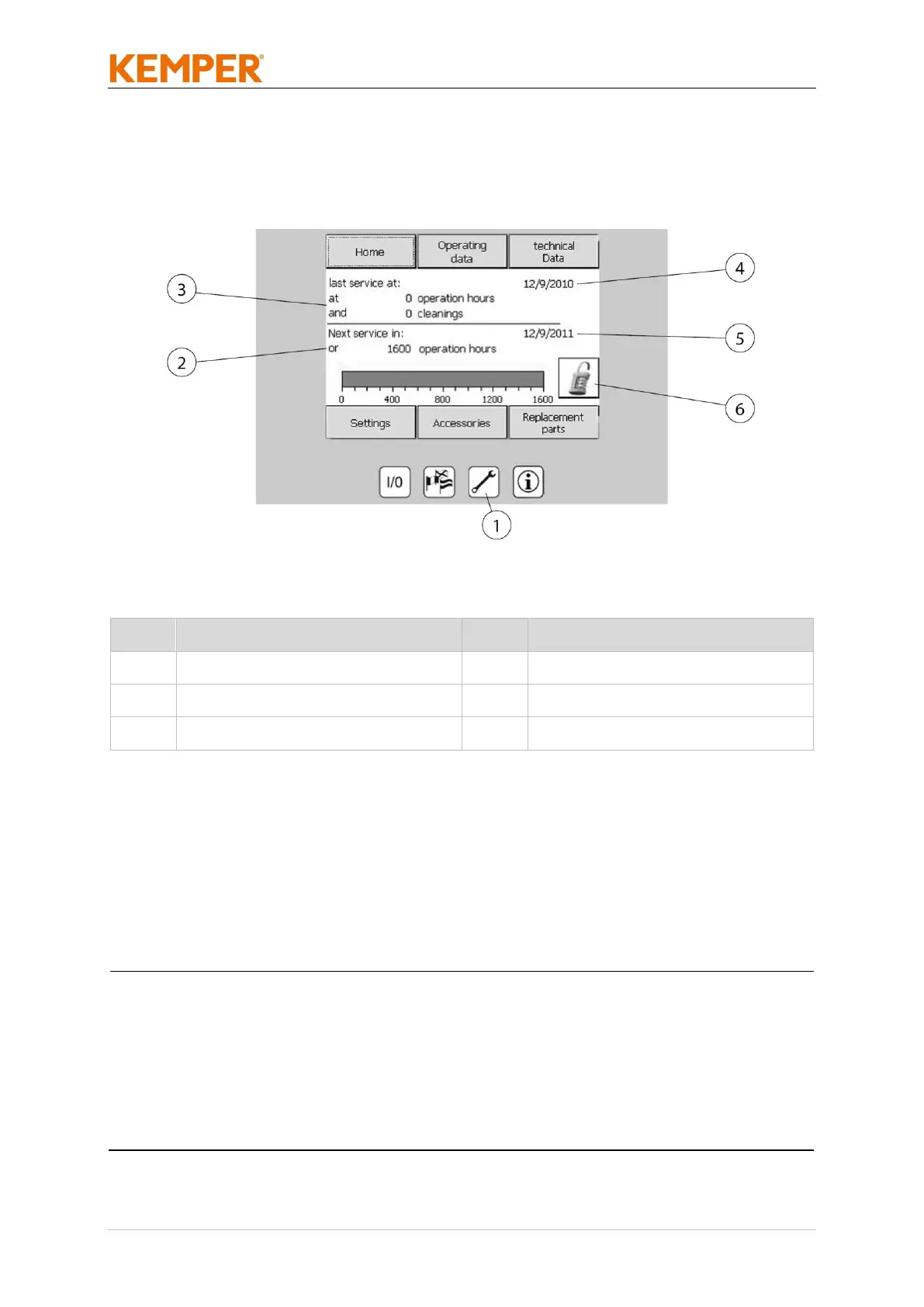
Maintenance menu button (Pos. 1)
Displays next maintenance date and the date of last maintenance
performed. Activation code entry for optional accessories.
since the product is a safety-relevant device, it is mandatory that correct
and proper functioning is checked at regular intervals and that any
necessary maintenance work is carried out. Maintenance frequency
depends on the product operation time. If this is exceeded, a warning
message will be displayed to remind you of the overdue, legally required
maintenance. Please contact the manufacturer as soon as possible to
arrange a maintenance date.



 To Next Page