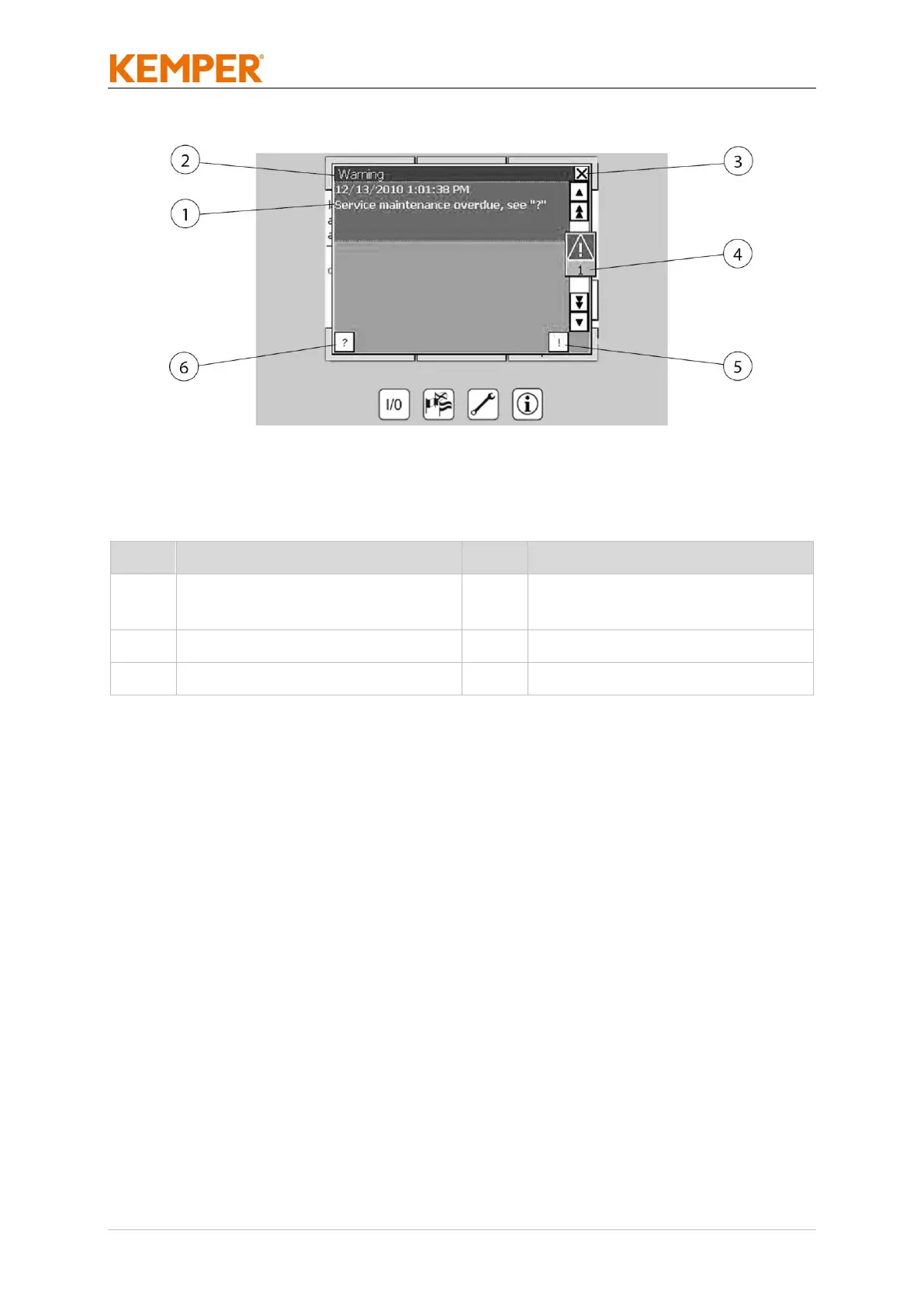
Warnings are not critical for system operation and can be hidden at any
time by acknowledging them by tapping (Pos. 3). If the warning condition
remains the message will be displayed again in 5 minute intervals and
must be acknowledged.
In any warning message, you can use Pos. 3 to display a help text which will
explain the warning condition in more detail. You can hide the entire
window by tapping Pos. 1.
If the warning is not acknowledged and the window is hidden the error
indicator indicates that there is a warning. If this indicator is tapped, the
“Warning” and “Error/Malfunction” windows both appear. You can then
acknowledge the warning there. You can close either of these windows if it
does not contain a warning or an error by tapping (Pos. 1).
6.3 Setting the extraction capacity regulation (optional)
The automatic extraction power control constantly monitors the vacuum
set in the connected piping system. Depending on the activation of the
central extraction systems (air requirement) and saturation of the filters, it



 To Next Page