on lower, right-hand corner of control panel.
2. Open blue door enclosing Pump Set loading area.
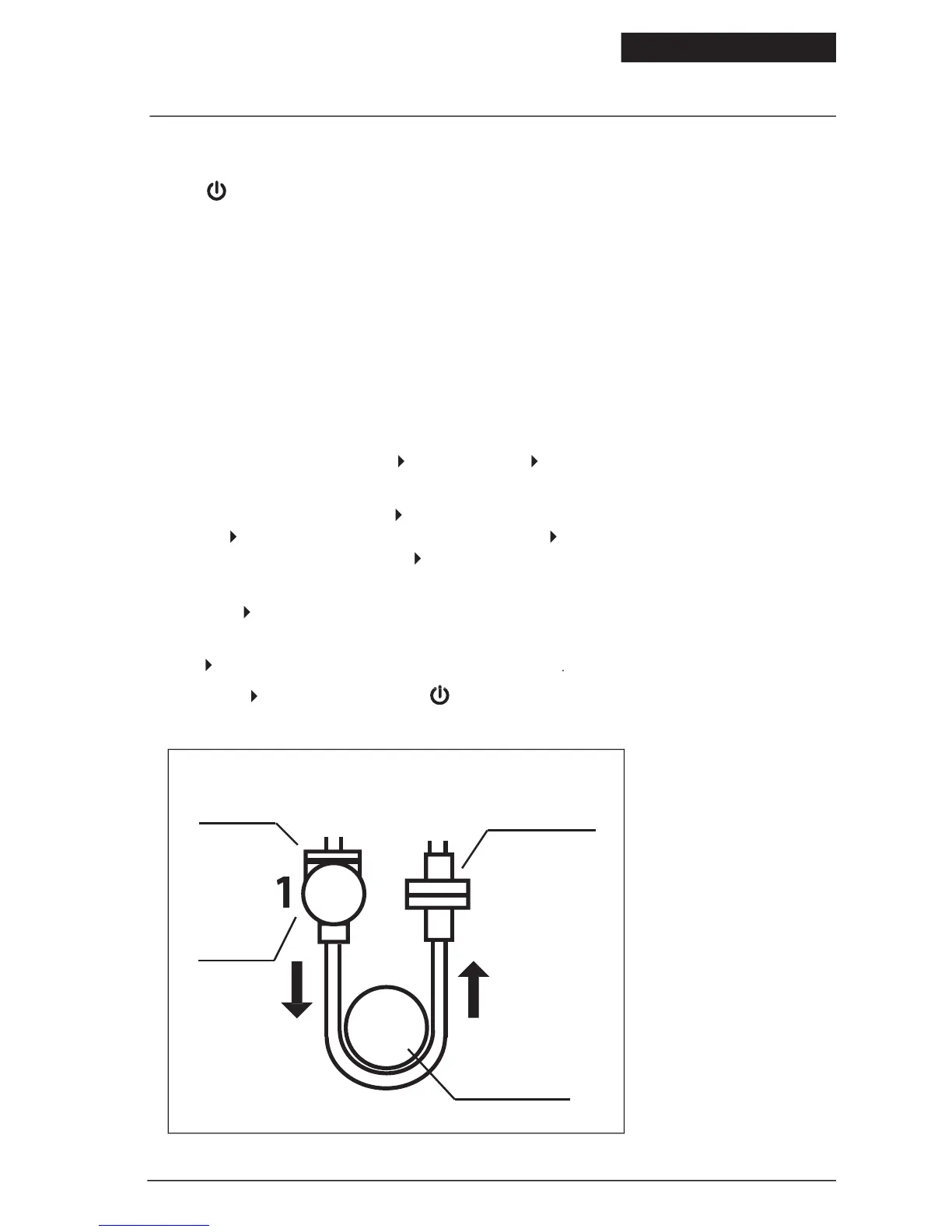
3. To load Pump Set (refer to Figure 4):
• Grasp finger tab on valve and insert into left pocket (1).
• Grasp black ring retainer and gently stretch tubing around rotor (2). Pull up on retainer and insert into right pocket
• Press down on finger tab to ensure that valve is fully seated.
display status line should read
4. To automatically prime the pump, press
. For Feed & Flush sets, auto priming
5. To directly control pump priming, press
and then press and hold the
. If a Feed & Flush Set is used, remember to first press
fluid has reached the valve, and then press
until the feeding fluid has reached past the
valve and down to the distal end connector.
on left side of LCD to set the feeding parameters. Set flushing parameters if a Feed & Flush Set is
loaded. The continuous or intermittent feed mode selection is made under the
when ready to start. The screen will display
© 2005 Tyco Healthcare Group LP


 To Next Page