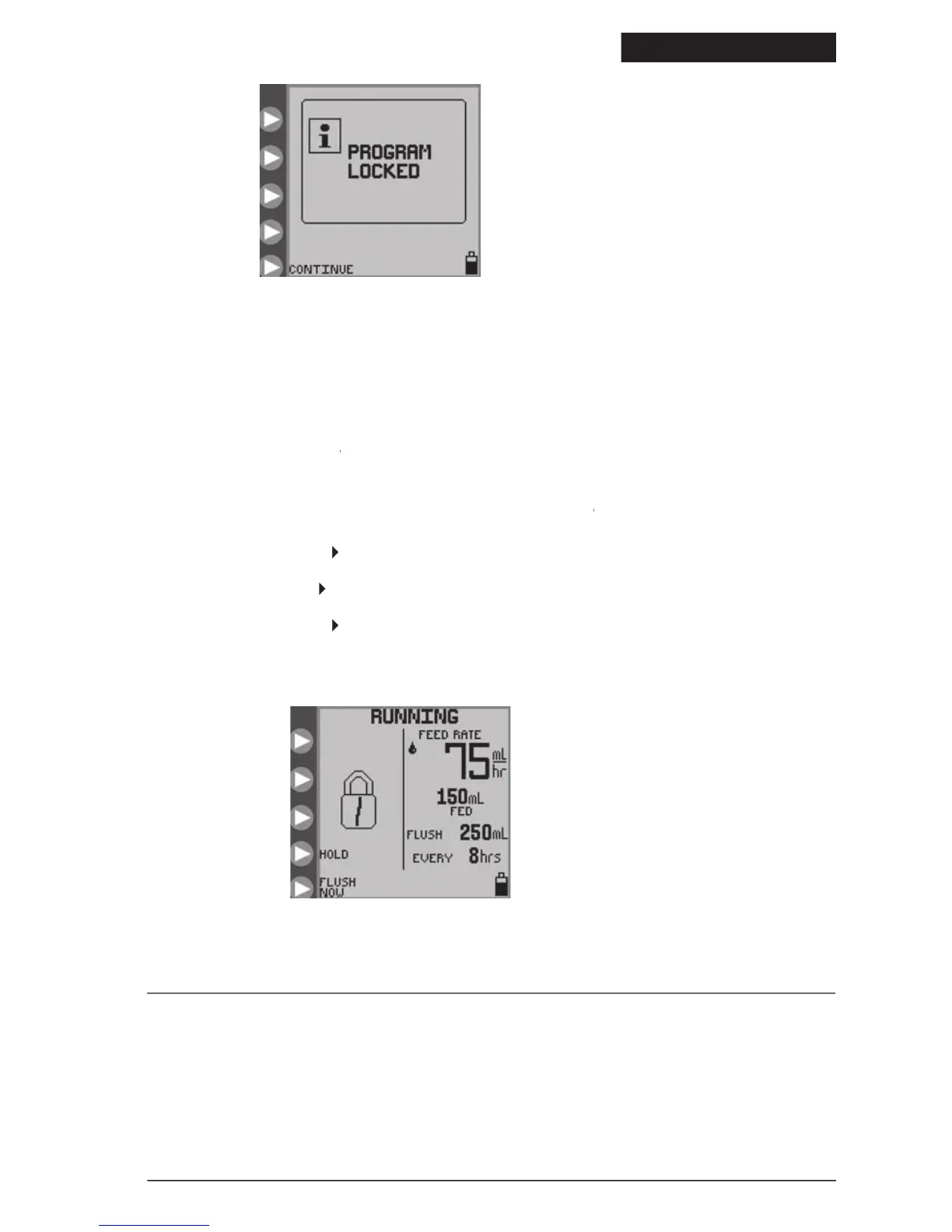
and then locked out from unauthorized use. While the
feature prevents only changes to the input parameters, the
feature will lock out any
button presses, including
when the pump is running and there is a need to prevent tampering such as putting the pump into an
screen will show a padlock to indicate that no changes can be made without unlocking
RUNNING screen will show a padlock to indicate that no changes can be made without unlocking RUNNING
To lock the screen, use the following procedure while the pump is in
Press and hold the second
button from the top for at least 2 seconds, and then release it.
• Press and hold the third
2 seconds, and then release it.
• Press and hold the second
To unlock the screen, use the same procedure above.
Section VI – Re-Certification of
System Performance Re-Certification
A series of self-diagnostic checks can be run to re-certify pump performance. It is recommended that this re-certification
procedure be run at least once per year, or any time the pump is suspected of having improper performance. See Section
XIII-Service Part Numbers for ordering new Re-Certification Pump Sets.
Figure 19. Program Locked screen,
which indicates the pump is in LOCK
© 2005 Tyco Healthcare Group LP


 To Next Page