in the screen’s status line if a Pump Set is not
LOAD A SET in the screen’s status line if a Pump Set is not LOAD A SET
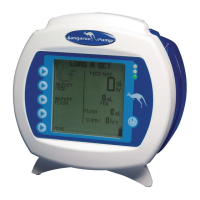
installed. A blinking icon of a Pump Set will also appear in the upper left corner of the screen. Figure 5A shows the
screen for continuous feeding mode and Figure 5B shows the screen for intermittent feeding mode.
To load a Pump Set, follow the steps below:
1. Open the blue transparent door that encloses the rotor and Pump Set loading area.
2. Load the Pump Set by holding the finger tab on the valve, and inserting the valve down into the slot on the left.
3. Grasp the MISTIC retainer end (black ring retainer) and wrap the tubing counterclockwise around the rotor.
4. Carefully pull the MISTIC retainer end upwards to position it over the slot on the right, and then lower the retainer
into the slot. (Figure 6B)
5. Press down on the valve’s finger tab to ensure proper seating.
6. Close blue transparent door.
LOAD A SET opening menu LOAD A SET
LOAD A SET opening menu LOAD A SET
© 2005 Tyco Healthcare Group LP


 To Next Page