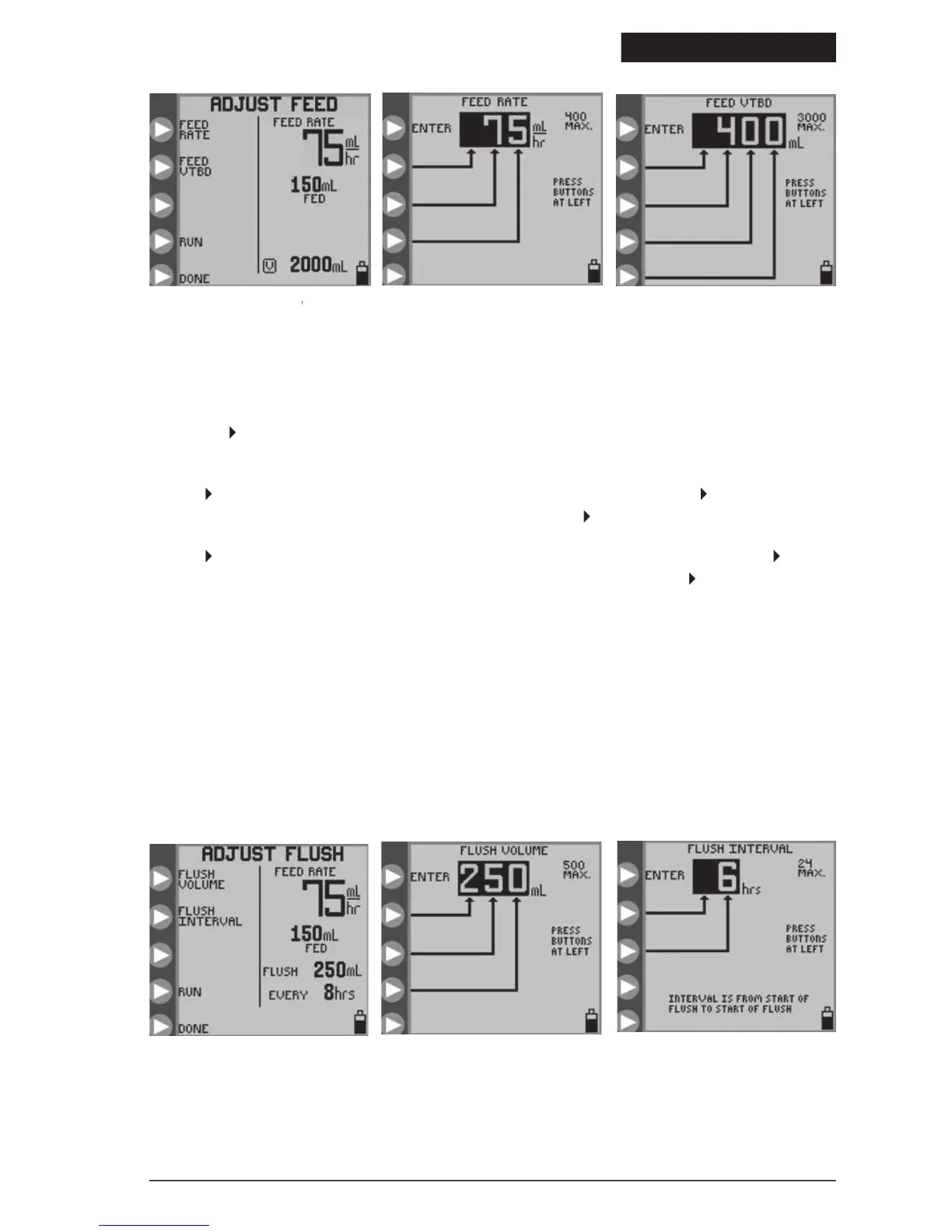
ADJUST FEED menu.ADJUST FEED
Figure 10B. Setting the Feed Rate.
Figure 10C. Setting the Feed
feeding mode with a Feed & Flush Set loaded, the opening menu will appear as shown in
in Figure 7B to program the flushing parameters from the
in Figure 11A to define the volume per flush occurrence. Press the
to program the flush volume from 10 to 500 in increments of 1 ml. Press
(top button) to exit the menu.
n Figure 11A to define the time interval between starts of flushing. Press
in Figure 11C to program the time interval from 1 to 24 hours in increments of 1 hour. Press
The pump will automatically limit flushing settings which
The KANGAROO ePump enteral feeding pump flushes at a rate of 1960 mL/hr (32.7 mL/minute). Use care
when programming the flush volume so that it matches the patient’s need.
The pump will automatically flush an additional 25 ml of water after completing the programmed delivery of
formula, as long as at least one flush had occ
urred during formula delivery.
Figure 11B. Setting the Flush
Figure 11C. Setting the Flush Time
© 2005 Tyco Healthcare Group LP


 To Next Page