Section IX — Error/Warning/Informational Screens and Troubleshooting
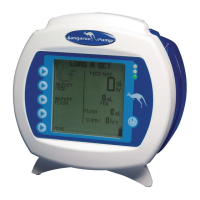
For operational errors, the KANGAROO ePump
display will show the error indicator icon, with
specific information regarding the error condition, and will sound the alarm.
The following conditions will trigger error conditions and will activate audible and visible alarms:
• Feed or Flush containers are empty
Feed or Flush tube becomes occluded between bag and pump
Tube becomes occluded between pump and patient
Battery low (alarm beeps continuously, about 15 minutes before shut-off)
Unit is left in HOLD mode longer than 10 minutes without input
Pump Set tubing is improperly loaded around the rotor
The MISTIC connector is removed during
AUTOPRIMING or AUTOPRIMING
The Error, Warning, and Information Screens are described below:
The system error screen is the most general form of error, Figure 22. The only way to exit from a System Error is to power
option is allowed because of the severity of the error. An error number is also displayed on the
screen, for reference purposes. This number should be reported when calling the Customer Service Support Line.
Error # Related Sub-system
0 Internal timer stopped.
1 Flash Chip missing OR version incompatible.
2 Too many graphic screens in memory.
4 Never got a ADC ISR for motor current.
5 Never got a ADC ISR for battery level.
6 Never got a ADC ISR for battery temperature.
7 Never got a ADC ISR for Ultrasonic Upstream Occlusion or Bag-Empty checks.
8 Never got a ADC ISR for Ultrasonic during Downstream Occlusion.
9 RS232 Communications Transmit.
13 Time Out for Buzzer Test
© 2005 Tyco Healthcare Group LP


 To Next Page