Personalized Parameter Settings
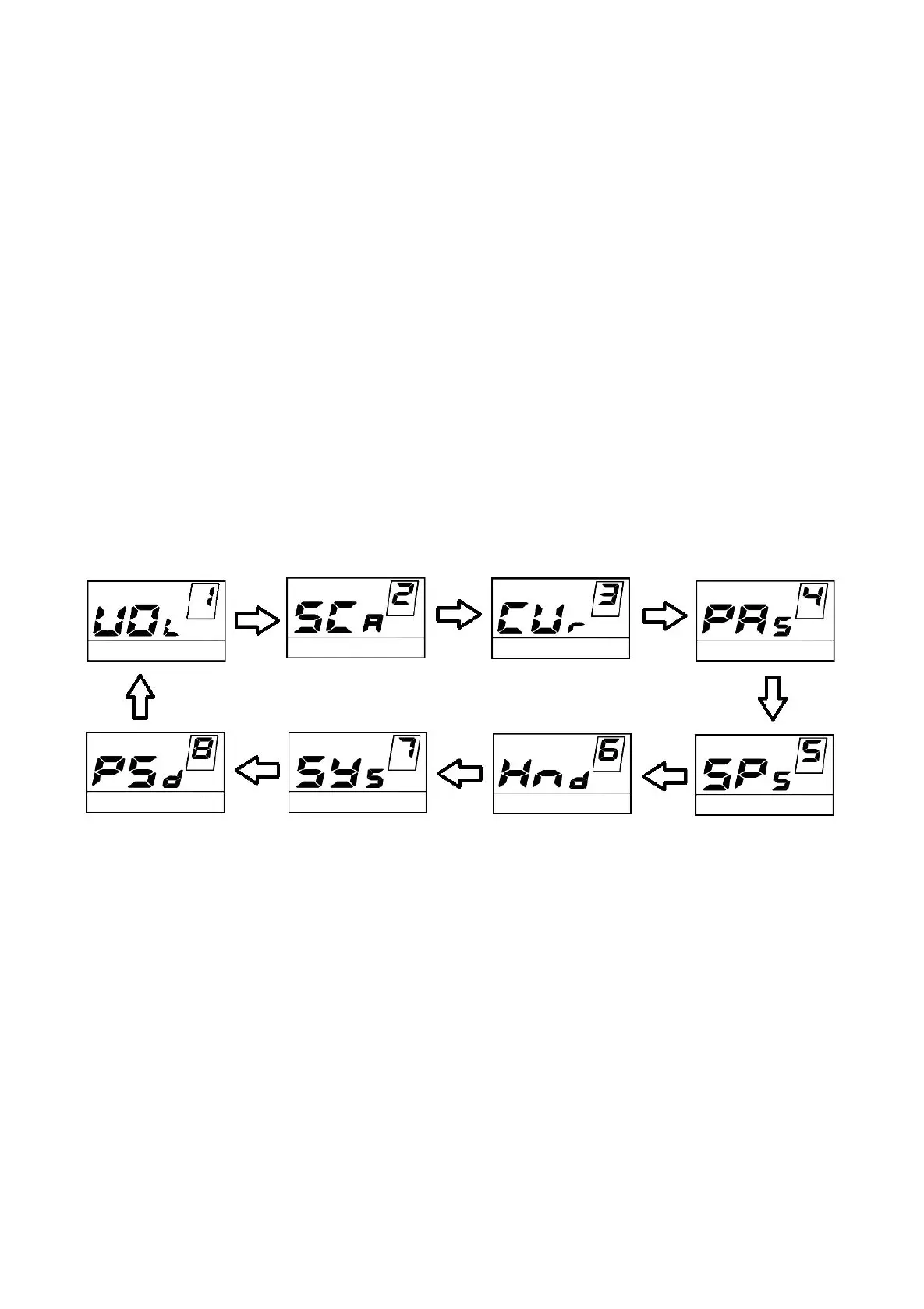
Personalized Parameter Settings can meet a variety of riders’ personalized requirements. 8
settings are Battery Power Bar Settings, Power assist level Settings, Over-current Cut Settings, Power
Assist Sensor Settings, Speed Sensor Settings, Throttle Function Settings, System Settings and Power-
on Password Settings. Please refer to
Attached list 2 for the definition of the symbols.
Hold UP and DOWN button simultaneously for 2 seconds to enter General Settings and Hold UP
and DOWN button simultaneously for another 2 seconds to enter Personalized Parameter Settings
interface.
Press UP or DOWN button to choose the personalized parameter setting item, then press ON/OFF
button to enter the corresponding setting interface.
Setting Item Cycle Interface



 To Next Page