Function Summary and Button Definition
◆Function Summary
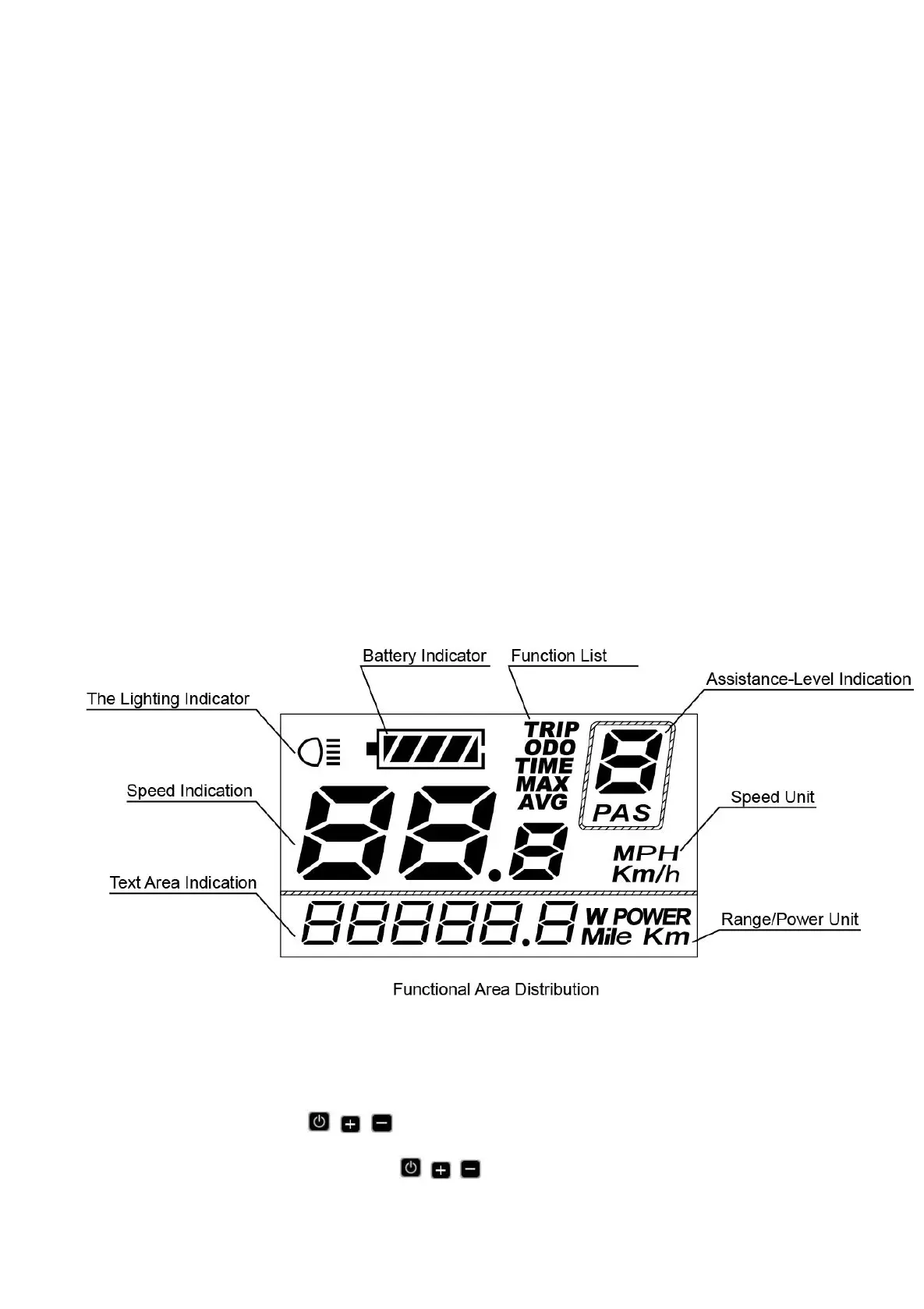
KD21C has many functions to meet riders’ needs. The indication elements are as follows:
●Battery level
●Motor output power
●Assist level
●Speed indication (incl. current speed, Max. speed and Avg. speed)
●ODO and Trip
●Push-assistance function
●Trip time
●Backlight ON/OFF
●Error code indication
●Various Parameters Settings (e.g. wheel diameter, speed limit, battery power bar, assist level,
current limit, maximum speed, password enable, etc.)
●Recover Default Settings
◆Functional Area Distribution
◆Button Definition
There are three buttons ( , , ) on KD21C display. In this manual, we use words ON/OFF,
UP, DOWN to represent these 3 symbols ( , , ) .



 To Next Page