◆Throttle Function Settings
Throttle Push-assistance Enable/Disable
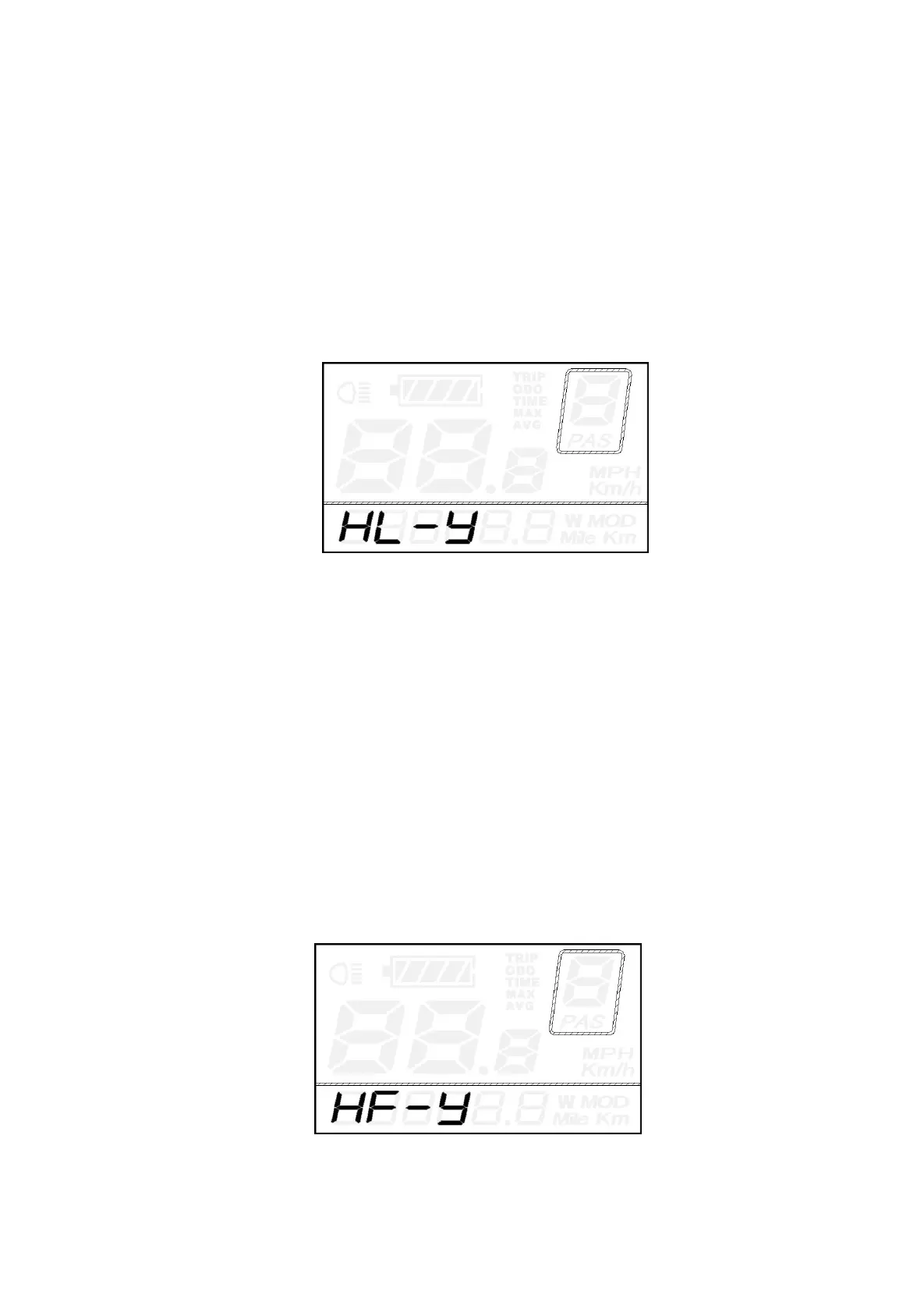
HL represents throttle push-assistance function. HL-N means throttle push-assistance function is
disabled. HL-y means throttle push-assistance function is enabled. The default value is HL-N.
Press the UP/DOWN button to select Y or N to enable or disable throttle push-assistance function .
To enable throttle push-assistance, select Y and hold ON/OFF button for 2s to confirm and return to
previous menu.
To disable throttle push-assistance, select N and access Throttle Level Enable/Disable Setting
below
.
Throttle Push-assistance Enable/Disable Interface
Throttle Level Enable/Disable
HF-y means throttle speed is limited by current power assist level while HF-n means throttle speed
is not limited by current power assist level. The default value is n. Press UP/DOWN to set y or n.
If you choose y, the maximum speed can only be the highest speed powered by current power
assist level when you twist the throttle.
If you choose n, the maximum speed is not limited by current power assist level and you can
override whatever level you are in and reach rated maximum speed when you twist the throttle.
To store a changed setting, press ON/OFF button to confirm and return to throttle push-assistance
enable/disable setting interface or hold ON/OFF button for 2s to confirm and return to previous
menu.
Throttle Level Enable or Disable Interface


 To Next Page