8
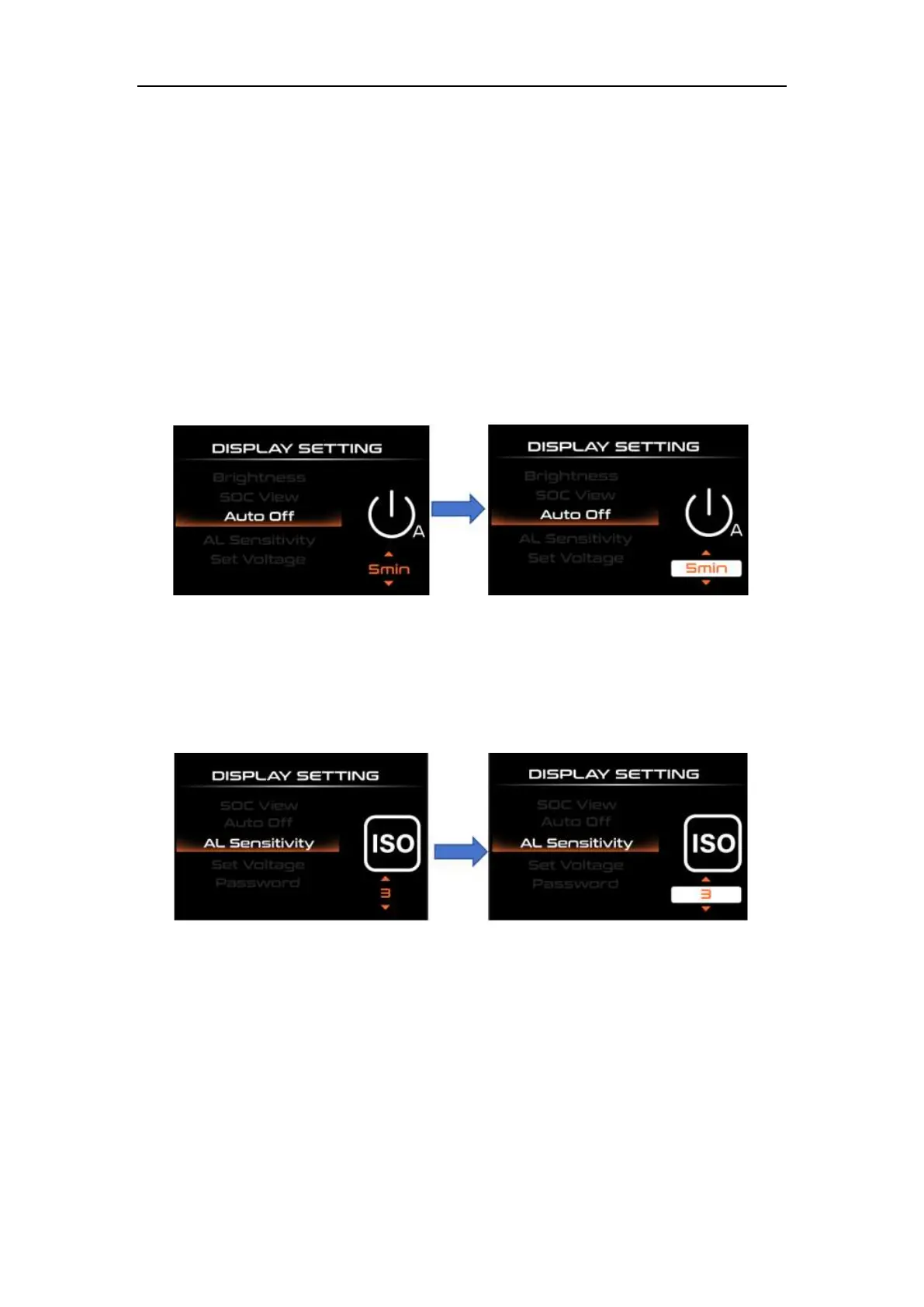
◆ Auto Power-off Time
“Auto Off” represents the automatic shutdown time of the display. Short press
"UP" or "DOWN" to select "Auto Off", short press "i" to enter settings, and select the
automatic shutdown time range by short pressing "UP" or "DOWN". The automatic
shutdown time range is "9-8-7" -6-5-4-3-3-2-1-OFF” (min), short press “i” to save and exit
to “Auto Off”.
Auto Power-off Time Setting Interface
◆AL Sensitivity Settings
"AL Sensitivity" represents the sensitivity of light perception. To change the value,
short press the "UP" or "DOWN" button to select the sensitivity value. The light sensitivity
value range is "5-4-3-3-2-1-OFF", short press "i" to save and exit to "AL Sensitivity".
AL Sensitivity Setting Interface
◆Voltage Settings
"Set Voltage" represents battery power setting. Short press the "i" key to enter the
battery power setting interface. To change the value, press the "UP" or "DOWN" button
briefly to select the voltage value. The voltage range is 36V-48V, short press "i" to save
and exit to "Set Voltage".



 To Next Page