14
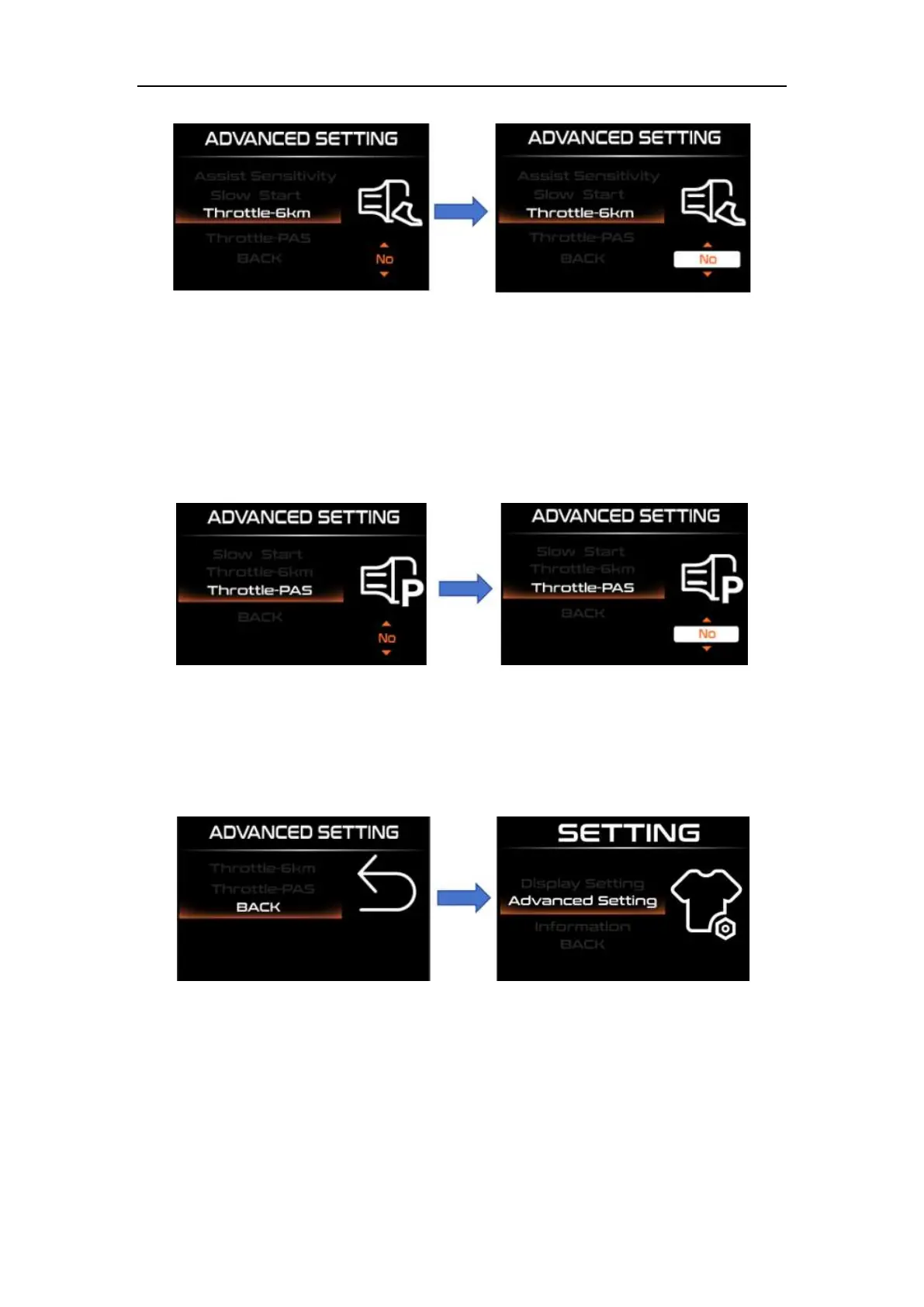
Therottle-6km/h setting interface
◆Throttle-PAS Setting
"Therottle-PAS" stands for turning the handlebar, and the speed that the e-bike can
achieve in each level is the same as the power assist. Select the handlebar working mode
by short pressing the "UP" or "DOWN" button, short pressing "i" to save and exit to
"Therottle-PAS"
Throttle-PAS setting interface
◆Exit Display Setting
Short press "UP" or "DOWN" to select "BACK", short press "i" to exit to
"Advanced settings
Exit display setting interface
Information(Software information):
Short press the "i" key to enter "Information" to view software information. Long press
the "i" key to exit to the setting interface or press "BACK" to exit to the setting interface.



 To Next Page