5Local Operations
44 Keysight 11713D/E Operating and Service Manual
Getting Started with the 11713D/E
The Keysight 11713D/E attenuator/switch driver can be easily configured to drive programmable
attenuators and/or switches through the front panel operations. The following three simple steps
will guide you through the configuration of the 11713D/E.
Step 1: Turn on the 11713D/E
1 Connect the AC power supply to the 11713D/E. You should see:
– the background LED of the power button is red which indicates that the 11713D/E is in the
standby mode.
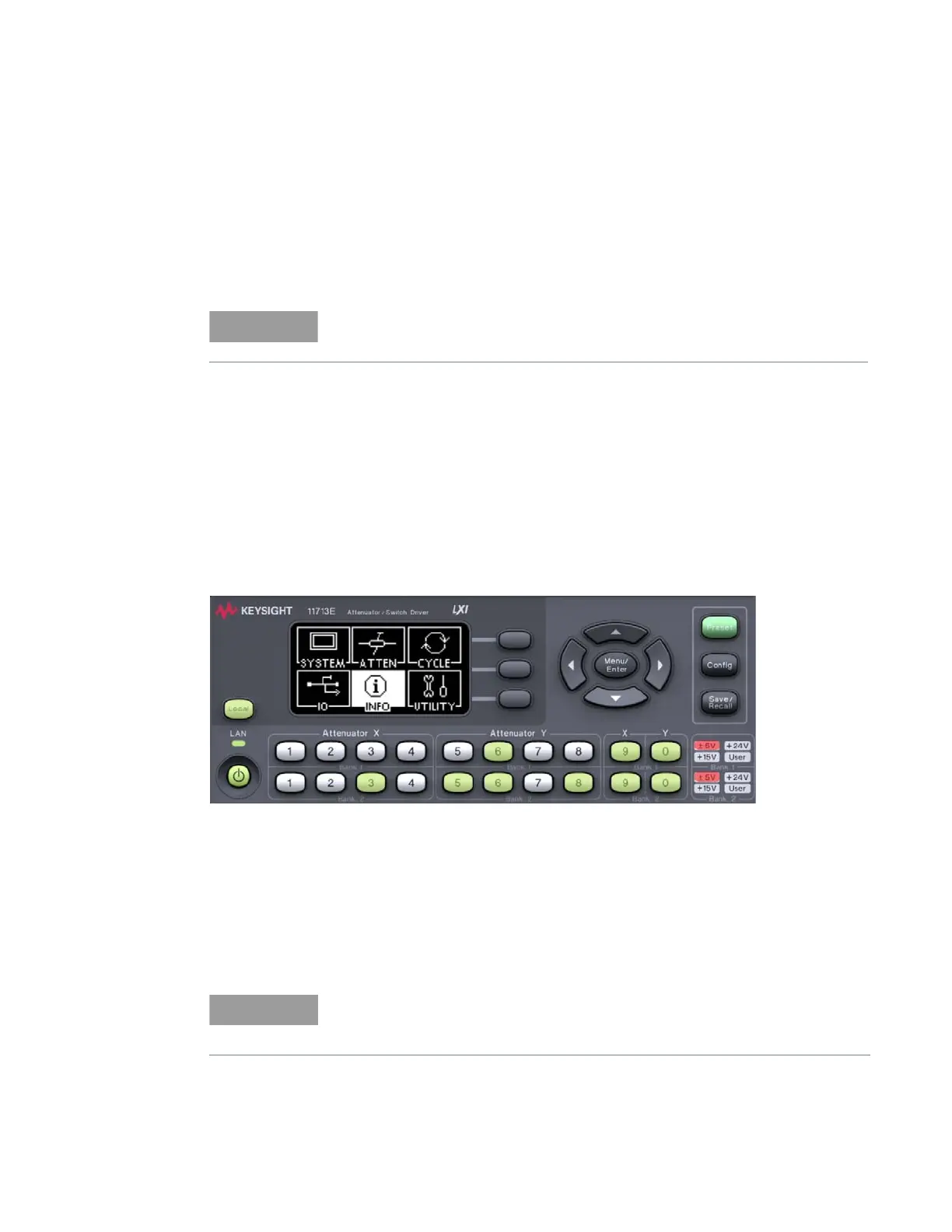
2 Press the power button once to turn on the 11713D/E. You should see:
– the background LED turns green.
– six menus are displayed on the LCD screen.
– all numbered buttons are lighted up
[1]
.
3 Ensure the Local button is lighted up to enable operation through the front panel. If not, press
the button once.
4 Now, you are ready to configure the 11713D/E.
Step 2: Configure the 11713D/E settings to drive attenuators and switches
To drive programmable attenuators
For Step 1, all details on the 11713E are applicable to the 11713D.
[1] At factory default setting. Last state is followed if instrument was configured before shutdown.
Step 2 — To drive programmable attenuators, only item 2 is applicable to the
11713D. When the Config button is pressed, the next screen is
CONFIGURATION MENU.



 To Next Page