Installing an Optional Interface Board
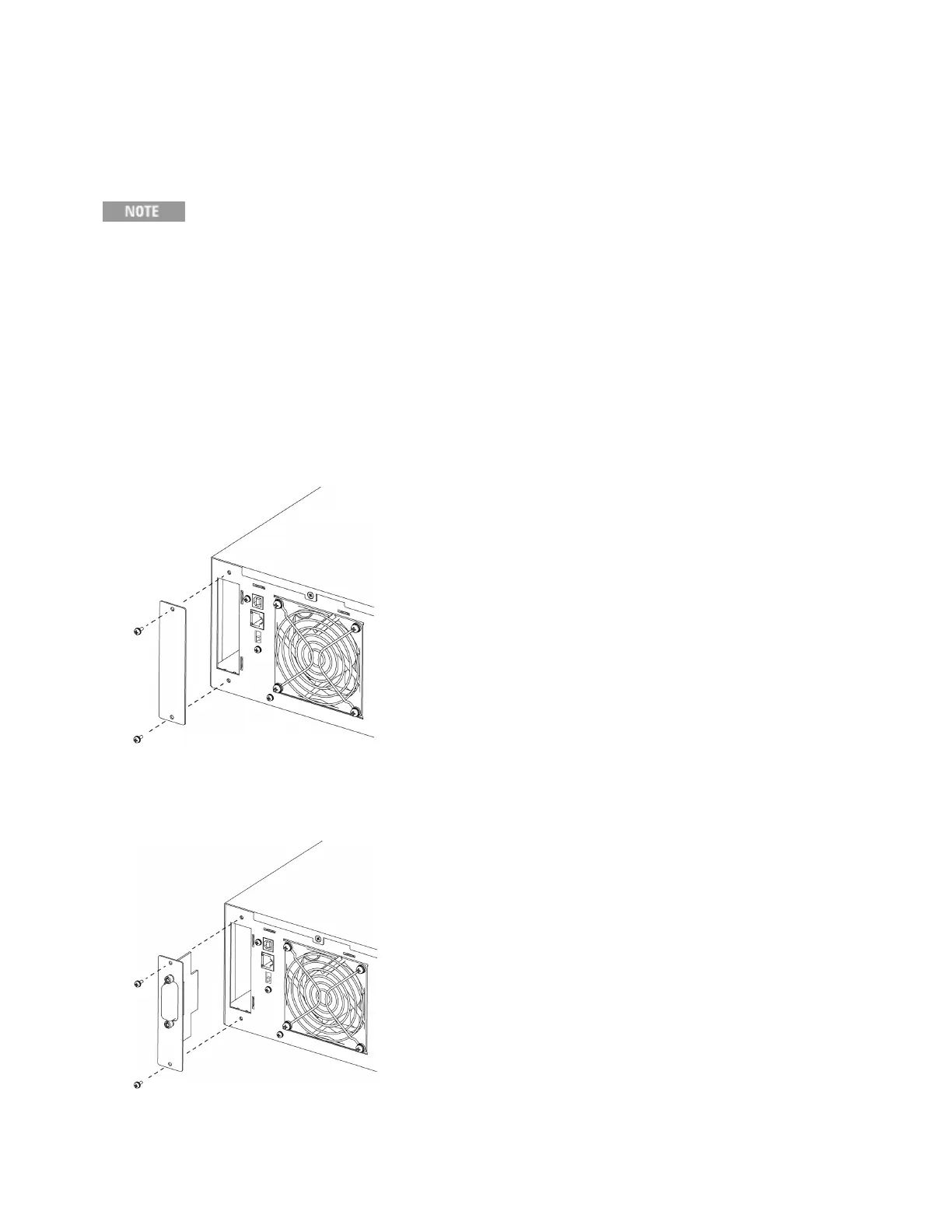
The rear-panel slot can hold either the GPIB interface board (option AC68GPBU) or the analog output
interface board (option AC68BALGU).
Consult with your Keysight sales representative or distributor for information regarding the
availability of option AC68BALGU.
To install a board:
1.
Check that the power switch is turned off.
2.
Touch the grounded metal to discharge your static electricity.
3.
Unscrew the slot cover screws and remove the cover. Retain the cover for use in case the interface
board is ever removed.
4.
Verify that the switch at the bottom rear of the slot is in the up position. It should only be down during
the firmware update process.
5.
Slide the board all the way into the connector at the back of the slot.
6.
Use the slot cover screws to secure the board.
1Getting Started
24 Keysight AC6800B Series Operating and Service Guide



 To Next Page